*#1 :-Owner’s Manual
72
EQUALIZ (EQUALIZer)
In this mode, you can do the setting for the Equalizer.
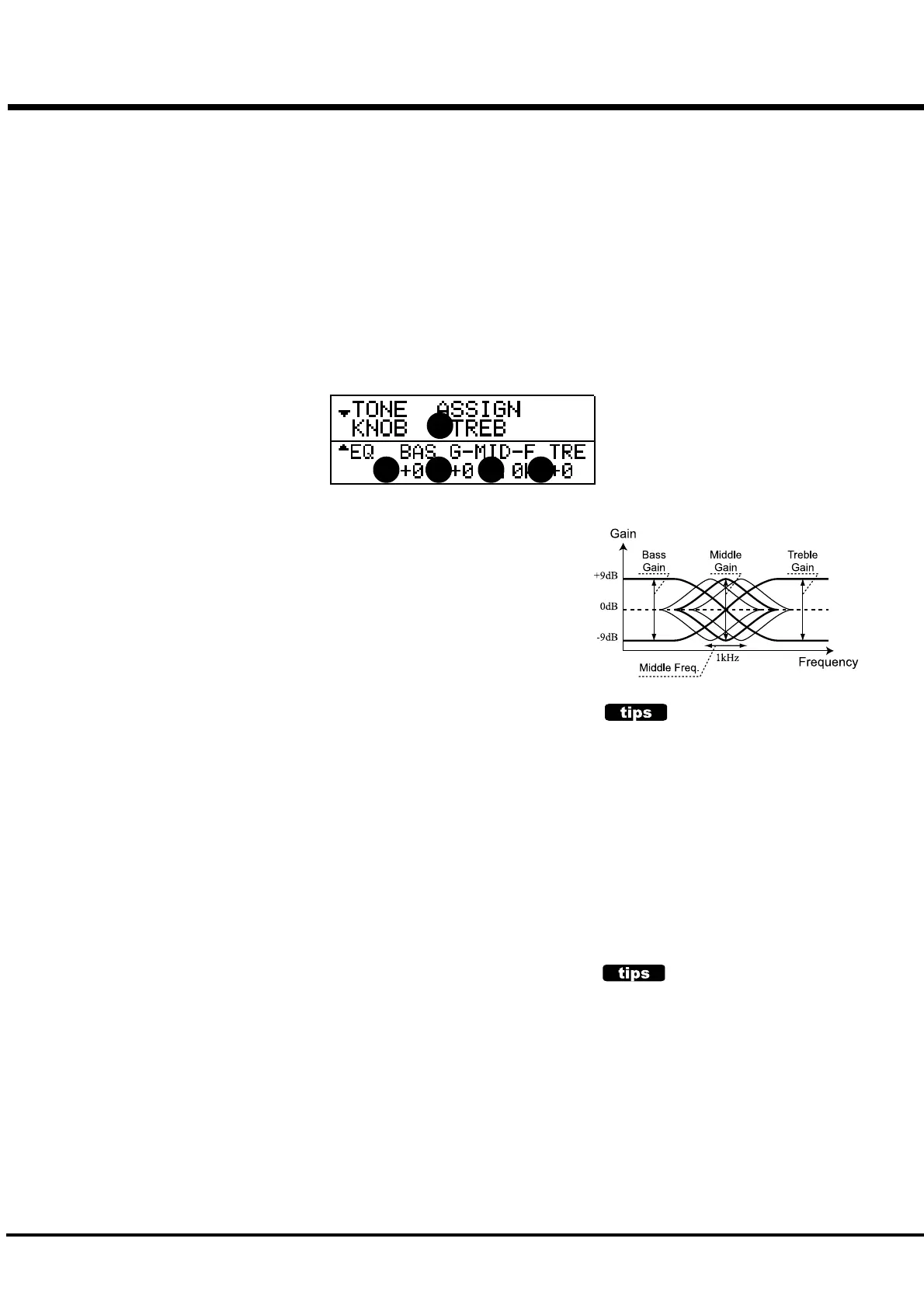
Equalizer is an effect to adjust the tonal quality. The built-in Equalizer consists of
3 bands. With the 3 bands from bass to treble, you can boost or cut them.
To come to this mode:
1. Touch the [MENU/EXIT] button for the MENU, select PAGE C by the [PAGE] button, and
then touch the [2] EQUALIZE button.
2. Touch and hold the [TONE TYPE] button.
1. GAIN - BASS
2. GAIN - MIDDLE
4. GAIN - TREBLE
This is for doing the Boost/Cut of Bass, Mid-range and Treble respectively.
The setting range is -9 to +9. It gets neutral at 0.
3. FREQUENCY - MIDDLE
This is for setting the Central Frequency to vary at Gain - Middle (2).
The setting range is 480Hz - 2.9kHz.
5. TONE - ASSIGN
This sets the function to assign the parameter of each gain: either Bass, Middle or Treble,
to the [TONE] knob. You can change this while playing.
NOTE: These parameters are Preset Parameters and are recorded to each Combination
Preset.
PRESET PARAMETERS
Equalizer is a Preset Parameter, designed to
actively use as one of the tone-making
parameters.
However, it is not practical to use Equalizer as a
tonal complementary tool to match the location.
In such a case, if you switch OFF the P.LOAD RV/
EQ in the PRESET function mode, the Equalizer
value does not change when the preset is
recalled. (P. 56)
THE EFFECTIVE USE OF THE MIDDLE
FREQUENCY
The frequency response of the horn rotor in the
Leslie speaker is not flat. It has a peak from
1kHz to 3kHz that sensitive range for human
ears. The character is the well-through sound in
the band ensemble.
When you use this keyboard on line out, without
Leslie speaker, you can get the similar effect by
setting the FREQUENCY - MIDDLE to about
2kHz, and the GAIN - MIDDLE to "+".
1 2 3 4
5



 To Next Page