*#1 :-Owner’s Manual
44
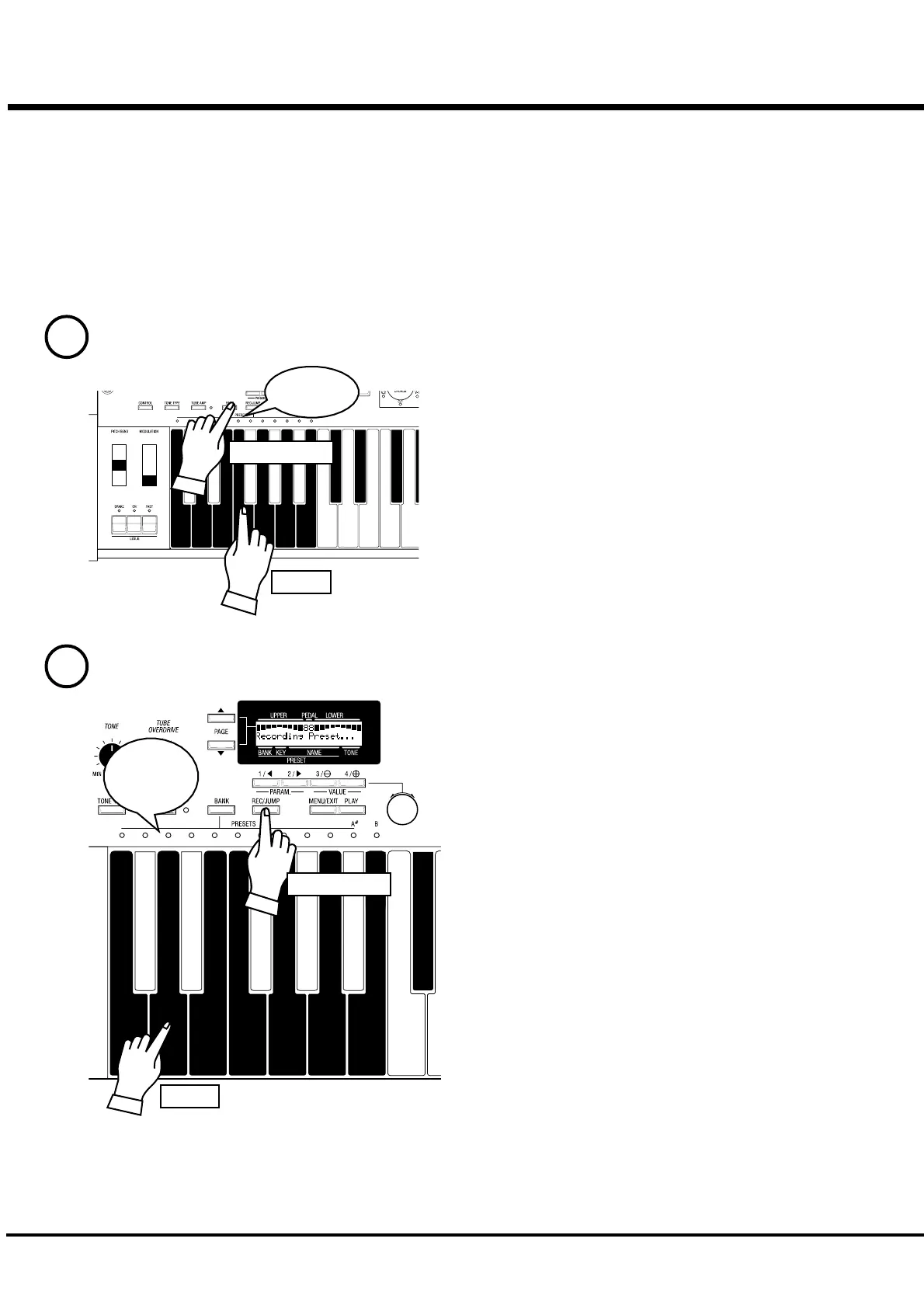
RECORD INTO THE COMBINATION PRESETS
EXAMPLE: Record into “F-D”.
While holding down the [BANK] button, touch the Preset Key
[F].
The LED on the Preset Key indicates the BANK while you are
holding down the [BANK] button.
NOTE: The LED will be OFF, if you release the button. This
means the Preset is not stored.
This operation is not necessary, if you do not change the Bank.
Press the Preset Key [D], while holding down the [REC/
JUMP]. The Preset becomes final and the display shows as
follows for a few seconds.
Recording Preset...
When the recording is completed, the LED on the Preset Key
[D] flashes for a while. (The recorded Preset will be automati-
cally selected.)
The display will return to the previous screen.
You can not record to the Preset Key [B] (or [A#] - when
the control mode is in “Upper A#/B”) by this operation.
NOTE: The Preset data recorded will not be lost even after you
switch off the power.
Light
1
2
Select the Bank.
Select the Key.
Flash to
On
Press and hold
Press and hold
Touch
Touch



 To Next Page