Setting the Parameters
73
REVERB
In this mode, you can do the setting for the REVERB EFFECT.
To come to this mode:
1. Touch the [MENU/EXIT] button for the MENU display, select PAGE C by the [PAGE]
button, and then touch the [4] REVERB button.
2. Or, hold down the [REVERB] button for a while.
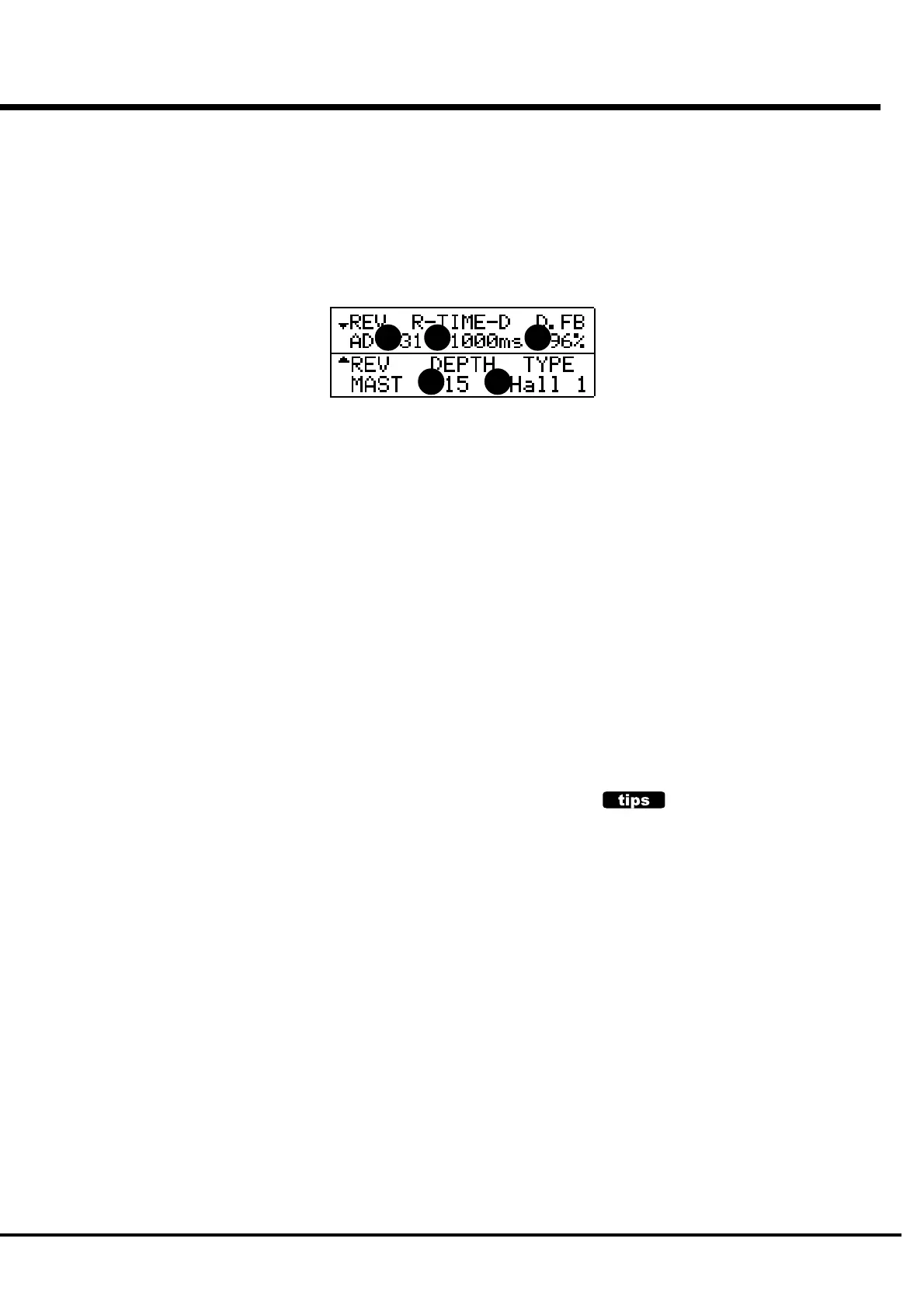
1. DEPTH
This sets the Depth (= Volume) of the REVERB.
The setting range is 0 - 15. If you increase the value, it will give the audience the
impression that the player's performance comes from farther away.
2. TYPE
This sets the Types of REVERB.
Room 1: Inside the room (short)
Room 2: Inside the room (long)
Live: Live house
Hall 1: Concert Hall (long)
Hall 2: Concert Hall (short)
Church: Church
Plate: Iron-plate Reverb
Delay: Delay
PanDly: Panning Delay
RevDly: Reverb + Delay
3. REVERB TIME
When the Type (2) is at Room 1 - Plate, it sets the Time for Reverb to fade out.
The setting range is 0 - 31. The more value, the wider it gives the impression of the
space.
4. DELAY TIME
When the Type (2) is at Delay, PanDly, RevDly, it sets the Time for the delaying time.
The setting range is 4.7 - 1000 ms. The more value, the slower gets the delaying
sound.
5. DELAY FEEDBACK
When the Type (2) is at Delay, PanDly, RevDly, it sets the Amount of the Feedback.
(The delaying sound repeats.)
The setting range is 0 - 96%. The more value, the more Feedbacks you can get.
NOTE: These parameters are Preset Parameters and are recorded to each Combination
Preset.
PRESET PARAMETERS
Reverb is a Preset Parameter, designed to be actively
used as one of the tone-making parameters.
However, it is not practical to use Reverb as a tonal
complementary tool to match the room/stage/hall. In
such a case, if you switch off the PLOAD RV/EQ in
the Preset function mode, the Reverb On/Off value
does not change when the preset is recalled. (P. 56)
1 2
3 4 5



 To Next Page