*#1 :-Owner’s Manual
74
DEFAULT
In this mode, you can go back entirely or partially to the default setting as per
shipped from the factory.
To come to this mode:
Touch the [MENU/EXIT] button for the MENU display, select PAGE E by the [PAGE]
button, and then touch the [1] DEFAULT button.
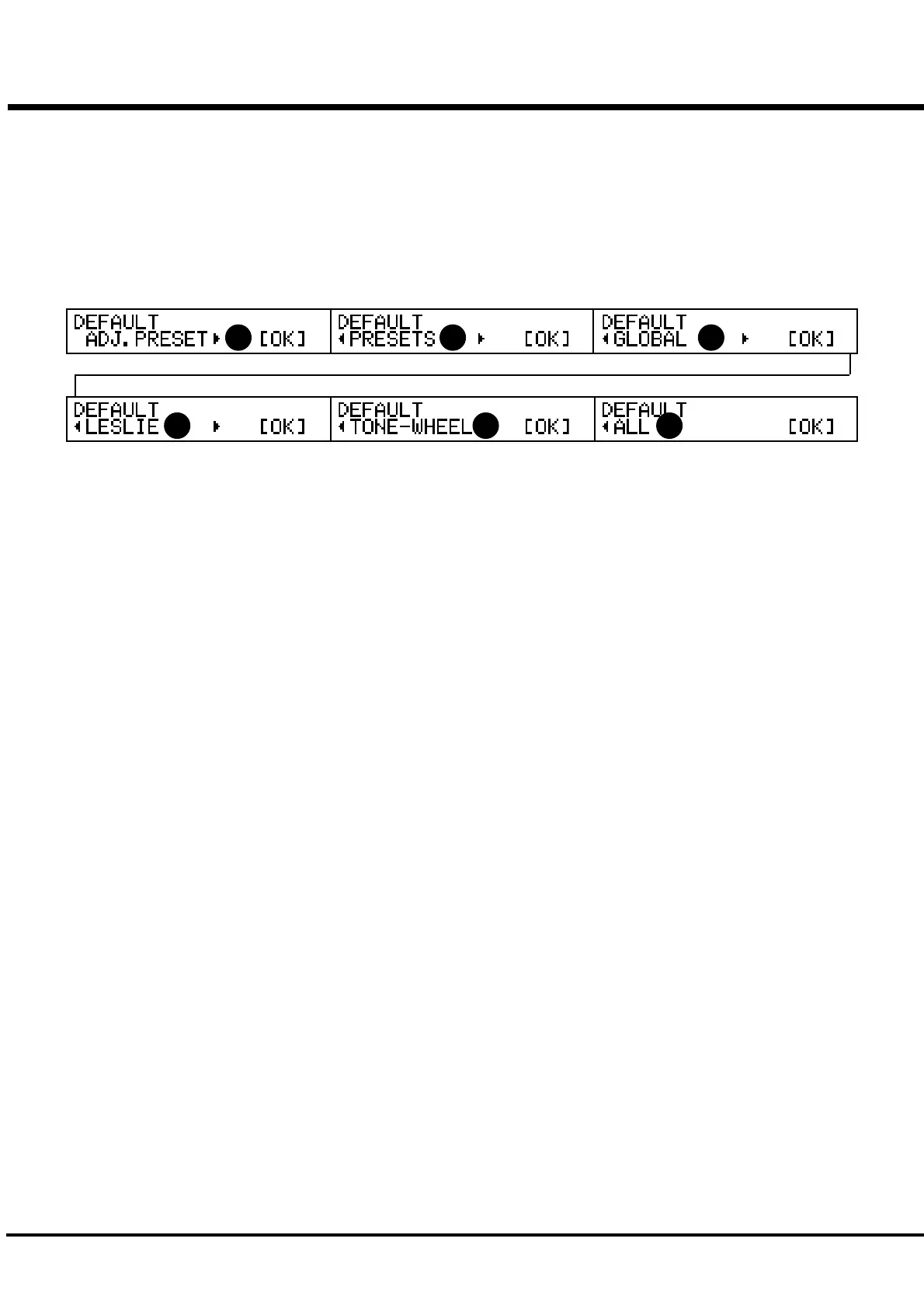
To initialize each parameter, touch the [PARAM] button and then [4] OK.
1. ADJUST PRESET
Initializes the content of the Preset Key [B].
If the Drawbar Control mode is at "UPPER A#/B", the content of [A#] is also initialized.
If you do this operation before you start a new setting, you can start from the fresh status.
2. PRESET
Initializes the content of all Combination Presets.
3. GLOBAL
Initializes the Global Parameters such as Master tune or assignment of the Foot Switch.
4. LESLIE
Initializes the content of all Cabinets.
5. TONE WHEEL
Initializes the Custom Tonewheels.
6. ALL
Initializes all parameters of this keyboard.
If anything caused an unstable trouble on this keyboard system, the trouble would be
cleared.
NOTE: You can also totally initialize your module by switching the Power ON while touching
the [REC/JUMP] button.
1 2 3
5 64



 To Next Page