Using the Control Panel
47
PLAY MODE
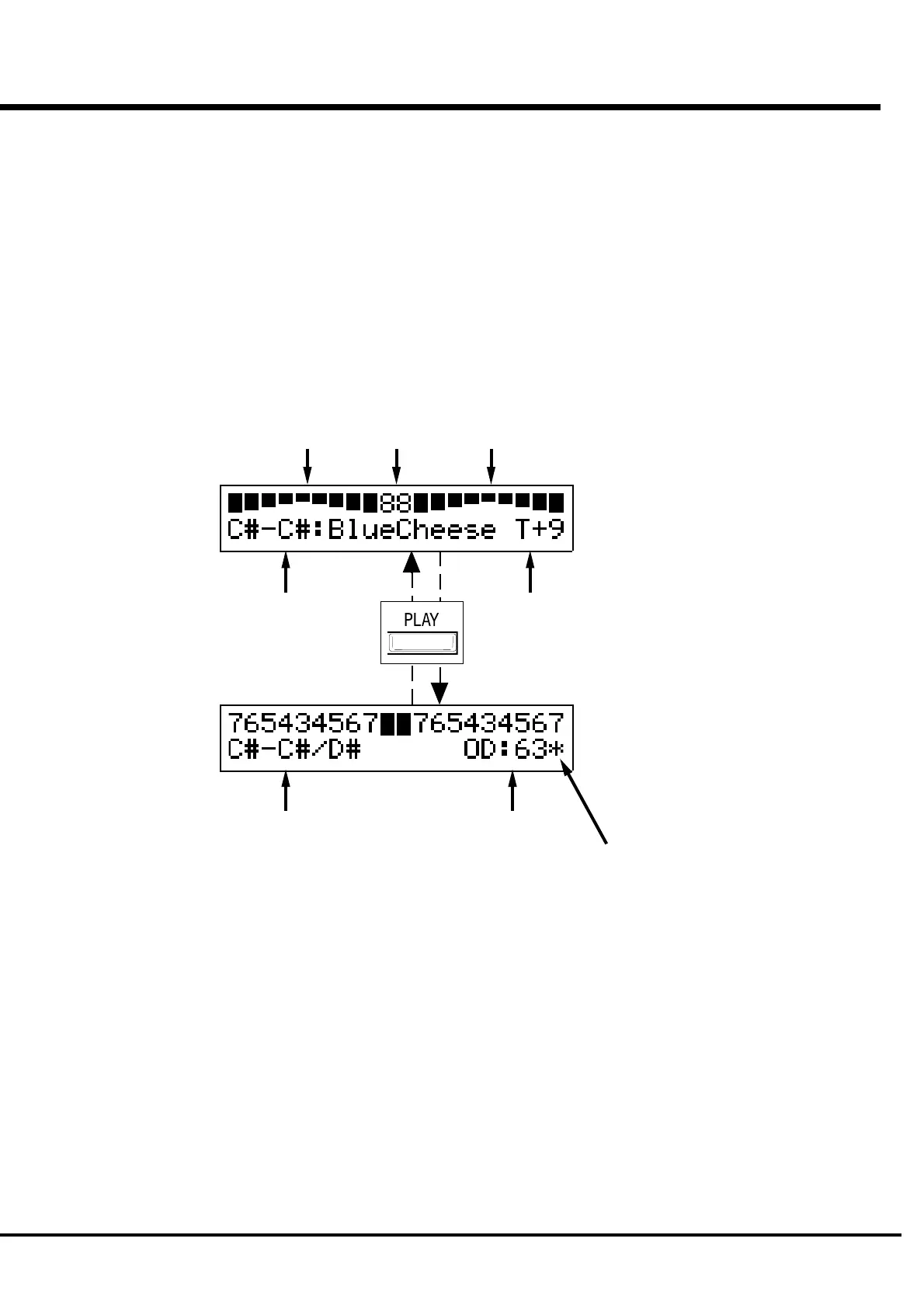
The PLAY MODE is the basic display for all the operations. The necessary infor-
mations for the normal play will be displayed.
There are two types of PLAY MODE screens to display the Drawbar Registration.
One is by showing the length of the bars and the other by digits.
How to come to this display:
1. Immediately after powered ON and the start up process is complete, the PLAY mode is
displayed.
2. If a different mode is displayed, touch the [PLAY] button.
These two PLAY mode displays (= the bar
display and the digital display) will be switched
every time you touch the [PLAY] button.
In the bar display, the Combination Preset name
is shown but another Preset Key, if assigned to
the LOWER Part is not shown.
Also, the function assigned to the [TONE] knob
and its value is displayed.
HOW TO READ THE DISPLAY
Preset Bank -
Key :
Name
Drawbar registration
UPPER Part/ PEDAL Part/ LOWER Part
Value of
OVERDRIVE
BAR display
DIGITAL display
Preset Bank -
Key on UPPER Part/
Key on LOWER Part
[TONE] knob
Assignment:
Value
Sounding on MIDI Note
Message
The Preset name is not shown in the digital
mode display, but you can see the Preset Key of
the LOWER Part.
Also, the value of the Overdrive and the MIDI
IN Note Information is displayed.



 To Next Page