*#1 :-Owner’s Manual
48
MENU MODE
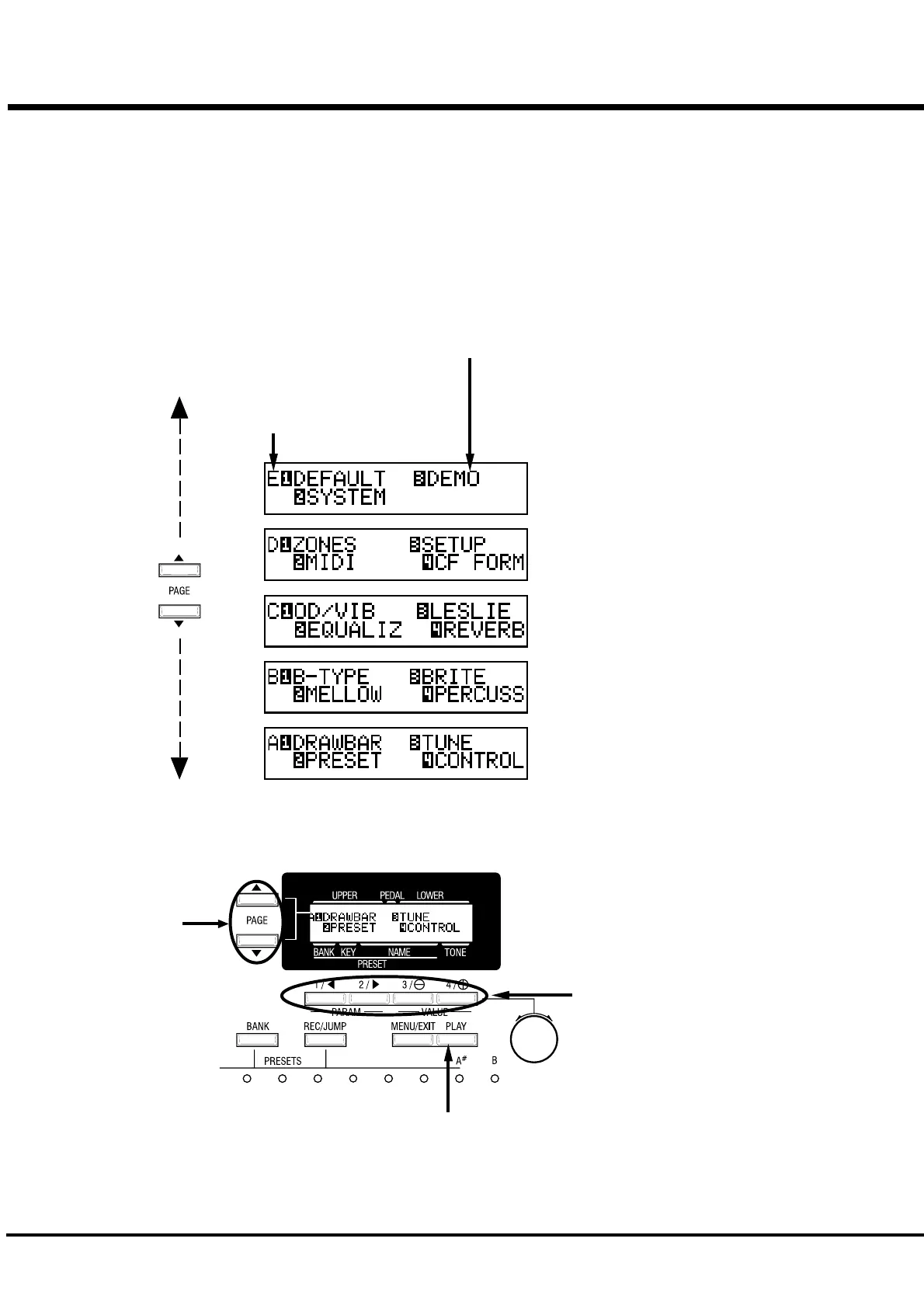
The MENU mode is the path for each function.
How to come to this display:
Touch the [MENU] button.
There are several pages which contains many various FUNCTION displays. Move
from page to page and find the item where you want to go and touch the numbered
button to see the desired display.
HOW TO READ THE
DISPLAY
BUTTON OPERATION IN THIS MENU
PAGE
FUNCTION ITEM
(If none, blank.)
Moves from a page to
another.
You can jump to the
top or bottom page by
touching these buttons
with holding down the
[REC/JUMP] Button.
These are for entering to each FUNCTION
MODE corresponding with the item
displayed.
Returns to the PLAY mode.


 To Next Page