MIDI
83
CONTROLLING THE EXTERNAL MIDI EQUIPMENTS
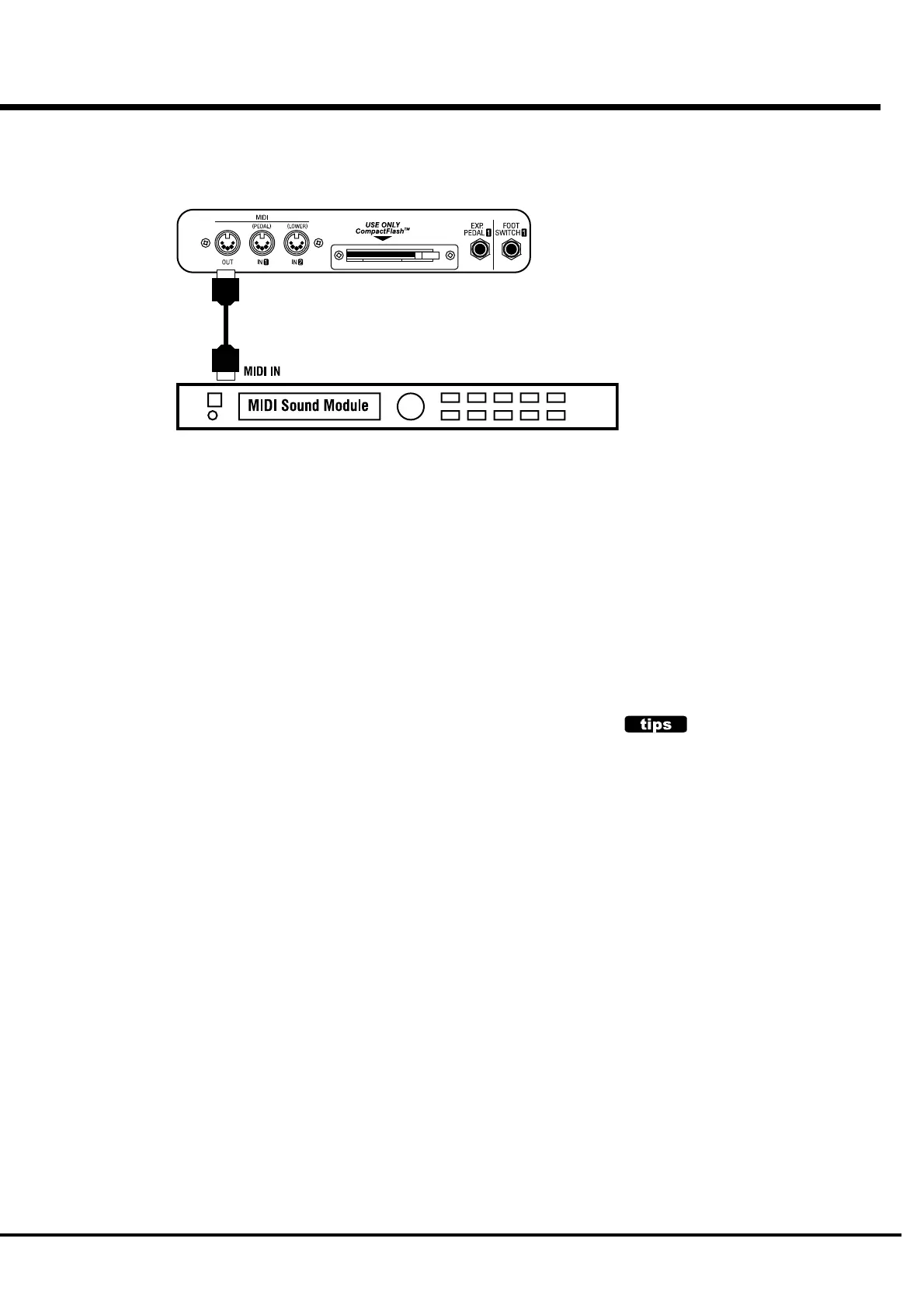
1. Hook up as illustrated above.
Connect the MIDI OUT to the MIDI IN of the Equipment you want to control.
2. Recall the MIDI template "Use EX Zone".
By this, the transmission of the Keyboard Channel stops and the infos. of the External Zone is
sent from MIDI OUT.
3. Set the Zone, and the data is recorded to the Combination Preset, if necessary.
See "ZONES" on the next page for how to set the Zone.
You can control the External MIDI Equipments such as Sound Modules upto 3
Zones by your XK-3.
NOTE ON THE SOUNDING POINT
The External Zone sounds at a little deeper point
of the key than the Drawbar tone.
This is for outputting the velocity infos. to the
External Zone.



 To Next Page