Setting Up
37
PERCUSSION
The attack feeling of the percussion is a Hammond exclusive.
Percussion is usually used with the Drawbar sound.
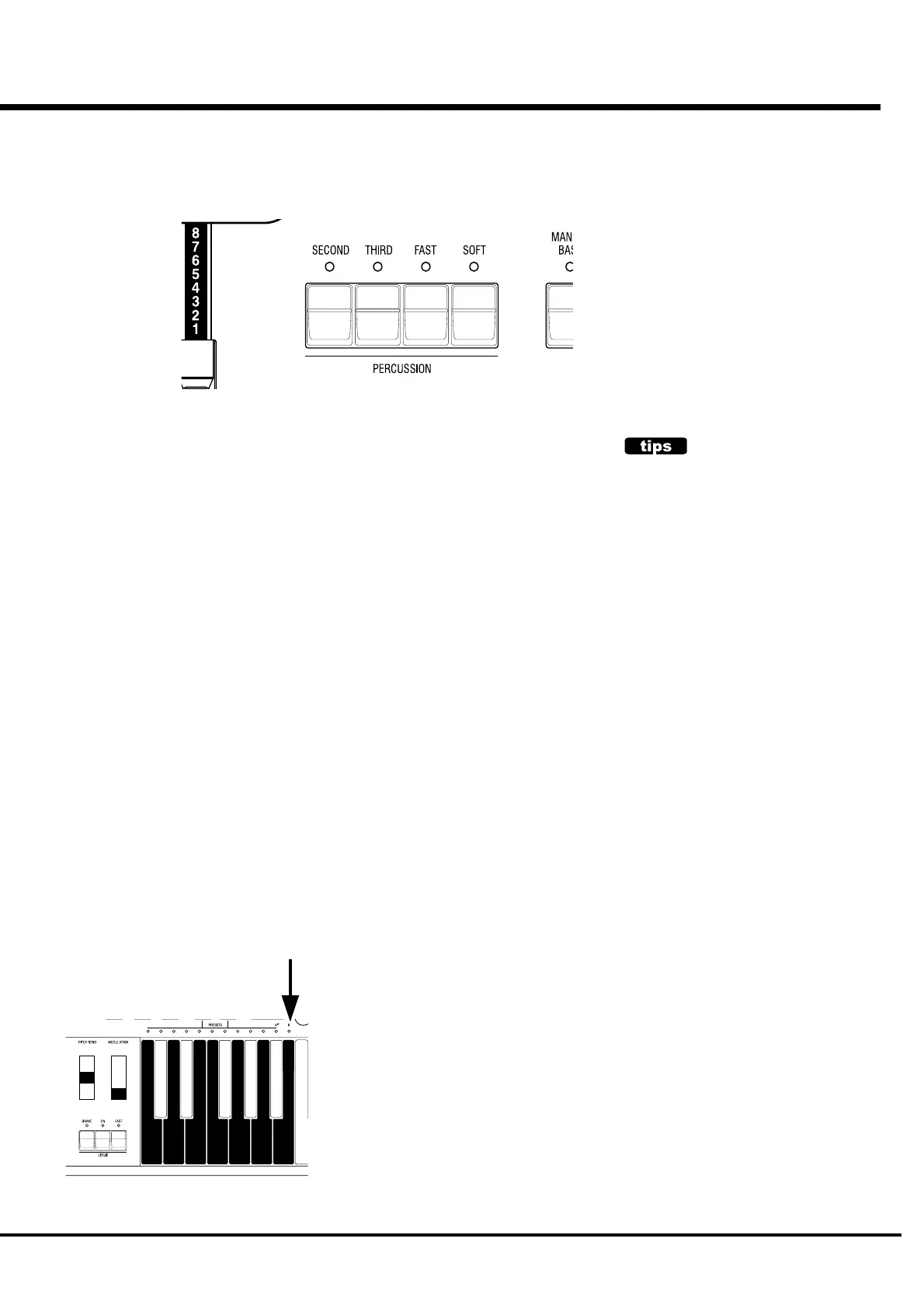
[SECOND] BUTTON
The second harmonic, or 4' Drawbar decay, is added to the UPPER Part.
To use this, press the [SECOND] button , and the LED will light.
[THIRD] BUTTON
The third harmonic, or 2 2/3' Drawbar decay, is added to the UPPER Part. By mixing it
with the Drawbars, power and solidness is obtained.
To use this, press the [SECOND] button , and the LED will light.
[FAST] BUTTON
This cuts short the decay time of Percussion.
It is effective if you use this to play with a clear-cut rhythm in an up-tempo piece.
When the LED is OFF, it is SLOW. It gets “FAST” when you press the [FAST] button ,
and the LED will light.
[SOFT] BUTTON
This reduces the volume of Percussion.
When the LED is OFF, it is NORMAL. If you press the [SOFT] button, the percussion
level is soft, and the LED will light.
NOTE: You can fine-adjust Percussion. (P. 67)
DECAY
The piano sound gradually goes out even
if you keep the key down. This is called
“decay”. The violin, on the contrary,
keeps sounding at a certain volume. This
is called “sustain”.
NOTES
"Percussion does not sound!"
The factory default setting: Percussion does not produce sound except at the Preset
Key [B], if the Combination Preset is Bank B. (See left.) This setting is the same as on
the B-3/C-3.
NOTE: You can set any Preset Key to sound Percussion. (P. 67)
DRAWBAR CANCEL
When either the [SECOND] or the [THIRD] button is ON, 1' in the Upper Part Draw-
bars does not produce sound. This is the same action as on the B-3/C-3.
NOTE: You can set to play 1' Drawbar, while Percussion is ON. (P. 67)


 To Next Page