*#1 :-Owner’s Manual
50
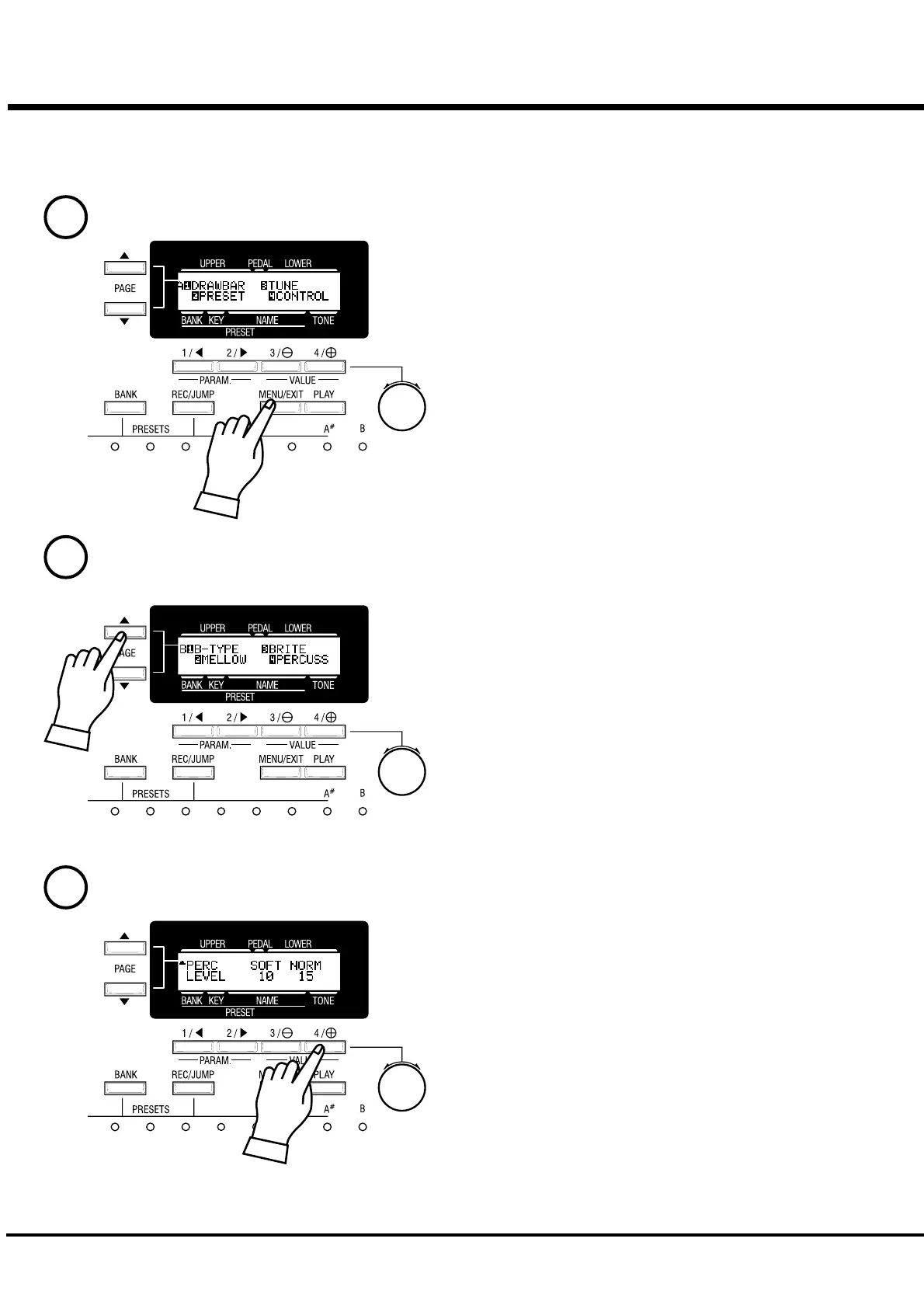
Search for the PERCUS page, using the [PAGE] button.
“PERCUS” is on PAGE B. So select PAGE [B].
Touch the [4] button for “PERCUS”.
Now you are on the (first page) of the Percussion Function display.
Example of operation:
Adjusting the DECAY TIME of the Percussion [FAST]
Go to the MENU Mode.
Touch the [MENU] button.
The [MENU] mode is displayed.
Select the PAGE.
Touch the Number button.
1
2
3


 To Next Page