MIDI
85
13. NOTE - VOLUME
This is for setting the volume (= Control Change #7) of this
zone. However, the set value will be null, if the CC# (item #18)
is at “7.VOL”.
14. NOTE - PAN
This is for setting the Pan (= Control Change #10) of this Zone.
15. NOTE - VELOCITY
This is for setting the Velocity Curve to send to this zone.
The setting range is OF, 1 - 4. The velocity of OF is fixed at
100. At 1 - 4, the more the value increases, the intense velocity
is sent regardless how light the key is touched.
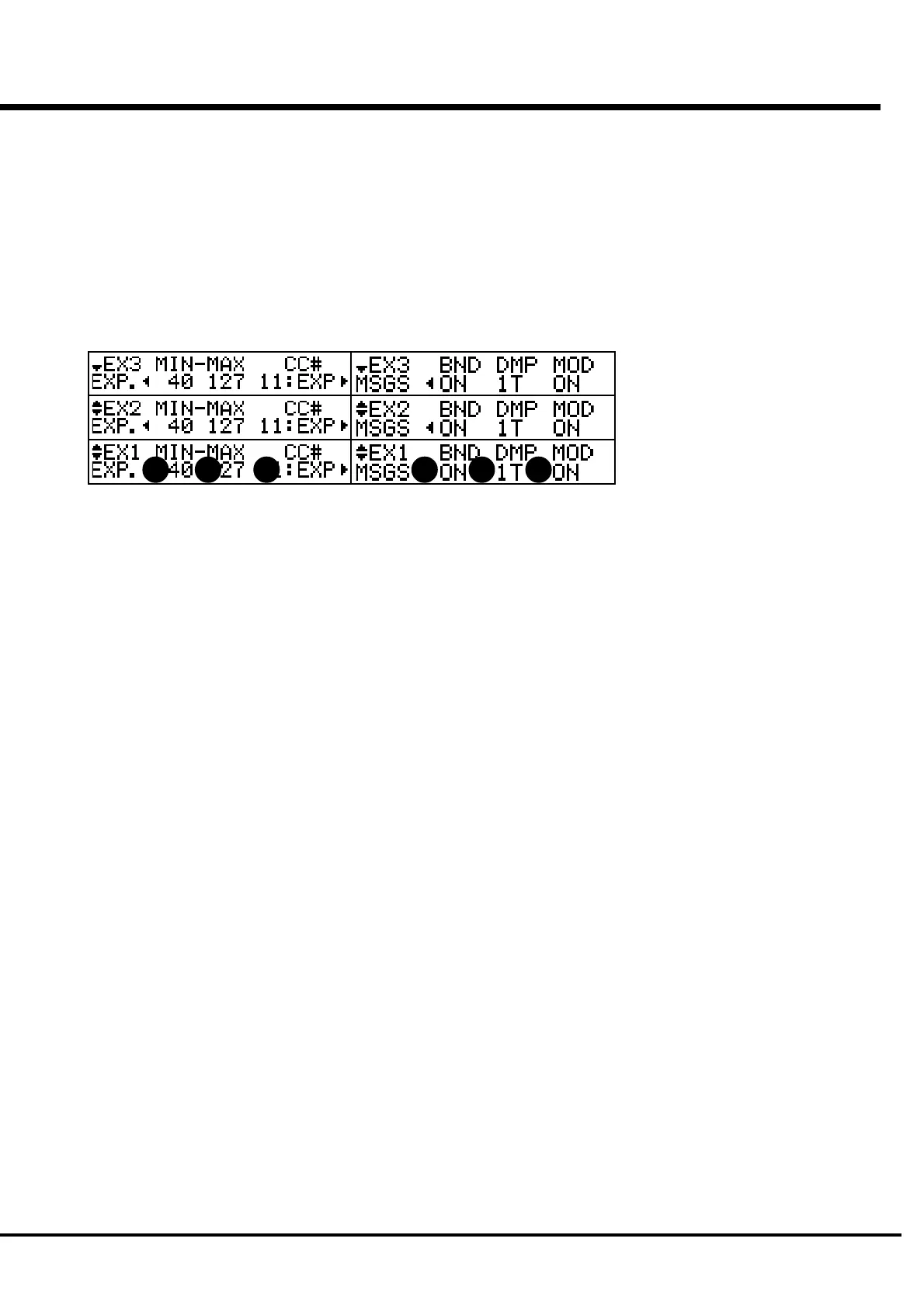
16. EXPRESSION - MINIMUM
17. EXPRESSION - MAXIMUM
This is for setting the range of the expression to “compress” to
send to this Zone.
If the expression pedal is connected to this keyboard, generally,
the electronic organ will sound, even when the expression pedal
is fully returned or at 0.
With the GM sound engine, the sound does not come out at the
same setting. This parameter is to balance it.
You can select 0 - 63 by MIN, and 64 - 127 by MAX.
18. EXPRESSION - CONTROL NUMBER
This is for setting the Control Number of the Expression Pedal.
There are various methods of the volume control, depending on
the connected equipment. you can here set the number to
nicely control the volume of the connected equipment by this
parameter.
19. MESSAGE - PITCH BEND
20. MESSAGE - DAMPER
21. MESSAGE - MODULATION
This is for determining whether or not to send the control
information to this zone.
For example, by using two zones, suppose you have set to
sound the piano and sax by touching one key. The damper is
effective on the piano but strange on sax. On the other hand,
Pitch Bend is suitable for sax but not necessary for the piano.
Now, you need to limit the message to send to each zone.
ON sends the message, but OF does not.
You can also select which footswitch to use for sending the
damper.
OF:
does not send the damper information.
1T, 1R 2:
each sends the damper information by the tip of the
footswitch 1, ring, and EXP-100F.
NOTE: All the parameters in these modes are Preset Param-
eters. They can be recorded to the Combination Preset.
See the Appendix for details of the Preset Parameters.
16 17 18 19 20 21



 To Next Page