1
2
3
Contents
System
Installation
Using
the product
Assembly &
Disassembly
BIOS
Appendix
System
Introduction
Touch Screen
MSR
Kitchen Printer Bell
Winclon (Backup)
Winclon (Restore)
POS Driver & Utility
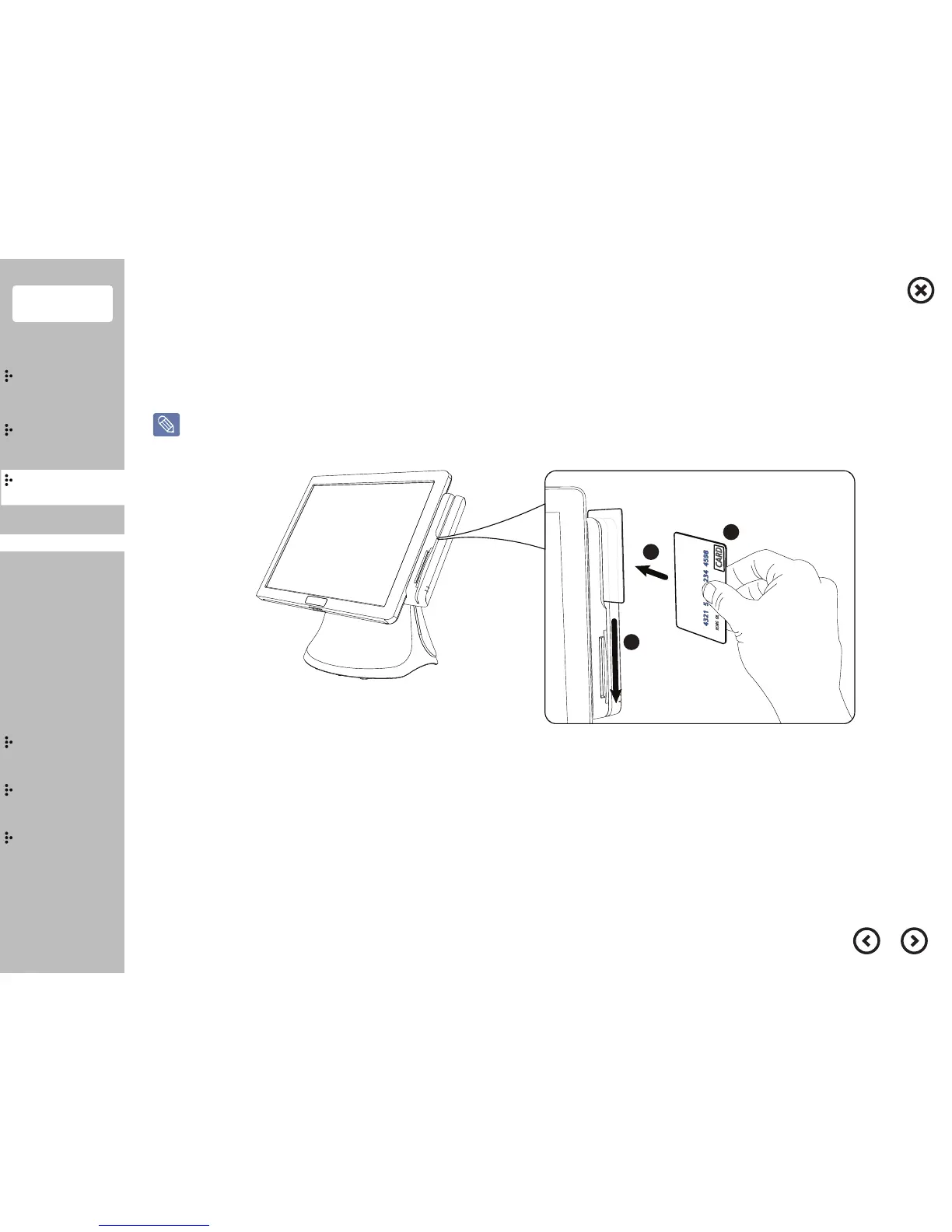
Learn the proper way of using card reader before using the product.
When the card is inappropriately recognized, the red ligth will be turned on with the beep sound.
①
Grab your credit card as the picture shows.
※ Make sure the magnetic side of the card towards out side.
②
Push your credit card in the direction of the arrow.
③
Slide down your credit card gently in the direction of the arrow.
■
Proper way of using the card reader
MSR


 To Next Page