■
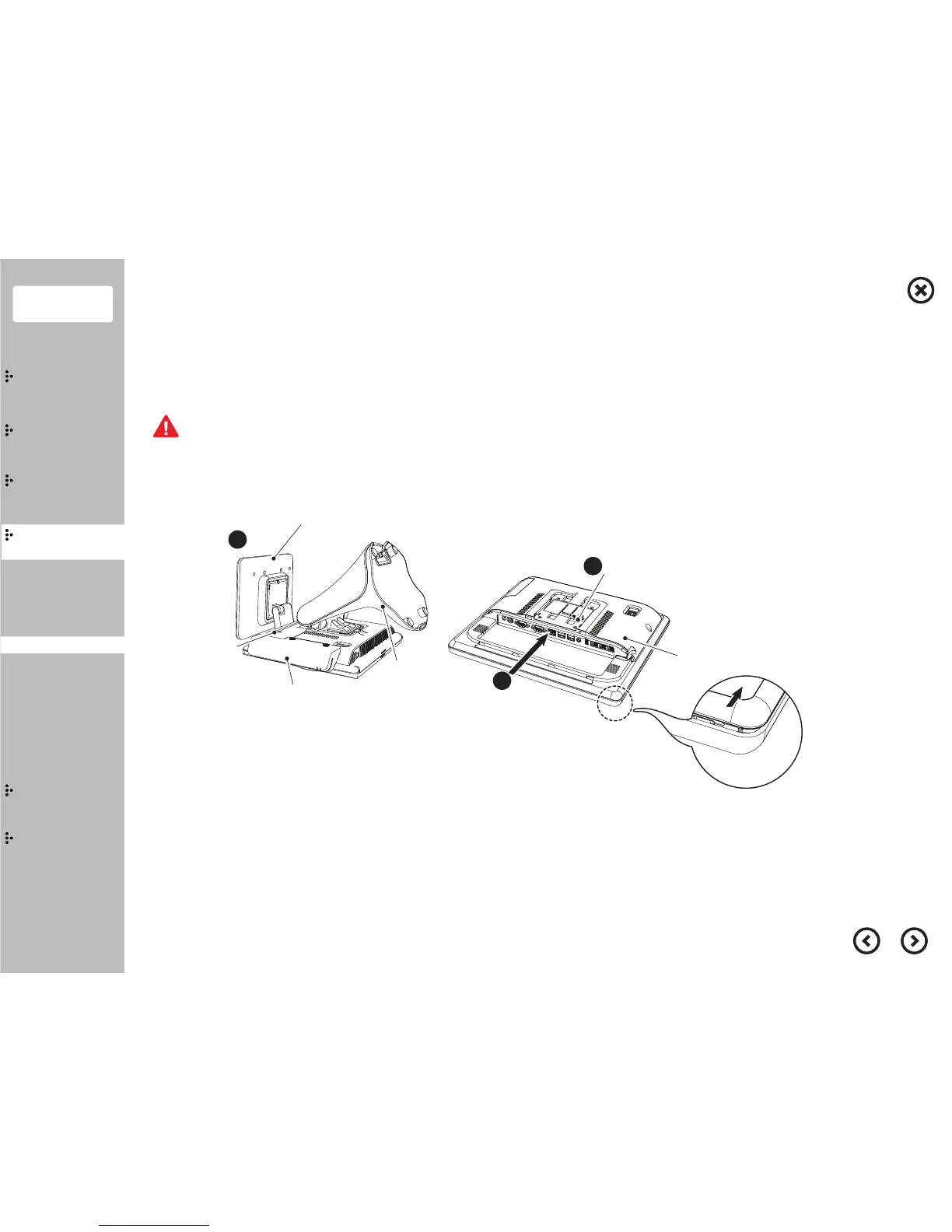
Cover Rear
Stand
MSR
Second Monitor
I/O Ports Cover
1
Coin Screw
Cover Rear
2
3
Contents
System
Installation
Using
the product
Assembly &
Disassembly
BIOS
Appendix
System
Introduction
MSR
Stand
Storage(HDD/SSD)
Cover Rear
EMI
Second Monitor
VFD
Wall Mount
1)
Before you lay down the product, please remove anything that could damage the product and touch panel,
and then spread a clean fabric or cloth before you start the operation.
2) The disassembling and assembling process require professionality.
If you attempt to disassemble without any expertise, it may cause product trouble so please be careful.
Cover Rear separation
①
Separate the cover cable, second monitor, stand, MSR
※ Please refer to related contents for the separation.
②
Remove the coint screw.
③
Separate the coverrear by pushing it in the direction of the arrow.


 To Next Page