1
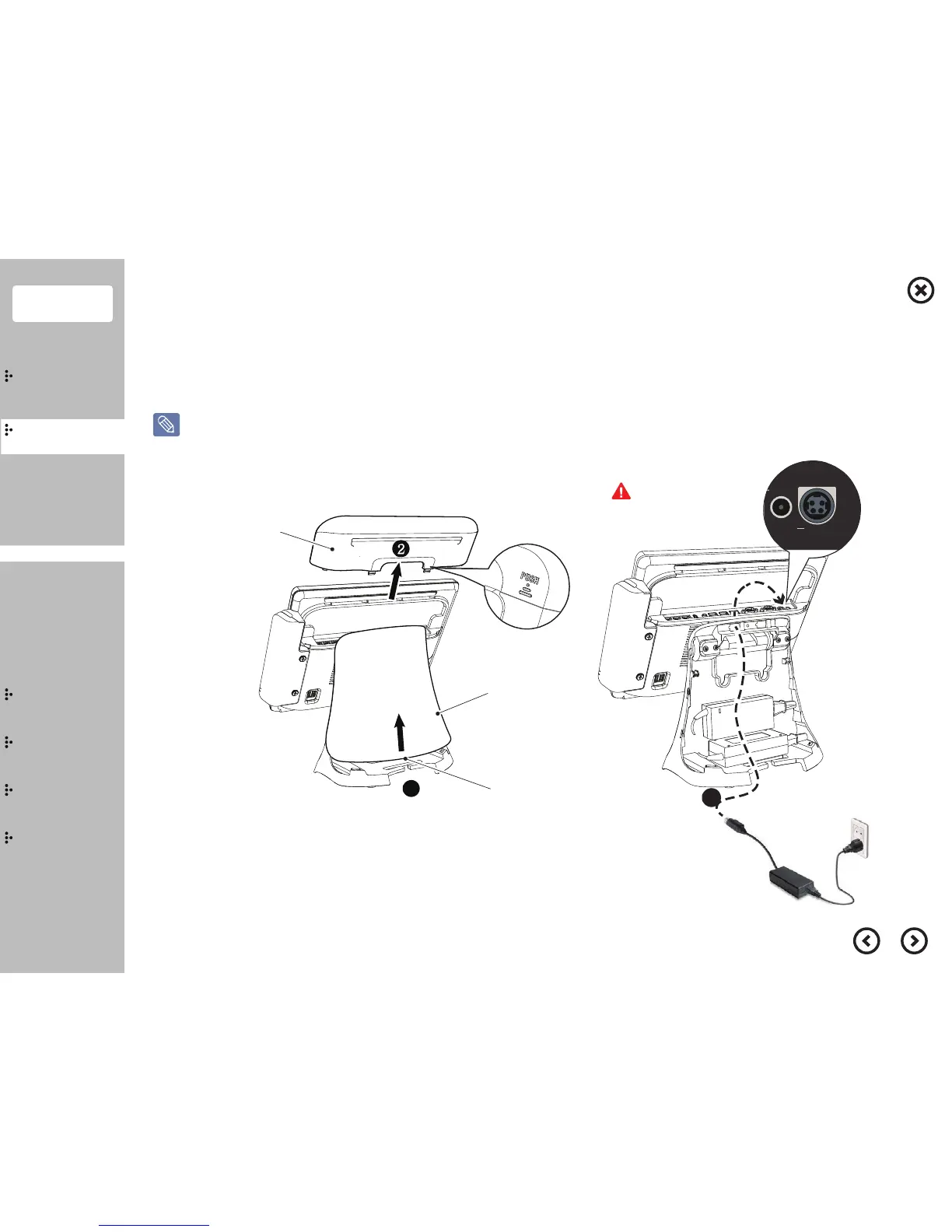
I/O Ports Cover
Datachment
Handle
Stand Cover
Contents
System
Installation
Using
the product
Assembly &
Disassembly
BIOS
Appendix
Remove
the protective tape
System On
Adjusting
Viewing Angle
System
Introduction
Connect the power cable to the adaptor firmly. Use only the adaptor supplied with the product.
Otherwise, there is a danger of fire due to an incomplete contact. Do not touch the system plug or power cable with wet hands
Please always check
the directions.
①
Separate the cover rear stand, as shown in drawing.
②
Separate the I/O ports cover.
③
Connect the power cable.
④
Press Power button to turn the system on.


 To Next Page