Contents
System
Installation
Using
the product
Assembly &
Disassembly
BIOS
Appendix
System
Introduction
MSR
Stand
Storage(HDD/SSD)
Cover Rear
EMI
Second Monitor
VFD
Wall Mount
①
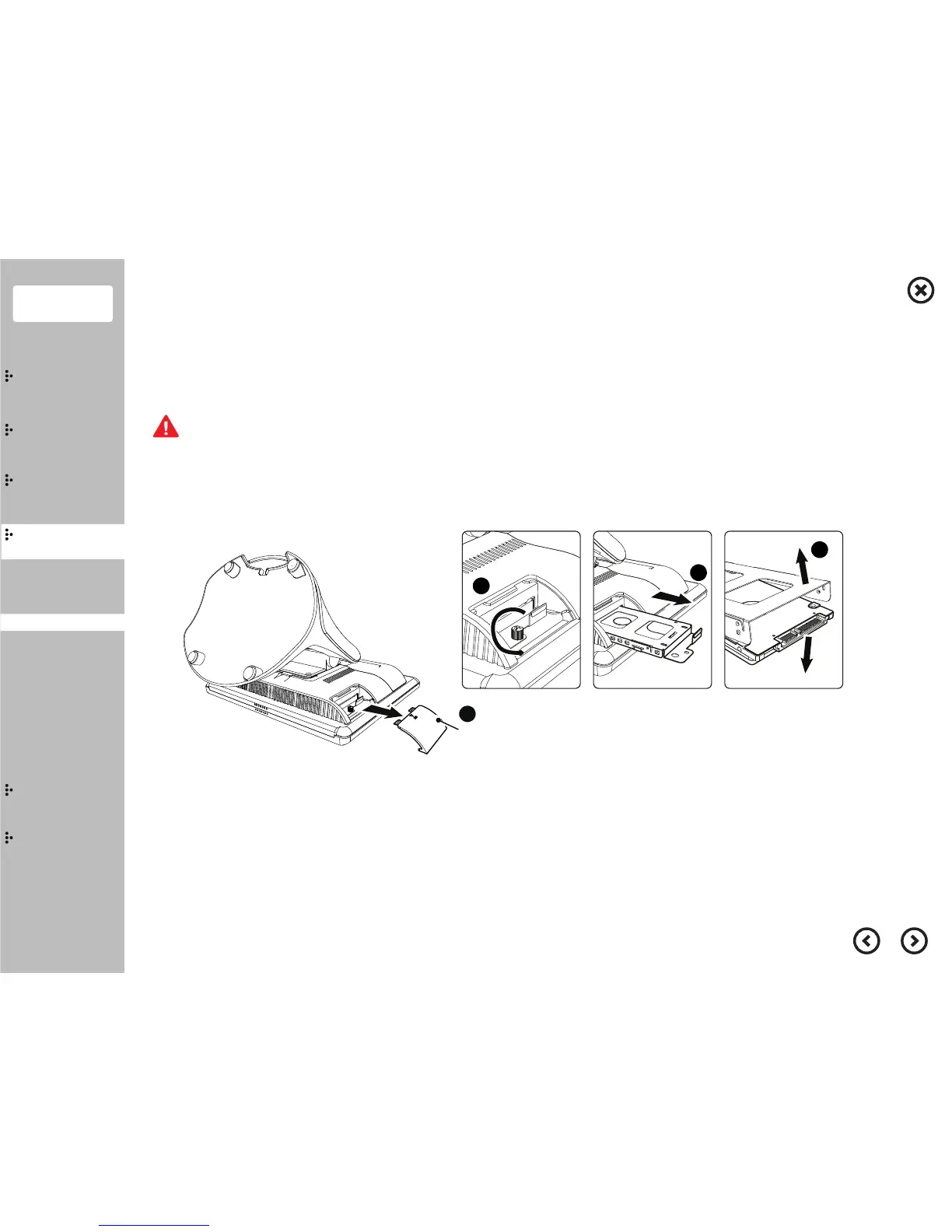
Separate the cover storage.
②
Rotate(Counter Clockwise) the screw.
③
Pull the storage out of the system.
④
Separate the storage from the bracket storage.
⑤
Replace the new storage into the bracket storage and assemble in reverse order.
Care must be taken when removing the storage and bracket to avoid injury.
Save all your data before clicking on Shut down. Disconnect the power cable from the system.
Storage(HDD, SSD) Replacement
Storage


 To Next Page