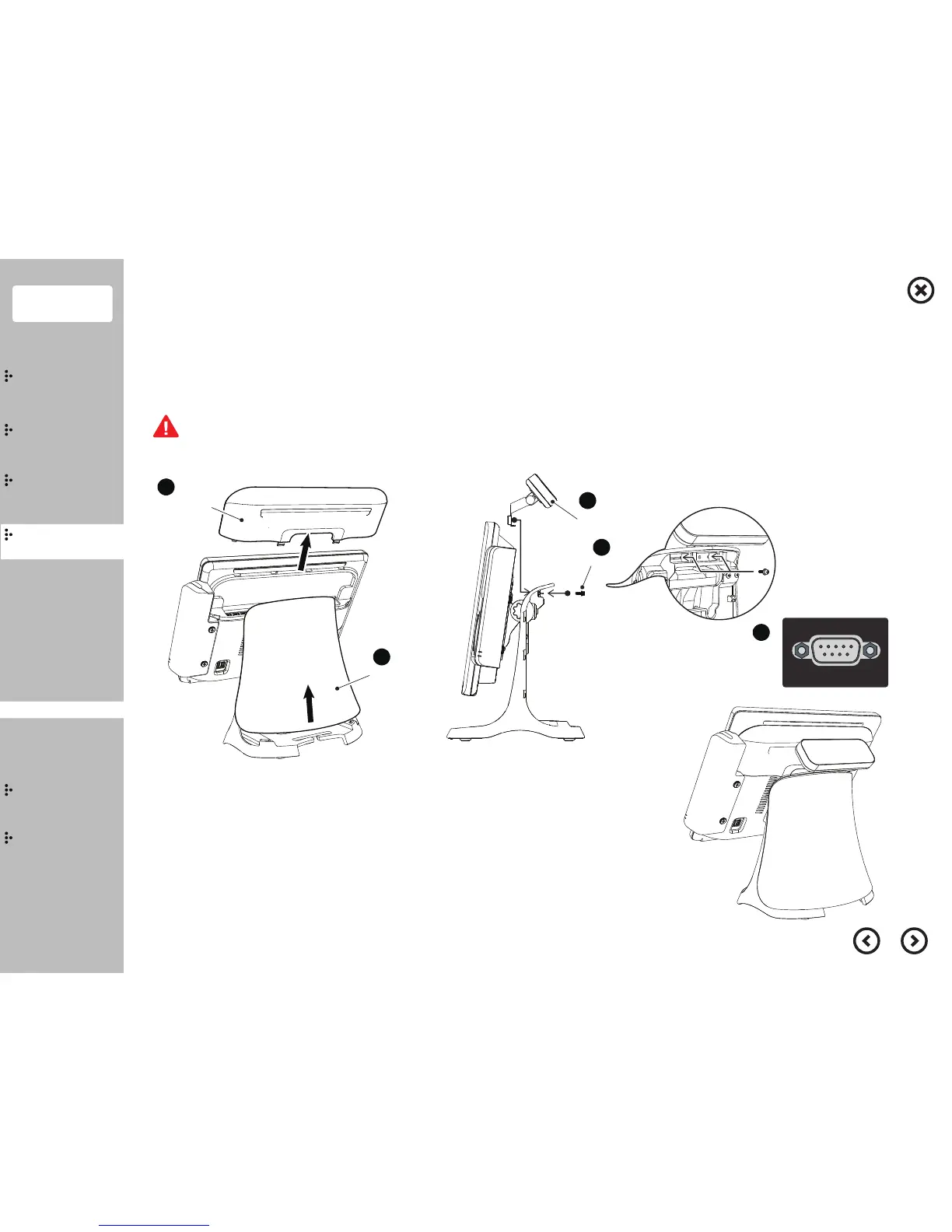
① Separate the I/O ports cover and the cover stand.
②
Follow the instruction above to install the VFD. then fix it by 2 screws.
③ Connect the serial cable(COM2 port)
④
Reassemble the I/O ports cover and the cover stand.
Save all your data before clicking on shut down. Disconnect
all cables and the power cable from the system.
■
Installation
Customer Display (VFD) - Step 1
1
1
I/O Ports Cover
Cover Stand
2
Screw
2
VFD


 To Next Page