53
X2D 100C
User Manual
CONTENTS
Focus Point
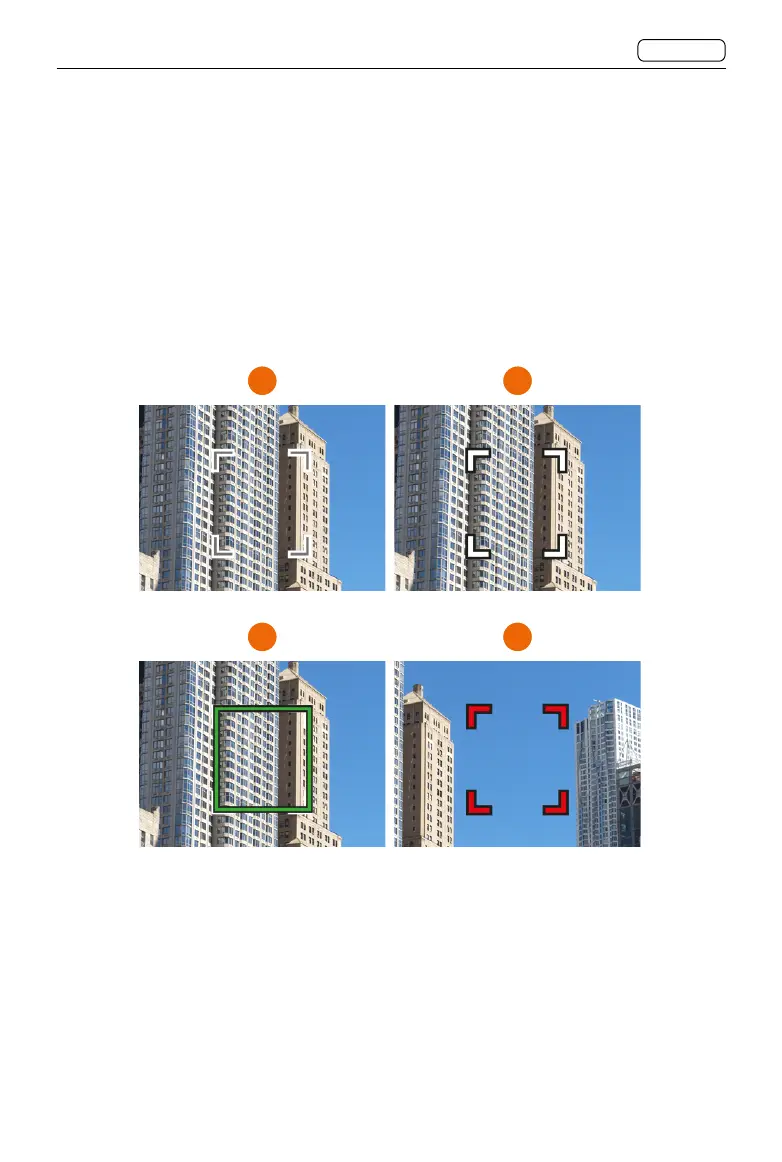
The square focus point in Live View indicates the status of the AF system. Activate autofocus
by half-pressing the shutter release button or pressing the AF-D button.
Grey, white outline: normal. Autofocus is not analysing the subject. (1)
White, black outline: Autofocus is ongoing. (2)
Green: autofocus performed and focus is correctly set. (3)
Red: autofocus failed to focus and focus is not correctly set. (4)
1 2
3
4
Users can adjust the focus point. Refer to the Moving and Adjusting Focus Point section for
more information.















 To Next Page