Application Calibration
ORCA Sonar System
29
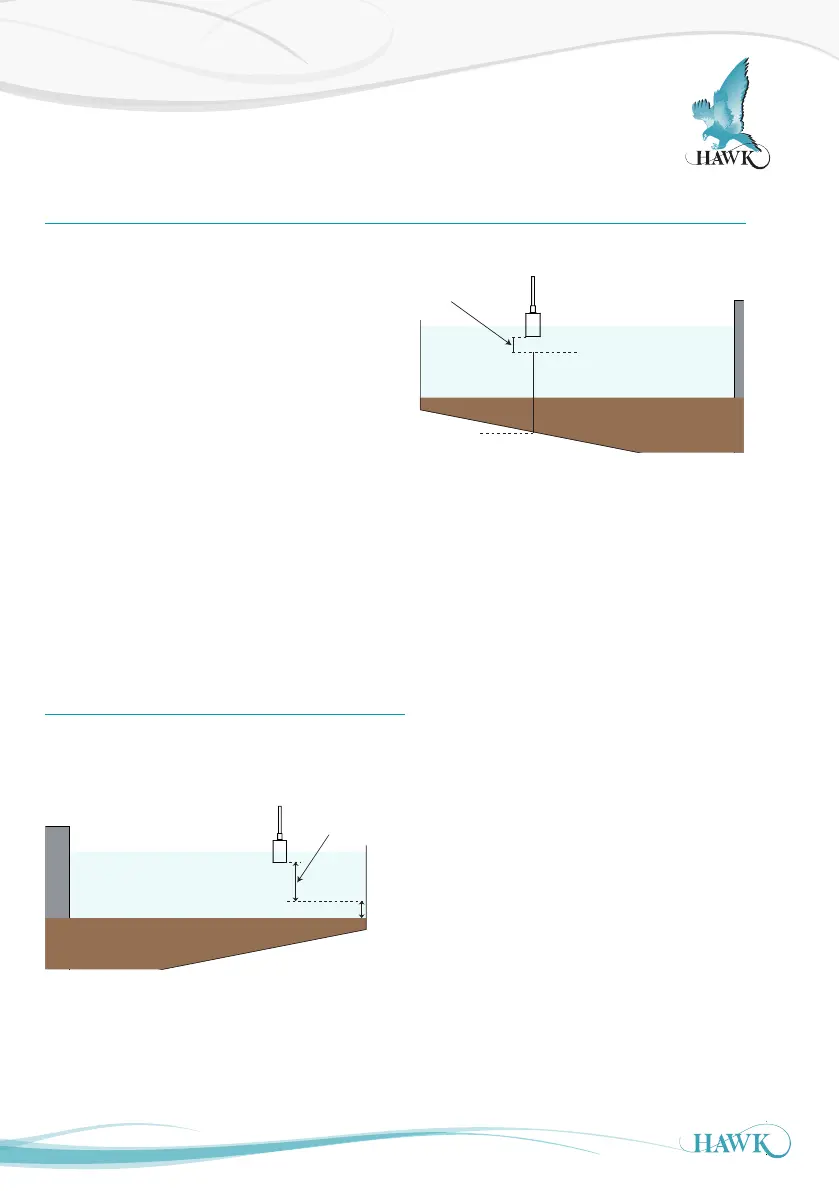
How to set up the unit - Bed Level + Clarity
High Level
20mA
0.600m
Low Level
Blanking /
non-measured
zone
Bed Depth
(Max Bed + 1m (3ft)
Max Bed
1m
Parameters for standard setups are located in the
'Quickset' menu.
You will need to program the following parameters:
- App Type - High & Low Level, Density
- App Type2, High & Low Level2
A) High Level for App Type should not be less
than 0.600m (2ft). High and Low level for Clarity
is represented as a %. 0% poor Clarity, 100%
optimal Clarity.
B) Set App Type to 'Bed' with Density 10+g/l. This
applies our pre-set parameters to measure the
Bed level with the first output.
Set Bed Depth - see Bed Depth
(1)
Set App Type2 to 'Clarity'. This programs output
2 for a proportional 0-100% representation of
Clarity
1/3 Radius
1/2 Submerged
High Level
20mA
0.600m
Low Level
4mA
X.xxm
Blanking /
non-measured
zone
Bed Depth
(Max Bed + 1m (3ft)
Max Bed
1m
Bed Depth
(1)
Bed Depth should be programmed to 1m (3ft) higher
than the application expected maximum depth



 To Next Page