13 / 34
HBC Menu
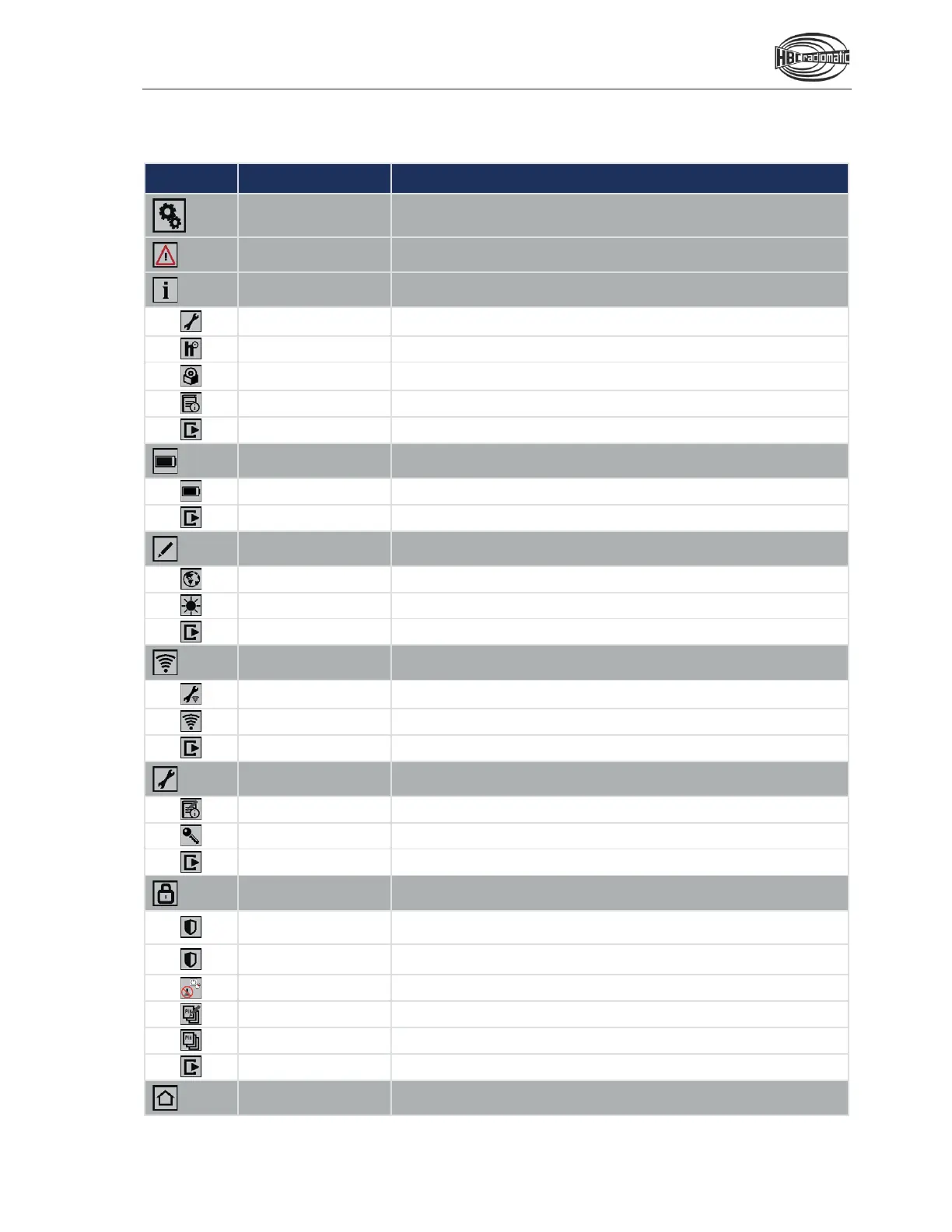
In this menu, system, connection and safety settings can be configured
and
information items can be shown.
This submenu shows warnings.
system information.
This menu item accesses the phone number and Email address of the
service hotline.
hours
item shows the current operating hours.
This menu item shows the current software version and the current
configuration of the display.
rmation text
This menu item shows the current info text.
menu level.
info
This submenu shows information concerning the battery status.
level
This menu item shows the current battery level.
This Softkey returns one menu level.
Configure different customized system
settings in this submenu.
This menu item allows you to select the language for the display content.
This menu item allows you to set the display brightness.
This Softkey returns one menu level.
connections in this submenu.
In this menu item, a connection to a computer can be configured (additional
software required).
connection
In this menu item, an RF interface can be selected.
menu level.
Configure the device settings in this submenu.
rmation text
In this menu item, an info text can be entered.
aster level
In this menu item, the access to the master level can be (de
-)activated.
returns one menu level.
functions
Configure the safety settings in this submenu.
In this menu item, the sensitivity of the safety features radiomatic
®
zero-g
and radiomatic
®
shock-off are configured.
In this menu item, the safety feature radiomatic
®
inclination switch can be
configured.
In this menu item, the safety featurea APO and AMO can be configured.
In this menu item, the current PIN can be modified.
menu item, the PIN can be reset.
This Softkey returns one menu level.
home page of the customer menu with this Softkey.


 To Next Page