19 / 34
Safety functions
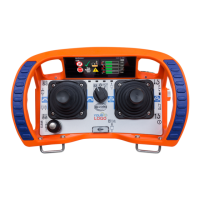
The transmitter is equipped with different safety features.
These safety features can be individually configured in the submenu Safety functions.
To access the submenu Safety functions:
You are in the HBC menu.
x Navigate to the submenu Safety functions and select it.
Exit the submenu Safety functions with the Softkey .
Safety features
This menu item allows you to adjust the sensitivity of the safety features radiomatic
®
zero-g and
radiomatic
®
shock-off.
The following settings are possible:
Inactive
High sensitivity
Medium sensitivity
Low sensitivity
To adjust the sensitivity of radiomatic
®
zero-g and radiomatic
®
shock-off:
You are in the submenu Safety functions.
1. Navigate to the menu item Safety features and select it.
2. Enter your PIN by turning and pressing the radiomatic
®
iCON.
149. To change the PIN, refer to the section Manage PIN in the chapter
3. Select the function radiomatic
®
zero-g or radiomatic
®
shock-off by turning and pressing the
radiomatic
®
iCON.
4. Navigate to the setting area for sensitivity and select the desired setting by turning and pressing the
radiomatic
®
iCON.
5. Confirm your selection with the Softkey .
Exit the menu item Safety features with the Softkey .


 To Next Page