2 Setting up a system
18 A04089_07_E00_02 HBM: public MX Modules
1-CASEMOUNT
Instructions
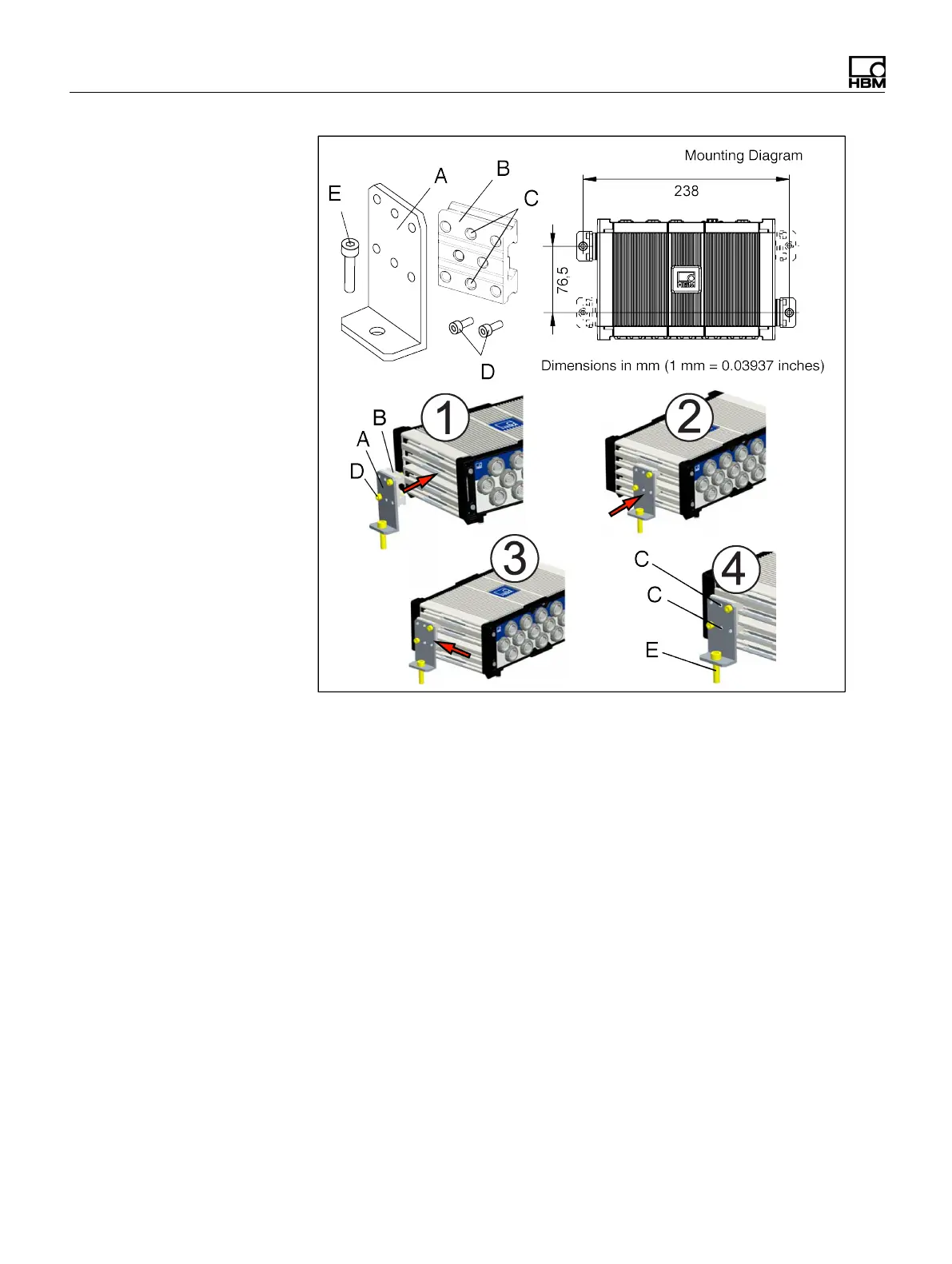
The casemounts are pre-assembled. The mounting diagram is not at 1:1 scale. The
dimensions can be used as a guide to tap the holes.
1. Guide a caselink (B) into the slots on the side of a module. Install the two (2)
caselinks on opposing corners of the module as shown on the mounting
diagram.
2. Make sure the caselink is fully engaged with the slots in the side of the module.
3. Move the caselink in the module slots to align the hole in the bracket (A) with
the tapped hole in the mounting surface.
4. Tighten the two (2) M5 set screws (C) in each caselink. Tighten the two (2) M6
screws (E) holding the brackets on the mounting surface.


 To Next Page