20
CMD600
A2820−1.1 en
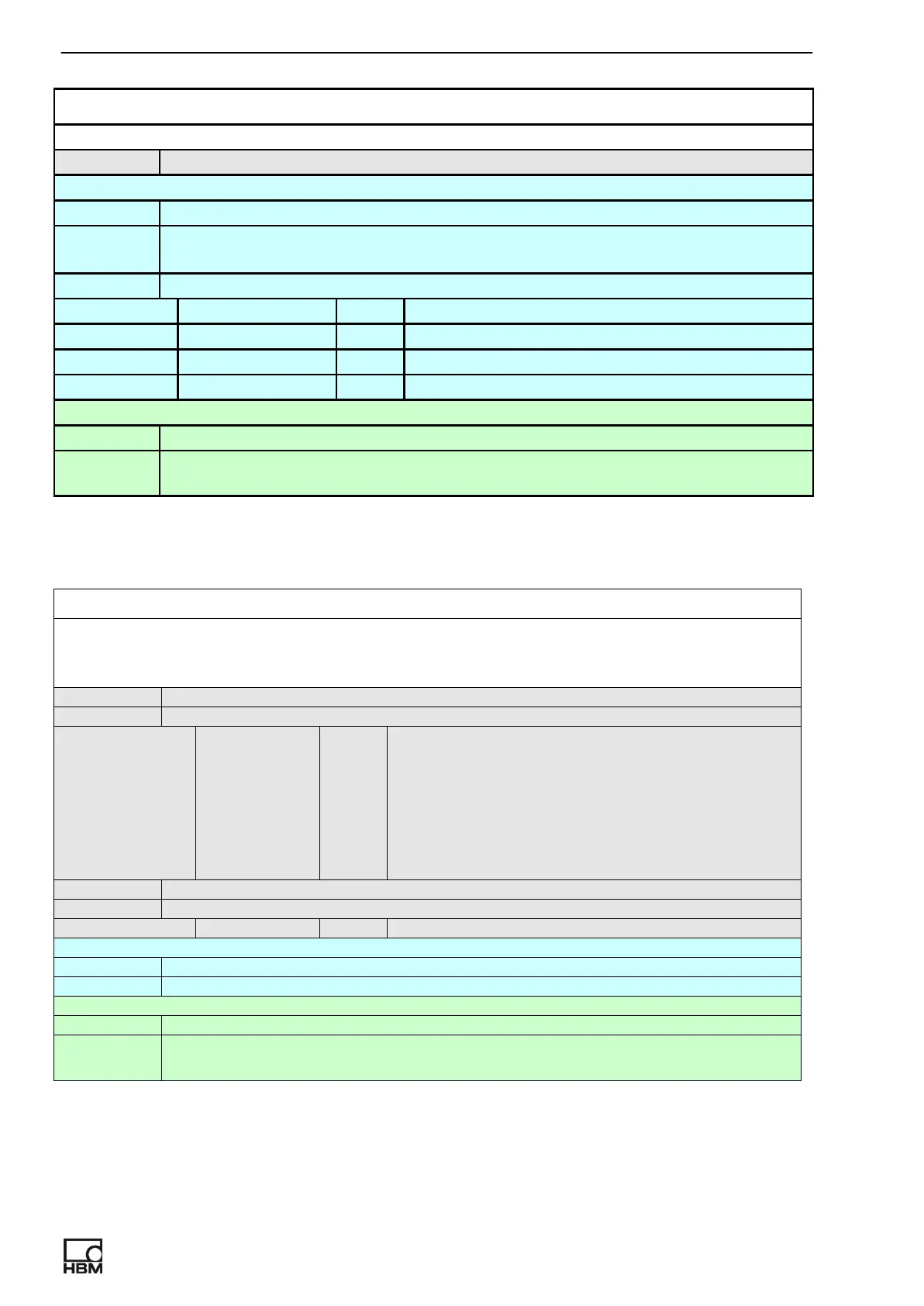
CH_GET_PEAK_VALUES
command not applicable
inquiry CH_GET_PEAK_VALUES = ?
response OK, CH_GET_PEAK_VALUES = min_voltage, max_voltage, min_En_Unit,
max_En_Unit
parameters:
min_voltage float Minimum output voltage.
max_voltage float Maximum output voltage.
min_En_Unit float Minimum output value in En Unit.
max_En_Unit float Maximum output value in En Unit.
help CH_GET_PEAK_VALUES?
response OK, CH_GET_PEAK_VALUES min_voltage, max_voltage, min_En_Unit,
max_En_Unit
CH_ANALOG_OUT_MODE
Select possible output modes for command CH_VALUE. Applicable to preselected
channel. Digital input in output hold mode has advantage before analog mode 1−3.
command CH_ANALOG_OUT_MODE mode
parameters:
mode int Possible mode:
0.. Measured value
1.. NegativePeak
2.. positive Peak
3.. PositivePrak−NegativePeak
response OK, CH_ANALOG_OUT_MODE = mode
parameters:
mode int Look description above
inquiry CH_ANALOG_OUT_MODE = ?
response OK, CH_ANALOG_OUT_MODE = mode
help CH_ANALOG_OUT_MODE?
response OK, CH_ANALOG_OUT_MODE mode (0.. Measured value,
1..+Peak−(−Peak),2..−Peak, 3..+Peak )



 To Next Page