7
CMD600
A2820−1.1 en
3 Configuration via Telnet interface
Configuration is done via standard TELNET protocol. Only one TELNET
session is possible in given time.
Charge amplifier accepts text commands, which are terminated with CR (hex
code 0D). Optional LF characters are ignored.
Charge amplifier accepts one command at once. After command is issued,
charge amplifier will respond in maximum response time. Maximum response
time is <TBD>.
All responses from charge amplifiers begins with “OK,” or “ERROR,”.
Charge amplifiers do not distinguish between lower and uppercase
characters. All input data is converted to lowercase characters before
command parsing.
Charge amplifier default echoes back all characters. Default is restored after
in each new session. This allows use of simple terminal emulators. Echo can
be disabled with telnet option command. This is useful, when charge amplifier
is controlled from SW application on PC.
Charge amplifier has an adjustable idle time disconnect function. If there is no
data in 30 minutes, telnet session is closed. Optionally can be implemented
command, which disables this function.
3.1 Establishing the TELNET connection
1. Find IP address of CMD600 via CMD Assistant −> Device−Scan for
modules
2. Factory settings : IP adress 192.168.1.1 ; Sub Net mask : 255.255.255.0
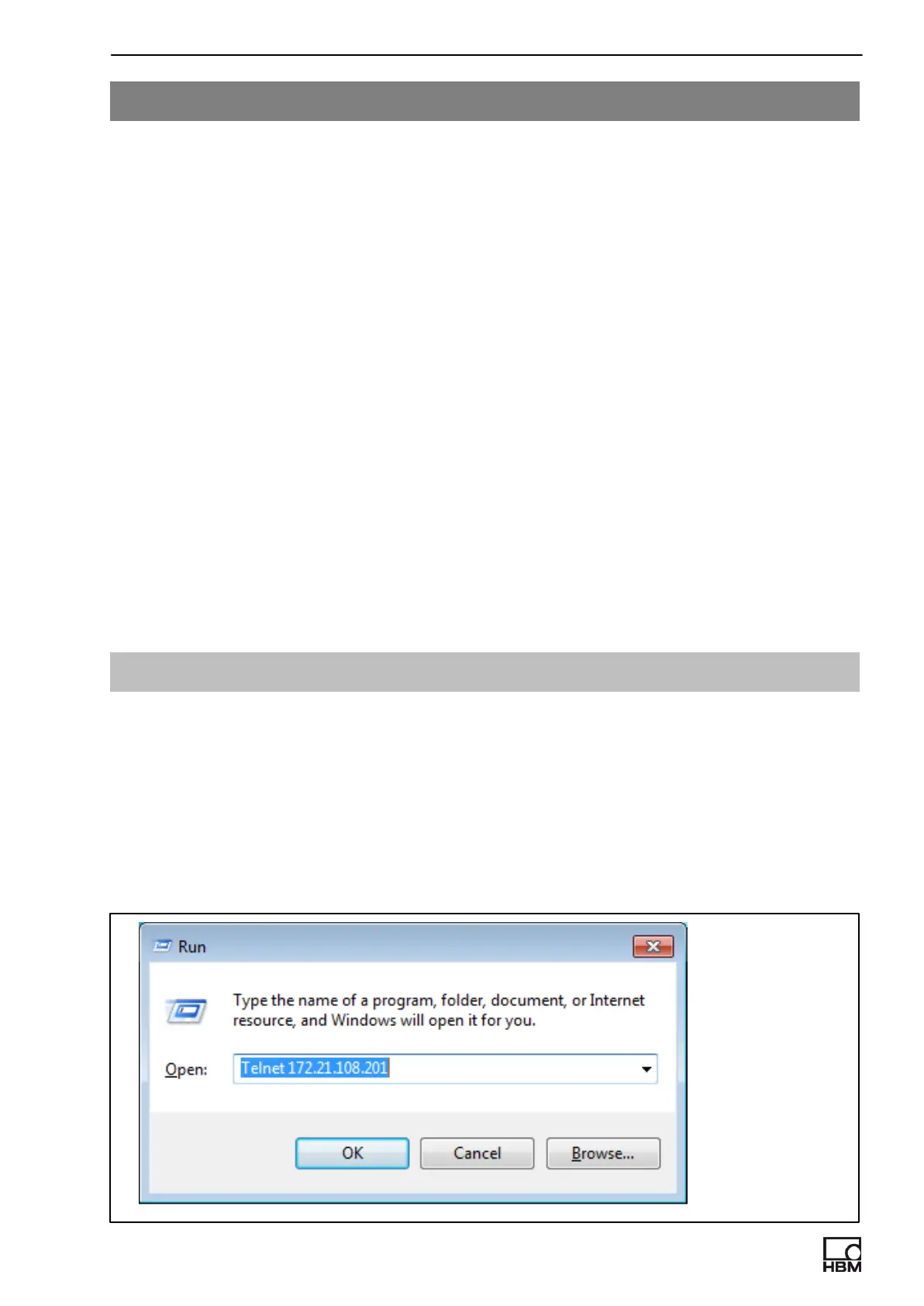
3. Establish Telnet connection (Windows−Start−Button −> Run and enter:
Telnet xxx.xxx.xxx.xxx)
Example:



 To Next Page