11
The chapter contains information about steps to be taken before the initial commissioning of the device. Before proceeding with
printer installation read the PREFACE chapter. You should read through this chapter even if the printer has been correctly installed and
commissioned in accordance with the Short Manual accompanying the printer.
Before and during unpacking the device it is recommended to make a visual inspection to check for
possible transport damage. Pay particular attention to loose parts, dents, scratches etc.
Damage, if any, should immediately be notied to the distributor, or the manufacturer. In the event of
a damage claim, a detailed description including a picture is required, as well as device particulars (serial
number).
4.1 PACKAGE CONTENT
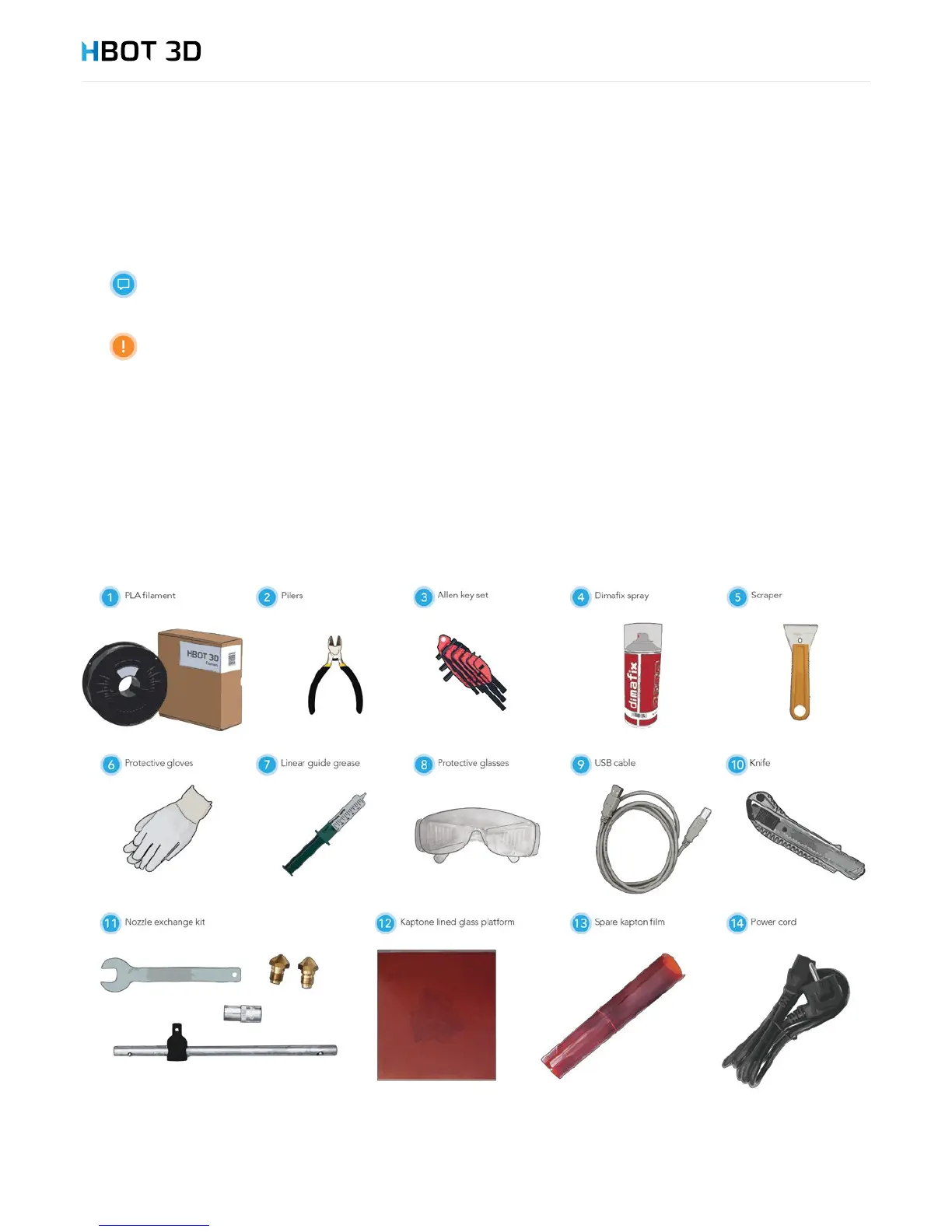
The Kit contains the HBOT 3D F300 printer (with 0.4 mm nozzle installed and SD Card inserted) and a kit of accessory tools. Also, the
device is accompanied by a Warranty Card and the Short Installation and Commissioning Manual.
First, remove all elements from the top package compartment and check if the following parts are included. If any part of the kit is
missing, contact either the Customer Service Department of 3D Printers, or directly your vendor.
4. Printer Installation


 To Next Page