14
4.7 INITIAL COMMISSIONING
This chapter focuses on the initial commissioning process and a test print. Before commissioning the printer be sure to carefully read all
previous chapters of this Manual.
Build platform installation
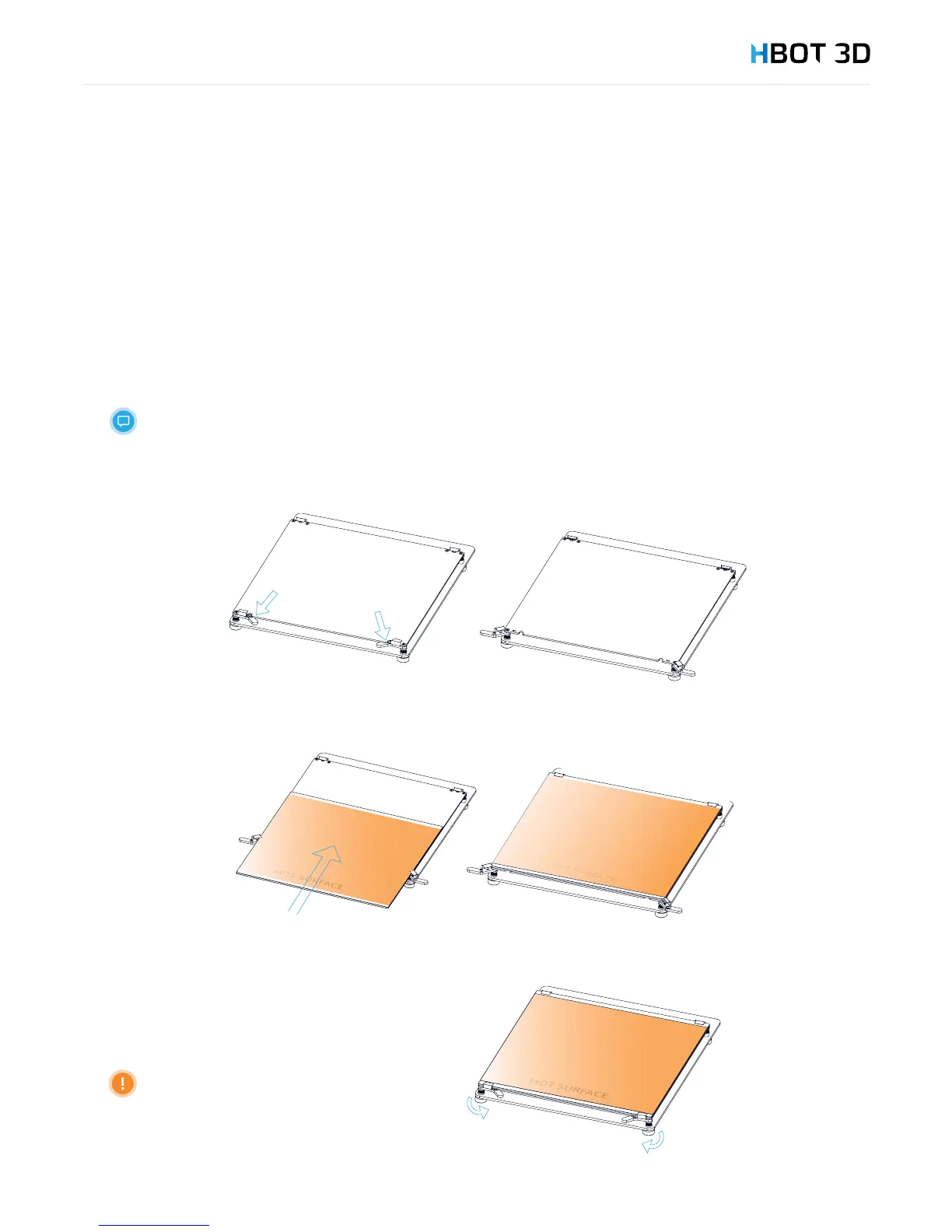
STEP 1
Unpack the build platform by removing the protective foam pads and make sure that the platform has not been damaged in
transportation.
The build platform included in the kit is a glass platform. It is lined with an exchangeable Kapton lm and
a layer of DIMAFIX adhesive is applied.
STEP 2
Open the hinges holding the glass plate in place.
STEP 3
Slide the glass in the retainer clips, the side with the Kapton lm facing upwards.
STEP 4
Close the hinges holding the glass plate in place.
Make sure that the glass plate
does not project beyond the table
border (either on the left or on the
right).


 To Next Page