52
4.0 Emergencies and Alarms
4.9 Changing Controller to Back-Up Controller (continued)
Steps to Change the Controller (continued):
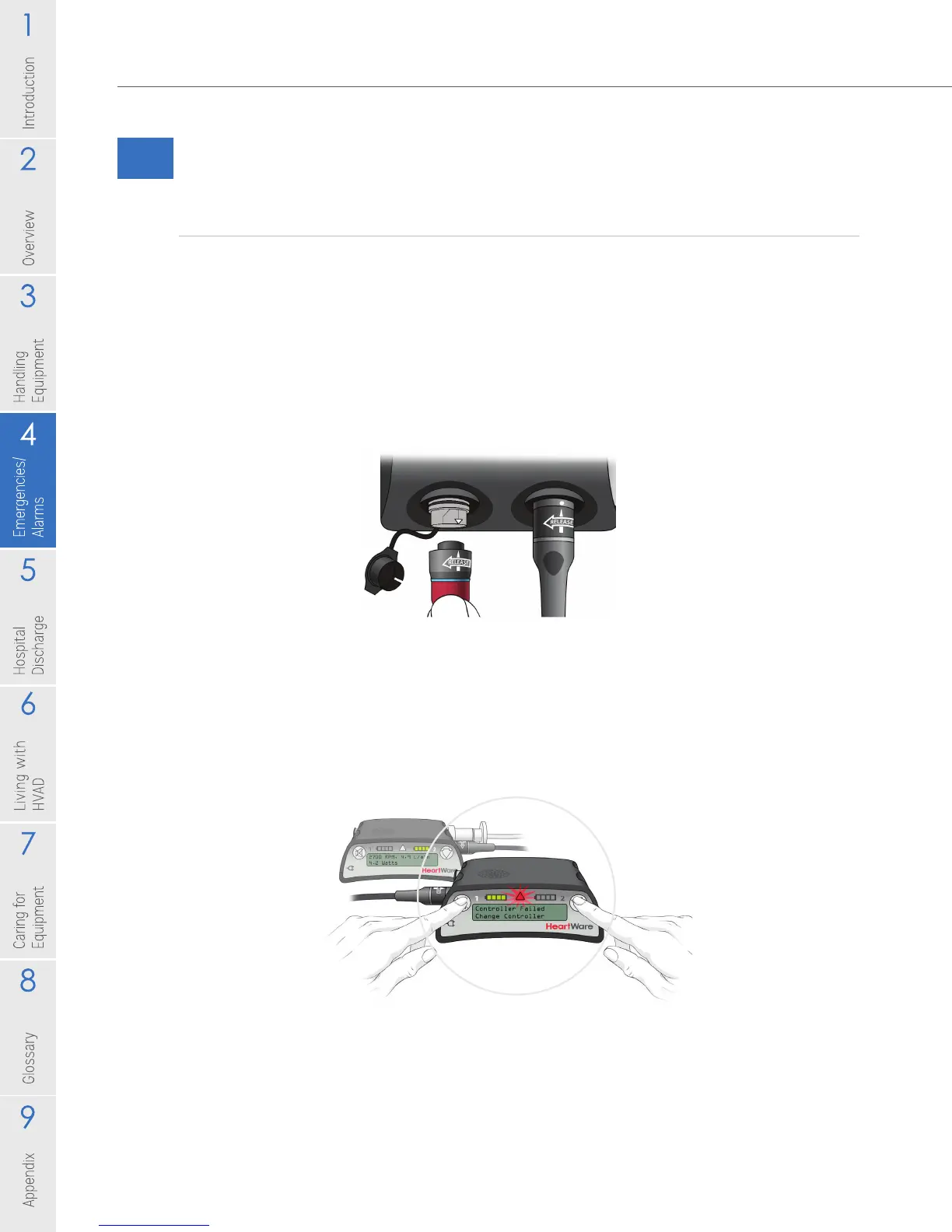
4. PREVENT the [No Power] alarm from sounding on the original controller. This needs
to be done before removing all power. There are 2 options, see below:
• If a red alarm adapter is available:
– Insert it into the connector with the dust cap (data port) on the original
controller.
– You can now remove all power from the original controller and no alarm
should sound.
• If no red alarm adapter is available:
– Press and hold the "Alarm Mute" and "Scroll" buttons on the original controller
until a “beep” is heard, or for at least 5 seconds.
– Release the "Alarm Mute" and "Scroll" buttons.
– You can now remove all power from the original controller and no alarm should sound.
• If you removed power before silencing the [No Power] alarm, reconnect a
power source and follow the steps above to silence it.
NOTE: If the [No Power] alarm is not disabled prior to removing both power
sources, the controller alarm may sound for up to 2 hours.
Figure 75
Figure 74



 To Next Page