Operation Operation
18 19
Set ow
By setting the ow you dene how many ml per minute should be dispensed.
Depending on the tube size different ranges of ow.
(Please refer to chapter “Technical data, Table tubes”
When using „Cassette small” with small tubes and inner Ø
from 0,2 mm - 0,9 mm volume will be displayed as μl instead of ml.
✓ Unit is switched on.
✓ Pump head and inner diameter of tube is set correctly.
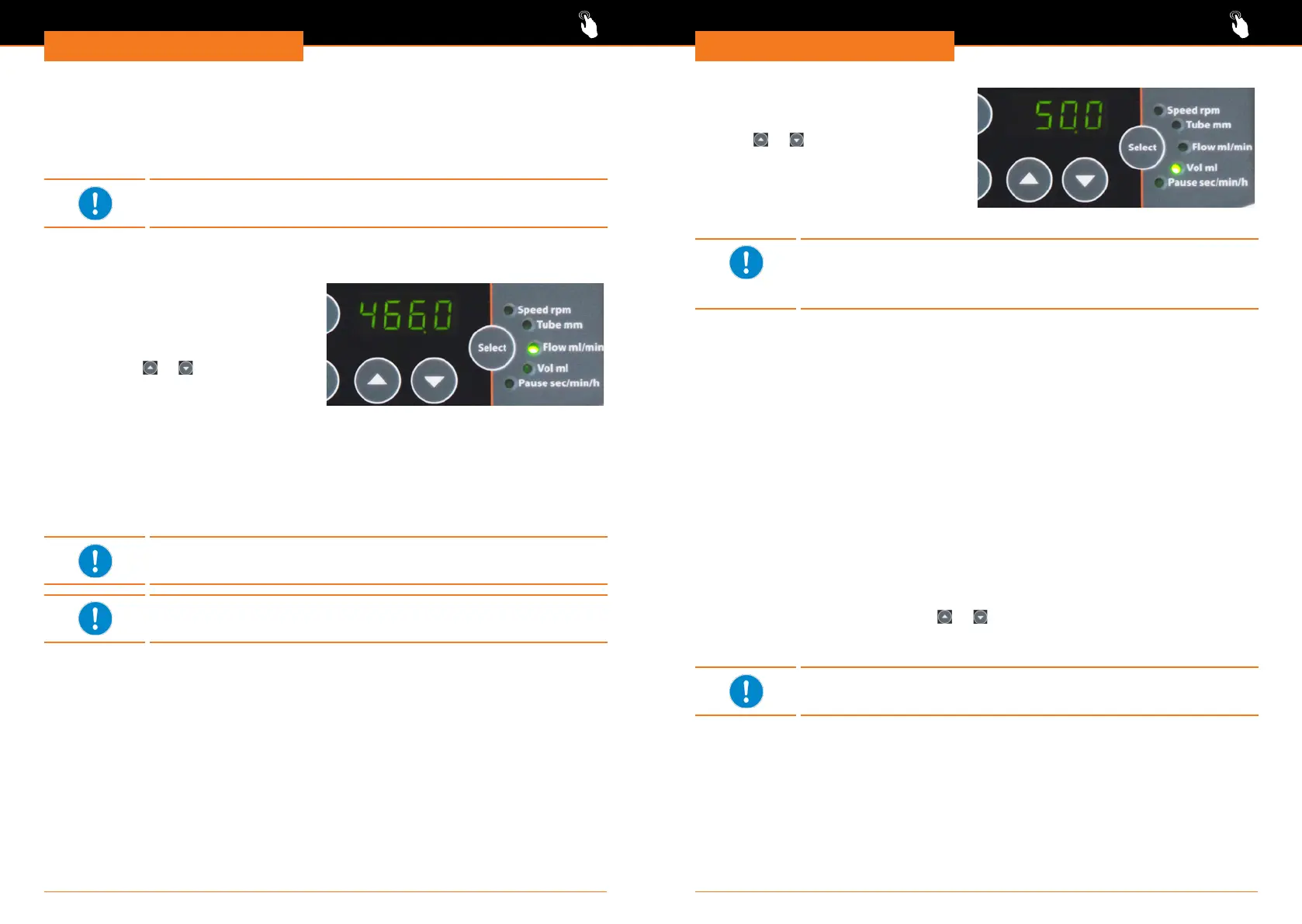
➜ Press „Select” key repeatedly, till
indicator light „Flow ml/min” illuminates.
✓ Display shows actual setting of ow ml
per minute.
➜ Select required ow ml per minute via
arrow keys
or .
➜ Conrm selection by pressing „Select”
key.
✓ The corresponding speed will be
adjusted automatically.
Set volume
By setting the volume you dene how many milliliters in total should be dispensed.
Depending on the tube size used the volume can be set from 0,1 to 9,999 ml.
When using „Cassette small” and tubes with an inner Ø between
0,2 mm and 0,9 mm the volume will be displayed as μl instead off ml.
Model Hei-FLOW Precision 06 is limited to a maximum speed of
300 rpm.
✓ Unit is switched on.
✓ Pump head and inner diameter of tube is set correctly.
➜ Press „Select” key repeatedly till
indicator light „Vol ml” illuminates.
➜ Select required volume ml via arrow
keys
or .
➜ Conrm selection by pressing „Select”
key.
✓ Pump will automatically stop when
volume is reached.
Speed and tube diameter result in a minimal volume. Lower volume
can only be performed by using smaller tubes.
Large tubes and to little ow will result in an error feedback (see
chapter “Troubleshooting, Possible errors and how to resolve”).
Calibrate pump
Tubes have individual manufacturing tolerances. If high dosing accuracy is required the
pump has to be calibrated for the tube in use by ow and/or by volume.
✓ Unit is switched on.
✓ Media to be dispensed is connected to pump.
✓ Pump head and inner diameter of tube are set correctly.
Calibrate pump with ow
✓ Indicator light „Flow ml/min” is illuminated.
✓ Required ow ml per minute is set.
➜ Press „Cal” key.
✓ Display starts blinking.
➜ Press rotation key.
✓ The pump dispenses for exactly 1 minute.
➜ Measure dispensed volume.
➜ Set measured ow via arrow keys
or .
➜ Press „Cal” key for a minimum of 3 seconds to conrm.
✓ Pump is calibrated for ow ml per minute.
Verify set ow after calibrating. If applicable adjust ow.




 To Next Page