Operation Operation
20 21
Set back stroke
To avoid dripping when dosing a short backstroke can be programmed.
➜ Switch unit off at main switch.
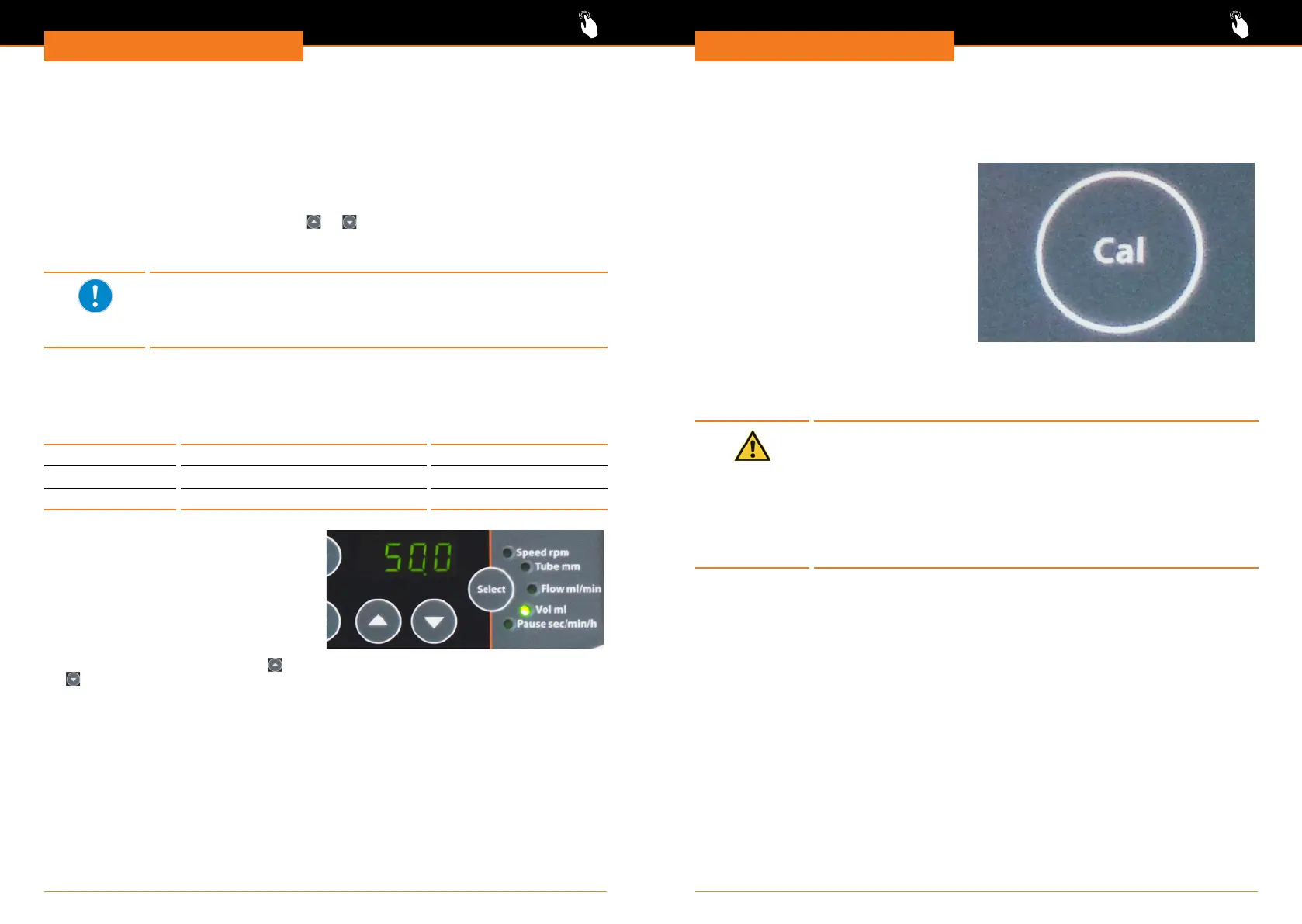
➜ Press „Cal” key and hold pressed.
➜ Switch unit on at main switch.
✓ Display shows actual setting of pump
head.
➜ Release „Cal” key.
➜ Press „Select” key repeatedly till Display
shows „r on” or „r off” .
✓ „r on” switches back stroke on,
„r off„ switches back stroke off.
➜ Conrm selection by pressing „Select”
key.
Interfaces
Caution:
Possible damage of device
If device sockets are not covered, uids can get in contact with
Interface connectors. Penetrating uids can lead to malfunctions of
interface connection and could initiate a short circuit.
Sockets at the backside of device must be covered at all times.
Use plug connectors protection class IP 67 only. Ensure professional
connection.
Calibrate pump with volume
✓ Indicator light „Vol ml” is illuminated.
✓ Required volume is set.
✓ Speed is set via setting ow ml/min.
➜ Press rotation key.
➜ Measure dispensed volume.
➜ Press „Cal” key.
➜ Set measured volume via arrow keys
or .
➜ Press „Cal” key for a minimum of 3 seconds to conrm.
✓ Pump is calibrated for volume.
If the calibrated values show a deviation > 30% most probably pump
head or tube diameter are not set correctly. Or the tube mounting
needs to be adjusted.
In this case cancel calibration via „Select” key. Verify your settings.
Set intermittent dosing
Pauses can be set from 0.1 seconds to 750 hours.
Time unit Display Explanation
Seconds 0.1 - 599.9 600 sec. = 10 minutes
Minutes 10 - 599‘ 600 min. = 10 hours
Hours 10 - 750h 750 h. = 31.25 days
✓ Unit is switched on.
✓ Pump head and inner diameter of tube
are set correctly.
✓ Volume is set.
➜ Press „Select” key repeatedly till
indicator light „Pause sec/min/h”
illuminates.
➜ Select required break time between
pumping motion via arrow keys
or
.
➜ Press „Select” key repeatedly till indicator lights „Vol ml” and „Pause sec/min/h”
illuminate simultaneously.
✓ Intermittent dosing is set for all following processes.
✓ The display shows alternating dispensed volume or running break time. The corre-
sponding indicator light blinks.
✓ As soon as break time is over the pump starts moving.
✓ As soon as set volume is dispensed the pump will stop.




 To Next Page