Jumbo Version: JUM-EN-UL-0 23-03-15
5.5. Changing the program settings
5.5.1. Single Program Digital Control (SPDC)
EXPLANATION
This section describes how parameters can be modified and indicates the units and
limits of the parameters
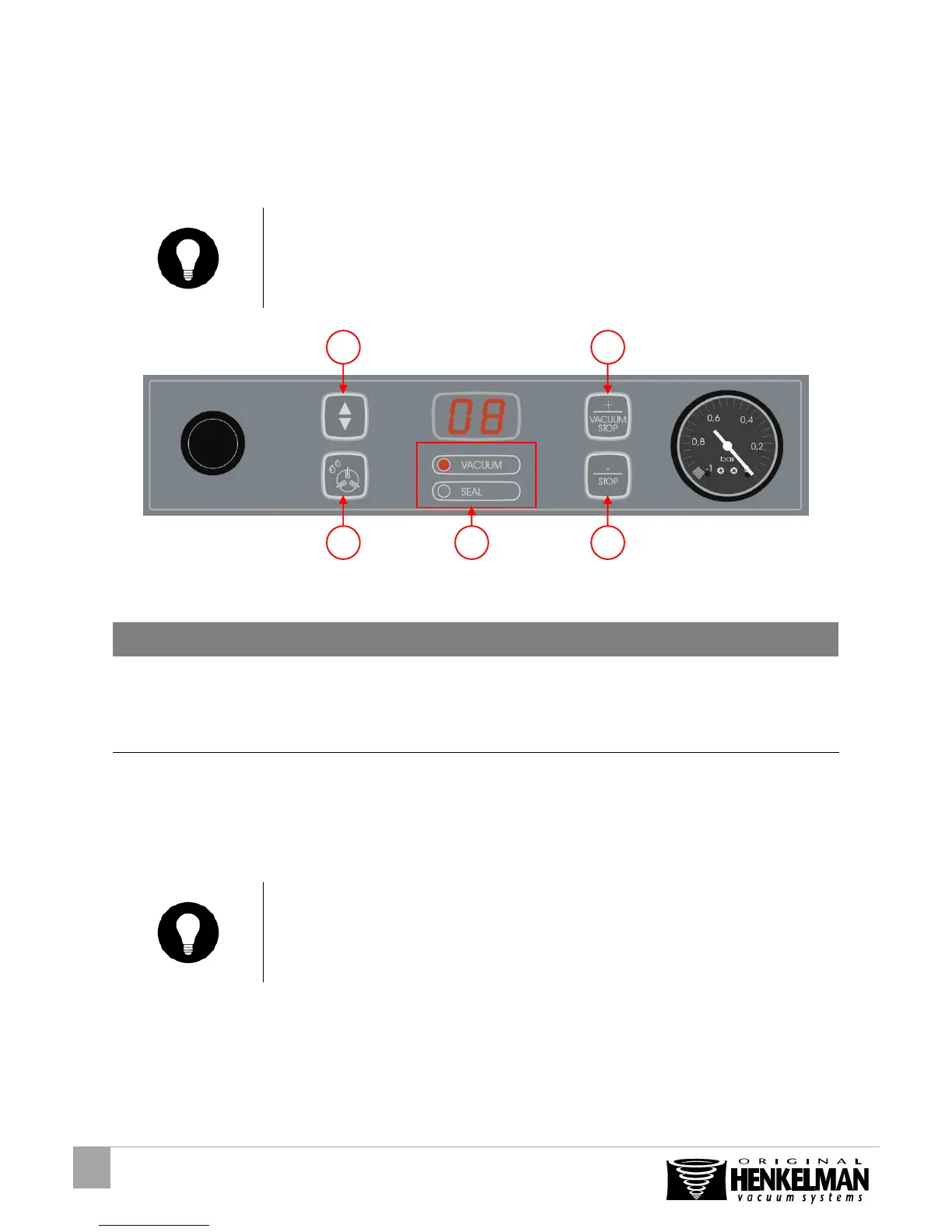
Figure 6: Changing parameters (SPDC)
Press the cursor key (Figure 6:1) to scroll
thourgh the parameters
The LED in the program mode display
(Figure 6:3) shows at which mode you are
Press “+” or “-“ (Figure 6:5/4) to adjust the
values
The value is saved when you press the
cursor key
EXPLANATION
To change a set value, the + and – buttons should be pressed and hold for a few
seconds. This will prevent settings from being changed undesirably



 To Next Page