User manual Urispec
®
Plus
21
Manual Urispec
®
Plus V2.01 HS USA / 04-19
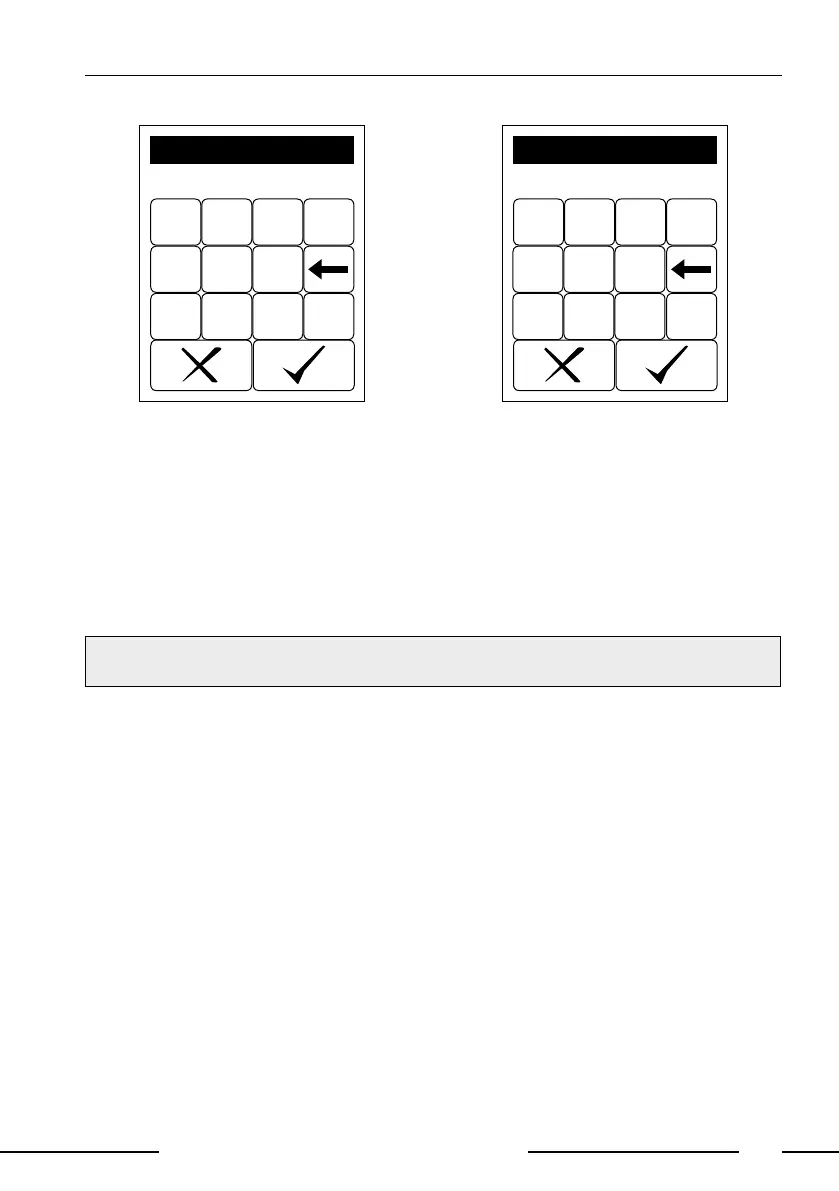
7 8 9 0
4 5 6
1 2 3 ABC
1234567890
ID
Display 5: Entering ID (numerics)
-(#)
– ABC DEF 123
GHI JKL MNO
PQRS
TUV
WXYZ
ID
1234567890
Display 6: Entering ID (letter)
b) Using a standard PC-keyboard: Connect the keyboard to the USB-jack Type
A (Pic. 4
f
) in the backside of the instrument. User inputs on the keyboard
will automatically be interpreted as Patient Identications.
c) Using a bar code reader: Connect the barcode reader to the USB-jack Type
A (Pic. 4
f
) jack in the backside of the instrument. Barcode readings will
automatically be interpreted as Patient Identications.
After entering the patient identication start the measurement. The Patient Iden-
tication is saved together with the diagnostic ndings.
NOTE:
A new ID cannot be entered before the present analysis has been completed.



 To Next Page