User manual Urispec
®
Plus
33
Manual Urispec
®
Plus V2.01 HS USA / 04-19
10.7. How to change the language
Select "Language" in the settings menu. The language of the Urispec
®
Plus
menu can be switched to the following languages using the respective selective
list:
English, German, Spanish, French, Italian, Portuguese, Polish, Turkish and
Hungarian.
10.8. How to set time and date
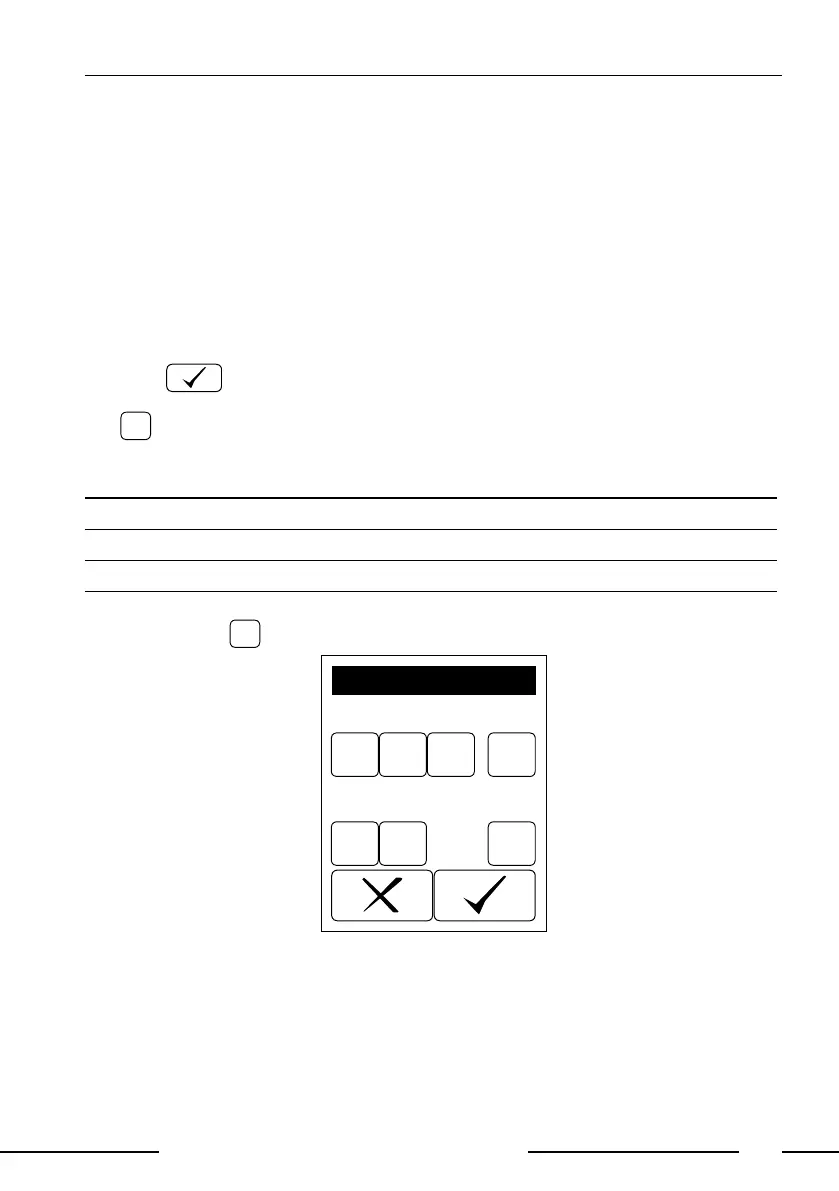
Select "Date/Time" in the setting menu. To change, press on the respective
number. A numerical pad appears. Enter the correct number and conrm by
pressing .
The date may be formatted in three ways. The active format is shown on a but-
ton
YMD
on the right hand side of the date. Select a date format by pressing this
button.
Displayed Format Abbreviation Meaning Example
YMD Year - Month - Day 2007-12-17
DMY Day . Month . Year 17.12.2007
MDY Month / Day / Year 12/17/2007
The time format may be changed to 12 or 24 hours with the button displayed
next to the time
24
.
YMD2006 03 21
14 25 24
DATE / TIME
Display 23: Date / time
10.9. How to activate data transfer
Select "Interface" on the settings menu. The data transfer via the interfaces can
be activated or deactivated via an option panel.



 To Next Page