HERMOS AG
Gartenstraße 19 • 95490 Mistelgau
Phone: +49 9279 991 - 0
E-mail: rfid@hermos.com
back to the table of contents
8.3.3 Test Device with DeviceDiscoverer
This feature is not yet supported by all HERMOS readers and is only available for the
LFM4x as of software version V1.5.
Readers can also be tested with the HERMOS "Device Discoverer" if you have one
support feature. Start the tool with administrator rights and search for the HERMOS device
under test in the network. Select the desired reader and select the "Device Test" button
independently of your interface. A further "Device Test" view is opened with which the
addressed reader can be tested via the UDP protocol without having to disconnect any
existing TCP / IP connection.
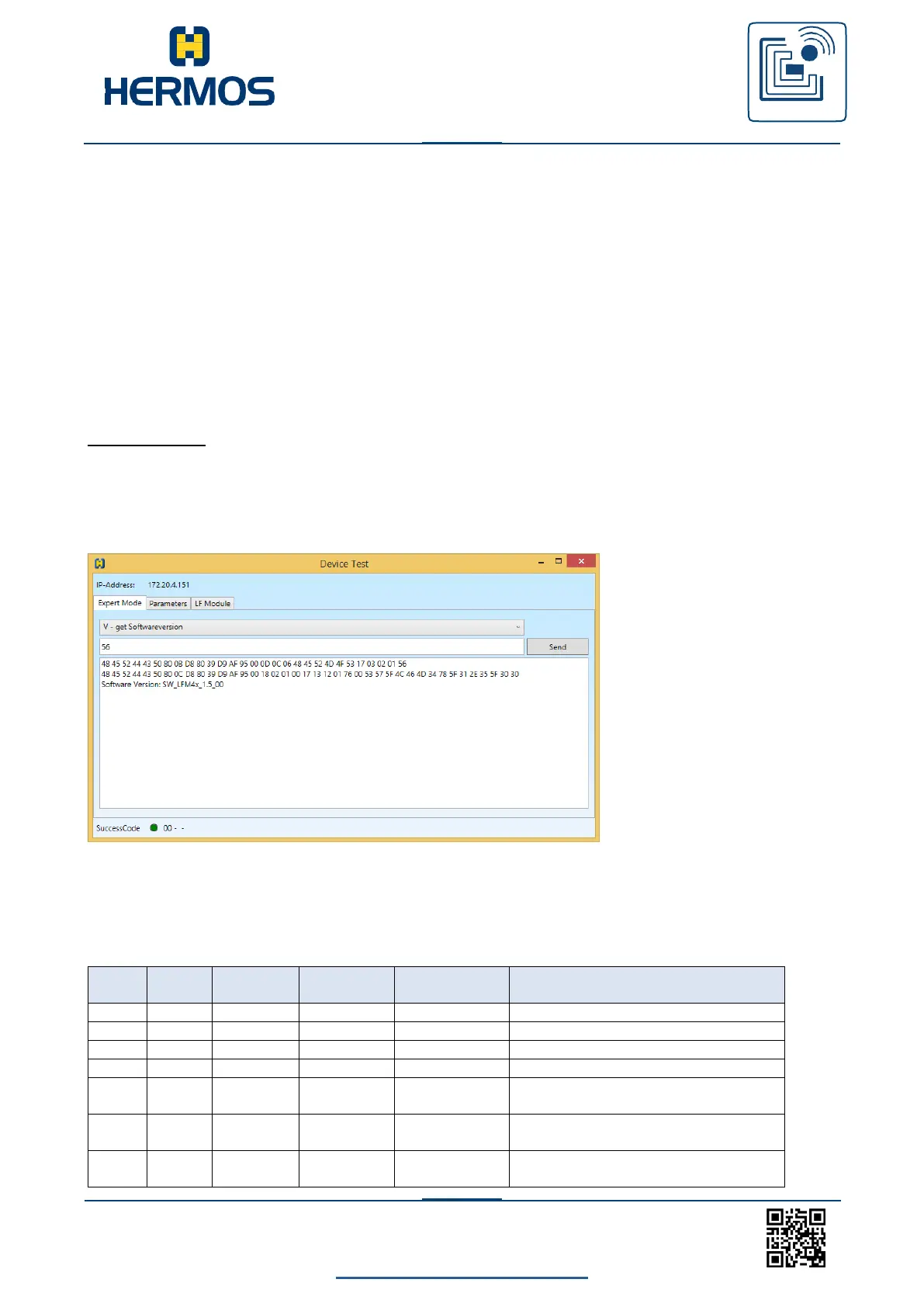
Expert Mode:
In the "Expert Mode" tab you can select from a list of test commands and send this after
any modification. The Trace window below shows all traffic generated when testing with
UDP. The success code of the response message is displayed in the status bar at the
bottom left.
Below is the structure of the UDP action commands to own test actions on the reader
to be able to define. Depending on the command, the head number and data may be
optional data elements
Structure of the request message:
Get Parameter Head 0x01 Par. 0x1A
Set Parameter Head 0x01 Par. 0x07
Value 0x03
Trigger Tuning (0x10 auto tune)
Head 0x01
Trigger Read Page 0x02 Length 0x08
at Head 0x01



 To Next Page