HERMOS AG
Gartenstraße 19 • 95490 Mistelgau
Phone: +49 9279 991 - 0
E-mail: rfid@hermos.com
back to the table of contents
8.3 Parameter of the ethernet interface
The unit is connected to the customer network via a 10/100BaseT Ethernet interface. The
DHCP (Dynamic Host Configuration Protocol) is activated on delivery.
If there is not a DHCP server available in your network, a random IP address is set from
the Zero- Conf range (169.254.0.0/16) and operations must still be performed to obtain an
IP address. If an IP address could be obtained or with a static IP address, the device can
be connected via TCP / IP port 3241 in the delivery state.
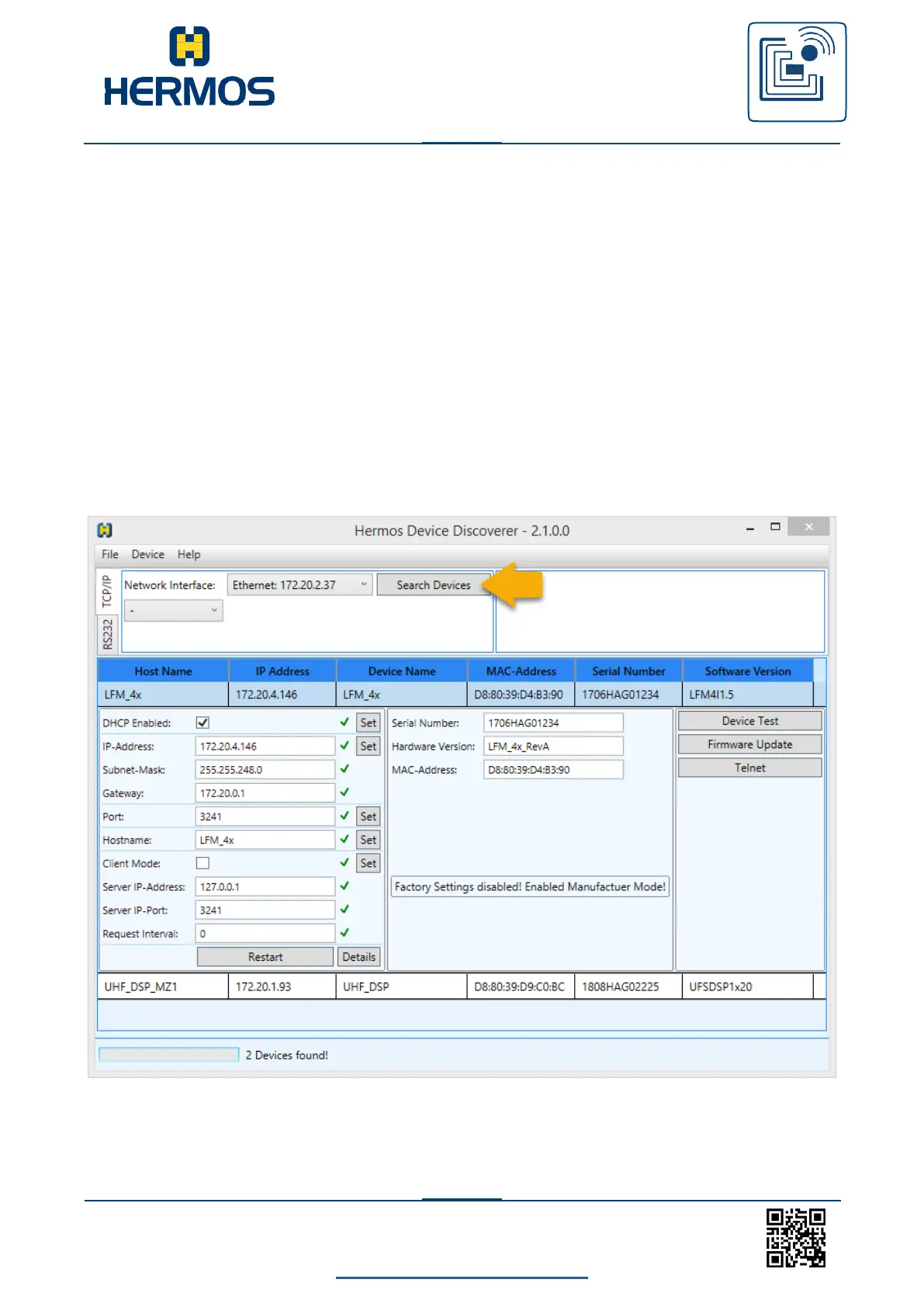
The HERMOS „DeviceDiscoverer“ is available for configuring the network setting.
8.3.1 Change networksettings with DeviceDiscoverer
HERMOS components can be found in the LAN network and settings can be
easily changed using the „DeviceDiscoverer“.



 To Next Page