9
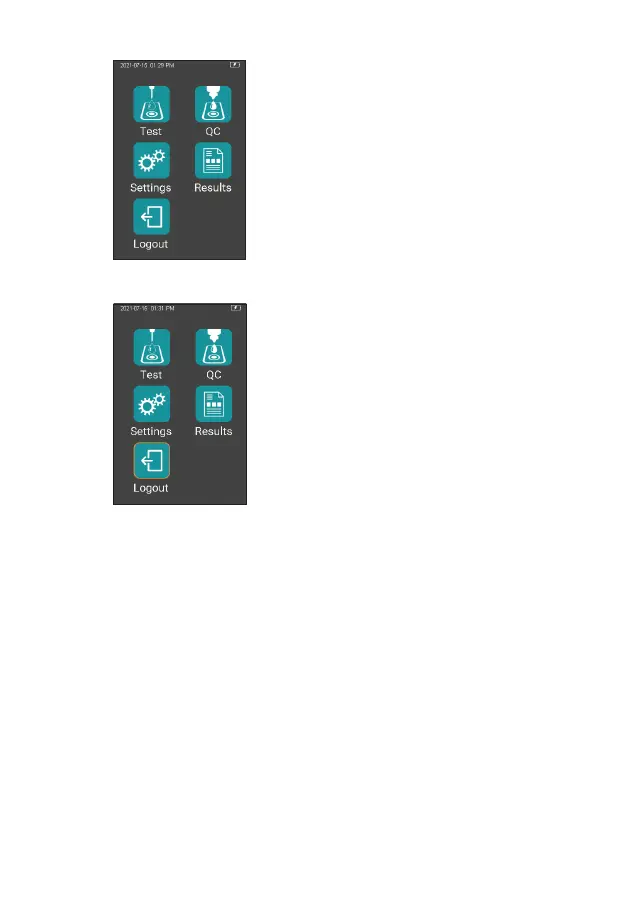
Once Operator ID is On, the Log out
icon in main screen will be enabled
and displayed in teal (Figure 1-2). To
switch between operators, please
return to the screen for inputting the
Operator ID by pressing the Log out
icon, and then re-enter the Operator
ID.
If Operator ID is Off, the Log Out
icon on main screen will be disabled
and displayed in teal with orange
frame (Figure 1-3), and the analyzer
will return to main screen after it is
turned on.
6.3 Sleep Mode
After a short press and release of the Power button, the screen will be
off and enter sleep mode. The sleep mode is a low power mode to save
battery power. Short press the Power button or insert a test strip and wait
2 seconds for device start-up.
If auto sleep function is enabled, the analyzer will automatically shut down
after the allotted idle time.
1-2
1-3



 To Next Page