11
7.2 Language
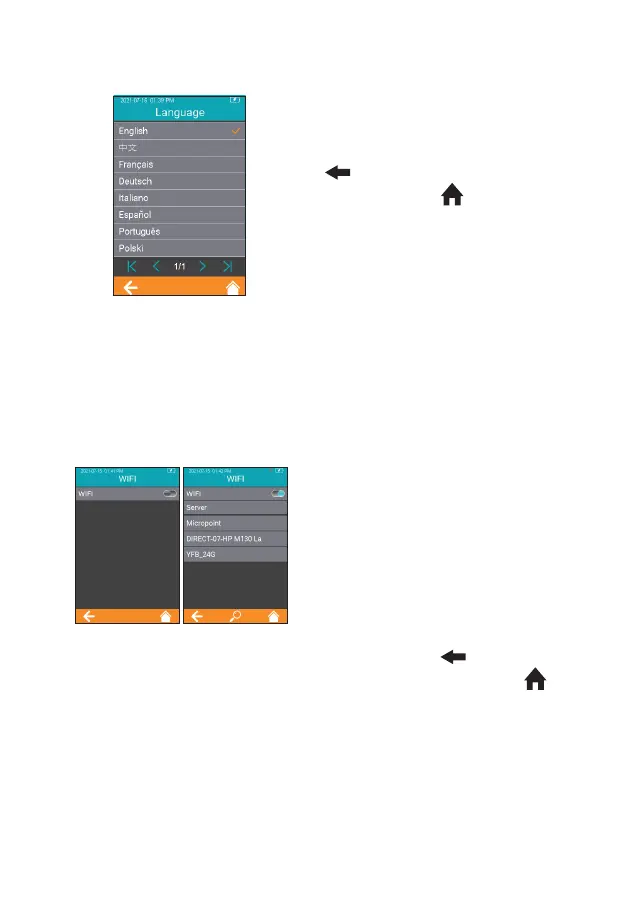
Click "Language" from the Settings
screen (Figure 2-1) to view and
select a language (Figure 2-2). Click
" " to return to the previous
screen and click " " to return to
the main menu.
7.3 WIFI
WIFI connectivity allows the analyzer to connect with Practice Information
Management Software (PIMS) and can be used for data transmission.
Click “WIFI” from Settings menu
(Figure 2-1) to enter the WIFI menu
(Figure 2-3). When the WIFI button
is displayed in teal, it means WIFI is
turned on; when the WIFI button is
grayed out, it means WIFI is turned
off. Once WIFI is turned on and
connected successfully, the WIFI
icon on the upper right corner of the
menu is highlighted.
However, if WIFI is turned on but
fails to connect, the WIFI icon is
grayed out. Click “ ” to return to
the previous screen and click “ ”
to return to the main menu.
2-2
2-3



 To Next Page