12
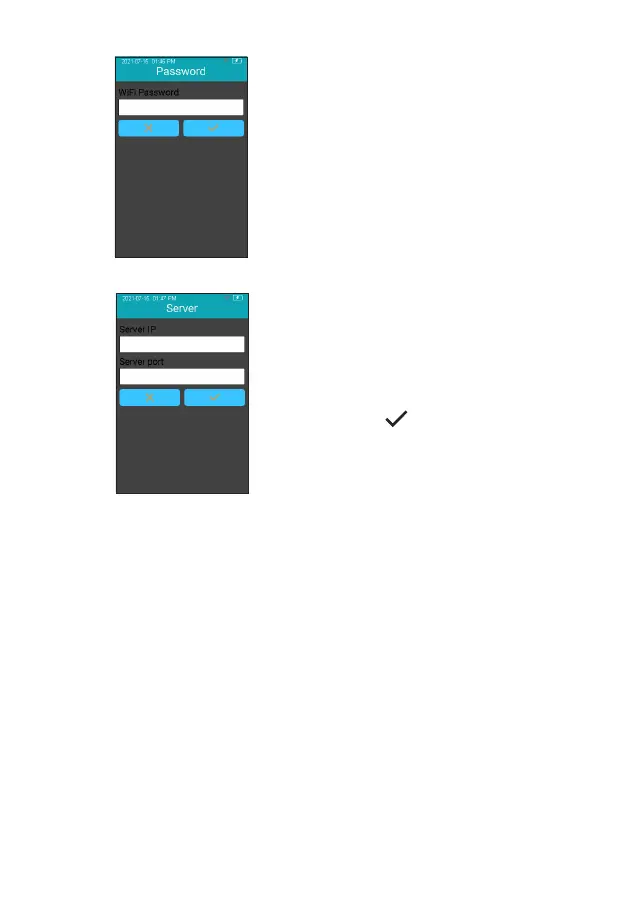
The system will search for nearby
hotspots and list automatically.
Click the hotspot name to enter the
password to connect successfully.
The system will remember the
password and connect to the last
connected hotspot automatically.
The server is used for wireless
data transmission with the specic
Practice Information Management
Software. Click “Server” to enter the
server IP address and port number,
and click “ ” to save. Set the
instrument’s IP address and port
number to be consistent with PIMS.
The loss of signal or access to bandwidth of one particular client may
vary depending on one or more of the following situations: the type
and number of other clients, the performance of the Access Point, the
presence of electromagnetic disturbances, and other potential interfering
factors, e.g., concrete walls.
2-4
2-5



 To Next Page