21
7.6 About the Device
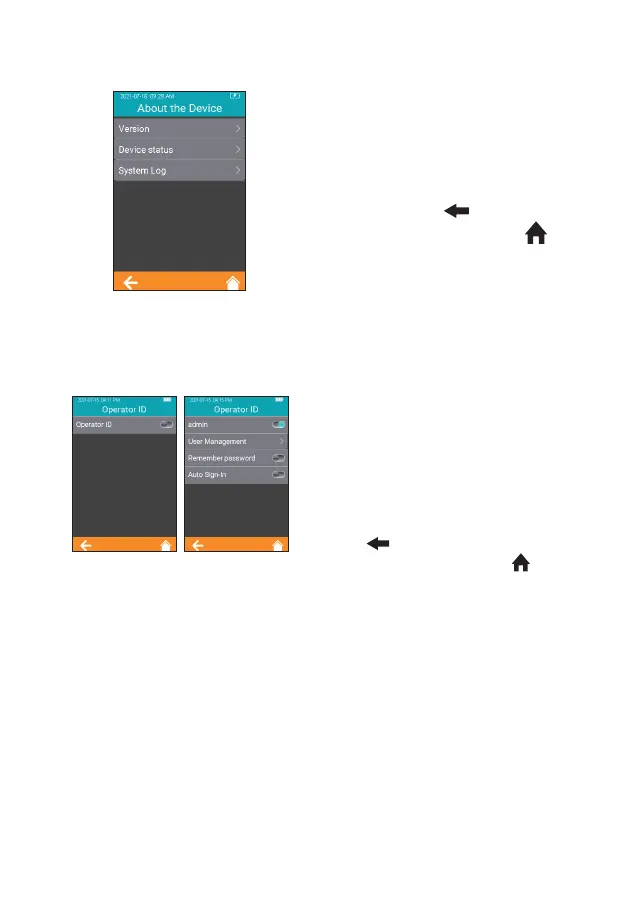
Click "About the Device" from
Settings screen (Figure 2-1) to enter
the screen that displays the system
information (Figure 2-23). The user
can check the version and log
information. Click " " to return to
the previous screen and click " "
to return to the main menu.
7.7 Operator ID
Touch "Operator ID" from Settings
screen (Figure 2-1) to enter the
screen for setting the Operator ID
(Figure 2-24). The operator ID is
enabled when displayed in teal and
it is disabled when displayed in
gray. There is no limit on operator
ID under the status of “Disabled”.
Touch " " to return to the
previous screen, and touch " " to
return to the main menu.
When Operator ID is enabled, use the Administrator account “admin” (all
lower case), and input administrator password. The initial password is
“123456”.
Administrator account is allowed to create and manage accounts, and
set all function of Operator ID. The analyzer can remember the password.
After the function is enabled, the user can check, "Remember Password"
checkbox to save the password. Automatic login is also supported. Once
the function is enabled, the user can automatically login with the last used
account number and password.
2-23
2-24



 To Next Page