Section 5 - Maintaining the Rockpicker
Check the Gearbox Oil
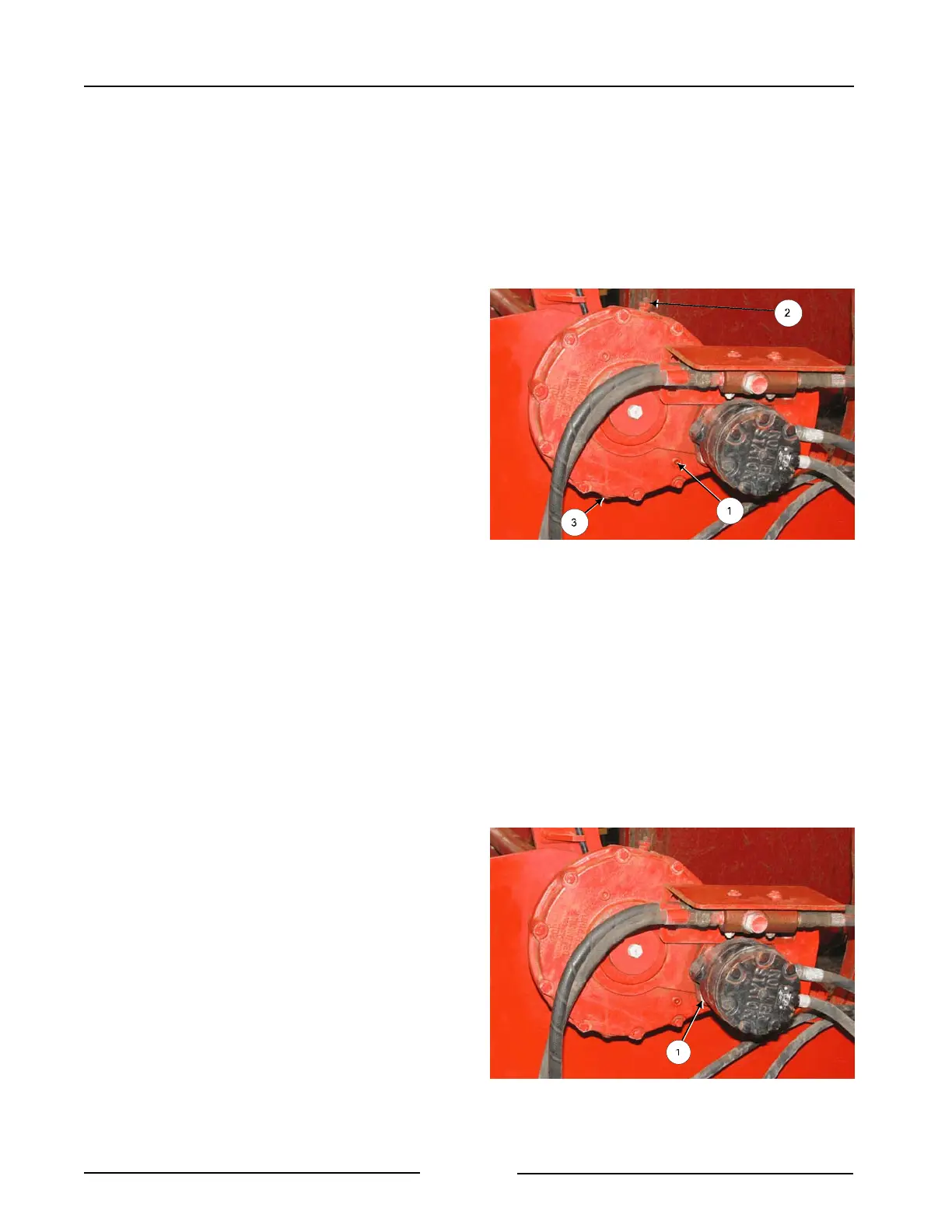
Remove the lower plug (1) on the face of the
gearbox to check the oil level.
- The oil should be at the bottom of the
plug.
If additional oil is needed, remove the top
vent plug (2) and add #90 gear oil until the
oil is at the bottom of the lower plug.
Replace the top vent (2) and the lower plug
(1).
Changing the Gearbox Oil
Remove the plug at the bottom of the
gearbox (3) to drain the oil.
- Replace the plug.
To add oil, remove the top vent plug (2).
Remove the lower plug (1) on the face of the
gearbox for checking oil level.
Add #90 gear oil until the oil is at the bottom
of the lower plug (1).
- Oil amount is about 1 liter (34
ounces).
Replace the lower plug (1) and the top vent
(2).
Check the Motor Mount Bolts
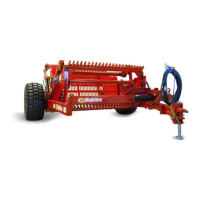
Check that all the motor mount bolts (1) are
tight and the motor is securely fastened to
the gearbox.
Check Gearbox Oil
214027C
Check that Motor Mount Bolts Are Tight
214027C2
Page 5 -4



 To Next Page