Chapter 3 Parking Space Detecon
3.1 Set Parking Parameters
Set parking parameters to detect the parking status of the parking space, and capture license
plates.
Steps
1.
Go to Conguraon → Device Conguraon → Smart Analysis .
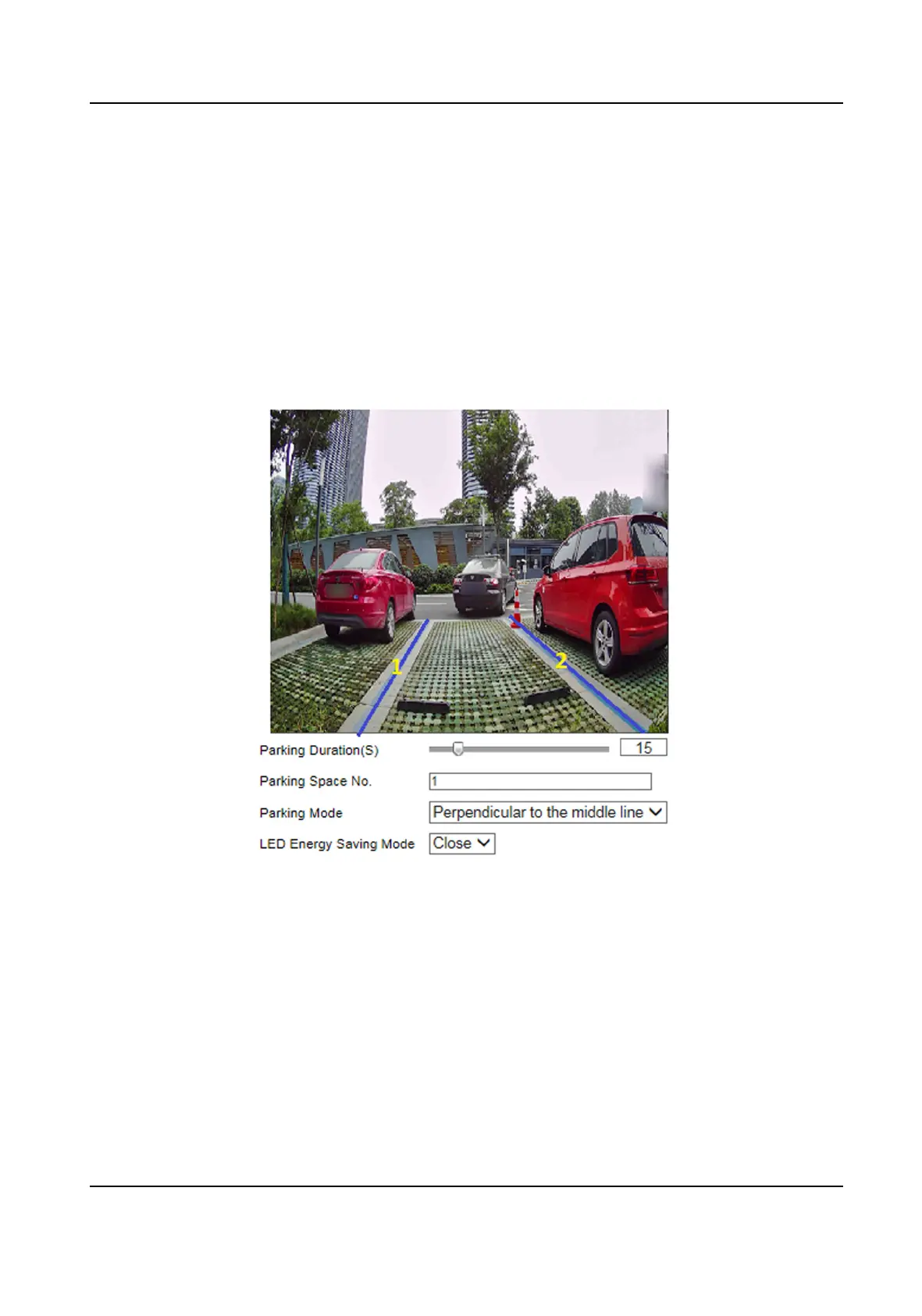
Figure 3-1 Set Parking Parameters
2.
Adjust the lane lines on the live view image to make them overlap with the parking space lines in
the actual scene.
3.
Set the parameters below.
Parking
Duraon
The capture will be triggered aer the set duraon.
Parking Space No.
The No. will be overlaid on the captured pictures.
Parking Mode
Smart On-Street ANPR Camera User Manual
5















 To Next Page