-
Check Control Constant Light by Schedule when you want the constant light to be enabled
during xed me period. Set the start me and end me.
Note
Controlling constant light by brightness and schedule conict with each other.
3.
Set Constant Light Brightness.
Note
The higher the brightness is, the more the light will be supplemented.
4.
Click Save.
3.4.2 Set Picture
Composion
You can enable the picture composion to composite several pictures into one to make it
convenient to view the
violaon captured pictures.
Steps
Note
Funcons and parameters vary with dierent models. The actual device prevails.
1.
Go to Conguraon → Device Conguraon → Capture Parameters → Image Composion .
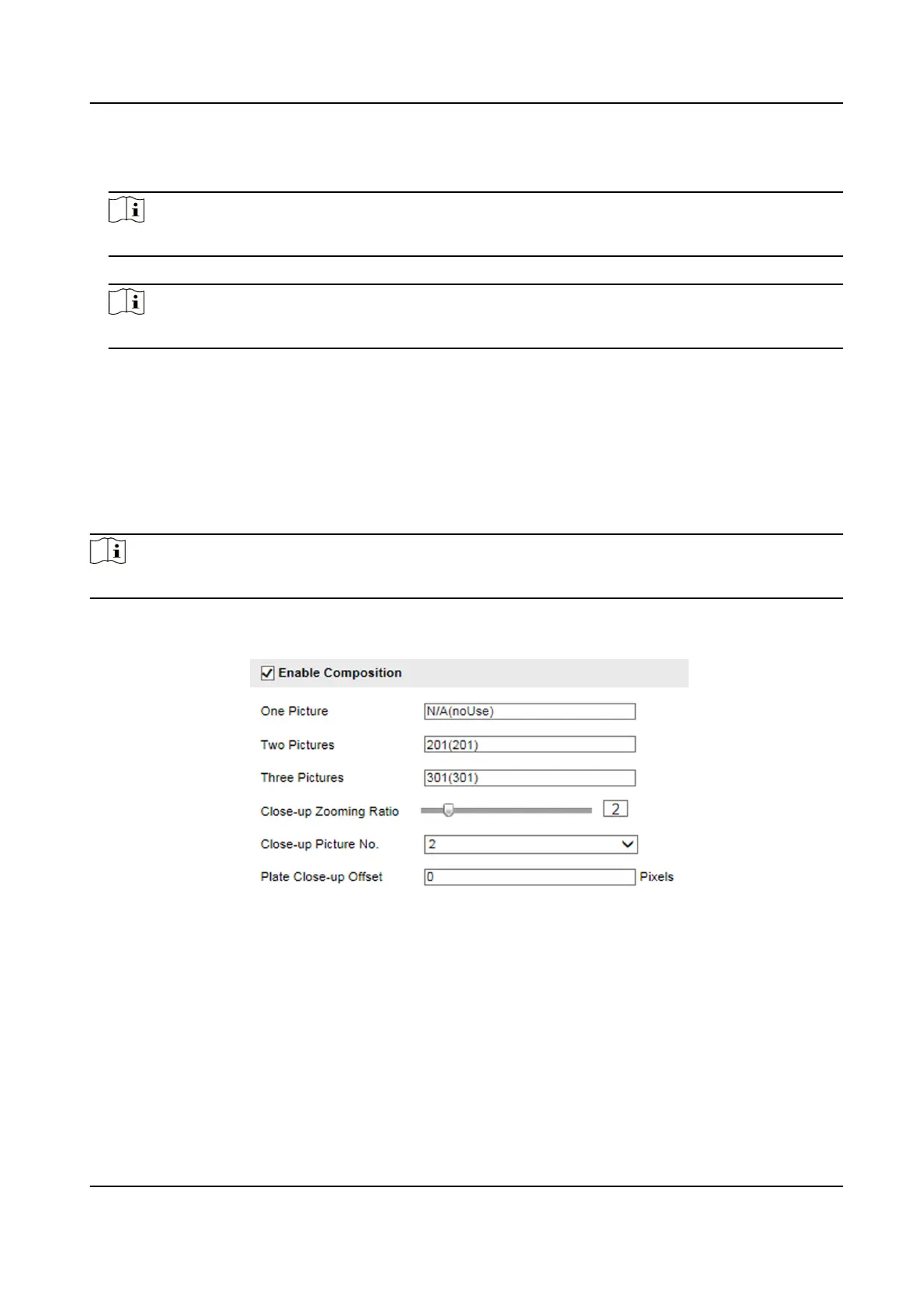
Figure 3-5 Set Picture Composion
2.
Check Enable Composion.
3.
Set composion types for dierent picture quanes.
4.
Set other composion parameters.
Close-up Zooming Rao
The higher the value is, the larger the close-up is.
Close-up Picture No.
It is the picture where the close-up comes from.
Smart On-Street ANPR Camera User Manual
9















 To Next Page