Search Select the search type, or enter the keywords. Click Search. The searched vehicle
informaon will be listed in the table.
Edit Select an item from the list, and click Edit. Edit the informaon, and click OK.
Delete Select the deleng type, or enter the keywords. Click Delete.
Import a. Click Import.
b. Click Download Template, and save the template.
c. Open the template, edit the informaon, and save it.
d. Click Import again.
e. Click to select the edited template.
f. Click Import to import the
informaon to the device.
3.4 Set Capture Parameters
3.4.1 Set Flash Light Parameters
Flash light can enhance the image stabilizaon and adjust the brightness and color temperature.
You can use
ash light to supplement light at night or when the light is dim.
Steps
Note
Only when the constant light is connected, can the set parameters take eect.
1.
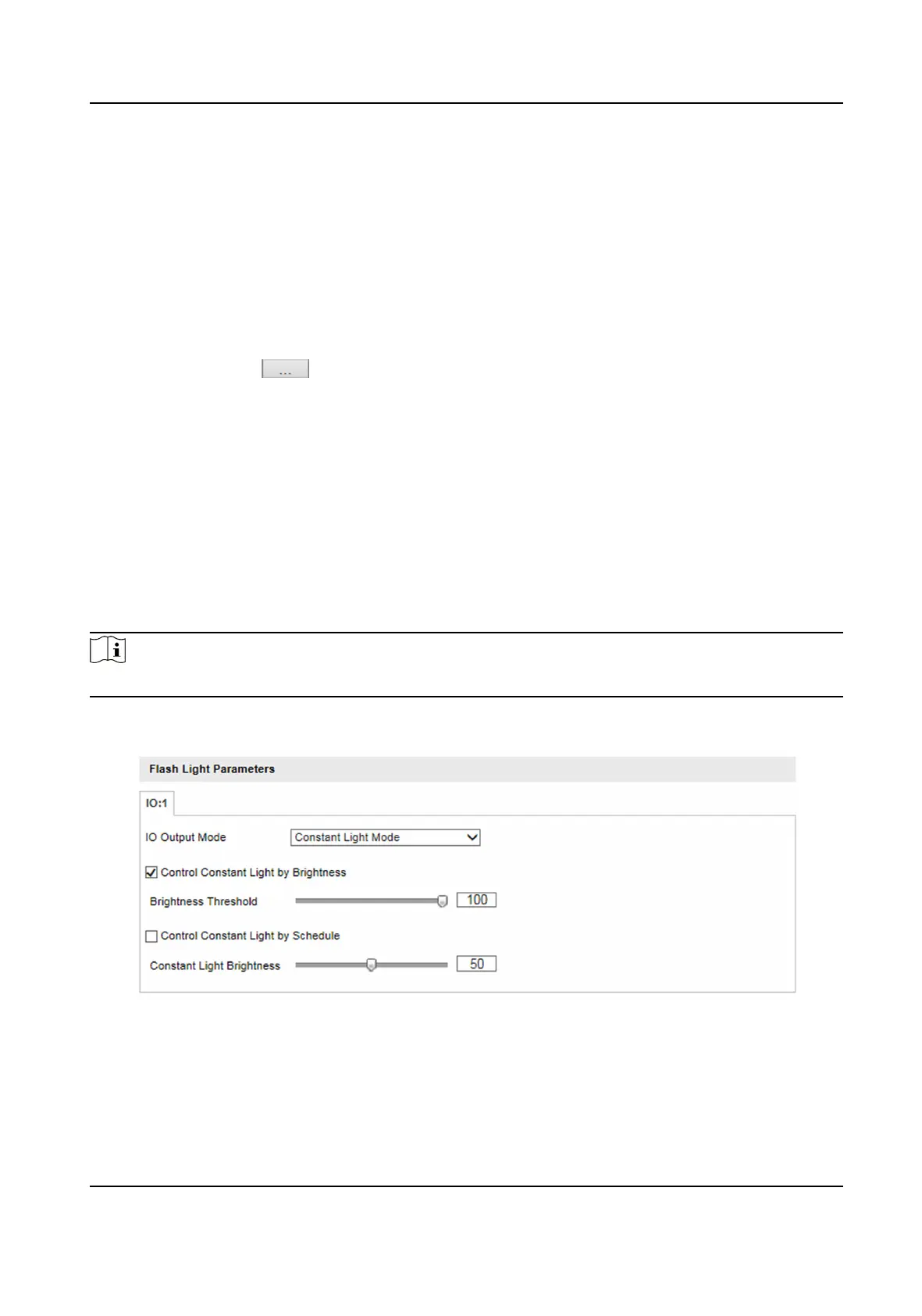
Go to Conguraon → Device Conguraon → Capture Parameters → Flash Light Parameters .
Figure 3-4 Set Flash Light Parameters
2.
Set constant light control mode and other parameters.
-
Check Control Constant Light by Brightness when you want the constant light to be controlled
by detecng the surroundings brightness automacally. Set Brightness Threshold. The higher
the threshold is, the harder the constant light can be enabled.
Smart On-Street ANPR Camera User Manual
8















 To Next Page