7.2 Connect to ISUP Plaorm
ISUP is a plaorm access protocol. The device can be remotely accessed via ISUP plaorm.
Before You Start
●
Create the device ID on ISUP plaorm.
●
Ensure the device can communicate with the
plaorm normally.
Steps
1.
Go to
Conguraon → Device Conguraon → System Conguraon → ISUP .
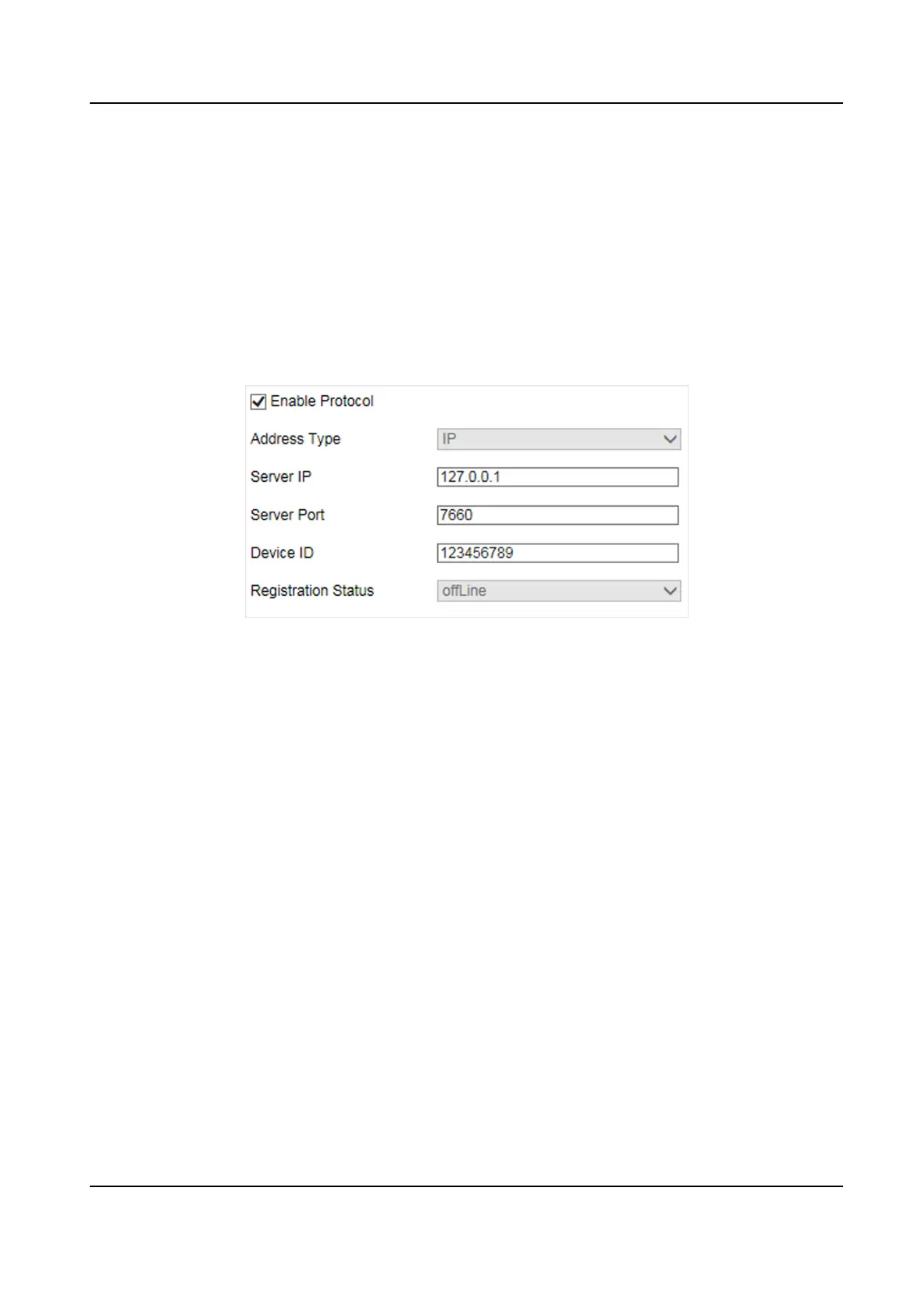
Figure 7-2 Connect to ISUP Plaorm
2.
Check Enable Protocol.
3.
Select Address Type.
Domain Name
When the server is in extranet, and the IP address is dynamic, you can select it.
IP
When the server IP address is
stac, you can select it.
4.
Enter the parameters below.
Server IP
Enter the
stac IP address of ISUP plaorm.
Server Port
The default value is 7660.
Device ID
The ID of the device registered on the ISUP plaorm. If you leave it empty, the device will be
logged in to the
plaorm with serial No.
5.
Click Save.
Smart On-Street ANPR Camera User Manual
30















 To Next Page