Chapter 7 Network Conguraon
7.1 Set IP Address
IP address must be properly congured before you operate the device over network. IPv4 and IPv6
are both supported. Both versions can be congured simultaneously without conicng to each
other.
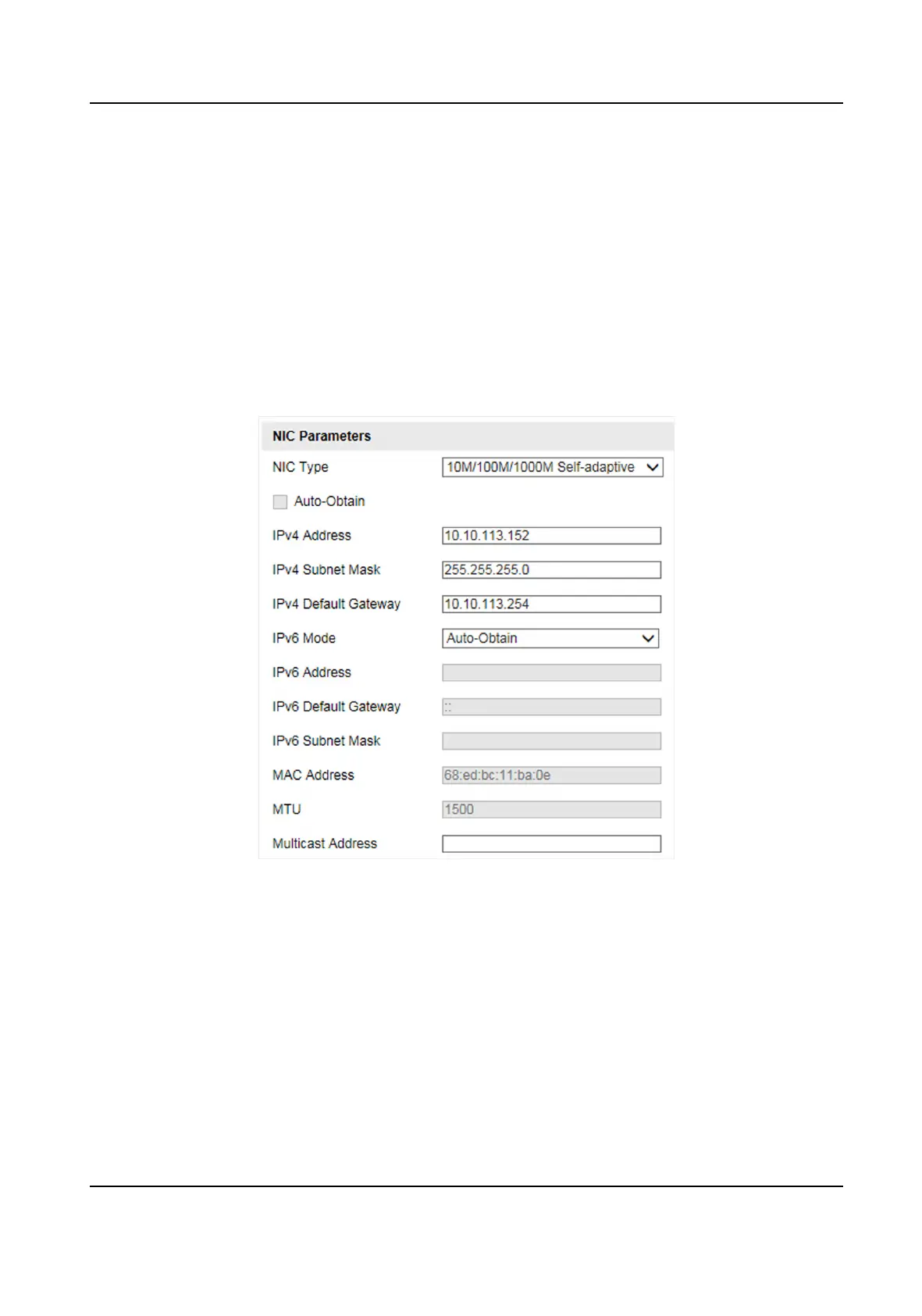
Go to Conguraon → Device Conguraon → System Conguraon → TCP/IP for parameter
sengs.
Figure 7-1 Set IP Address
NIC Type
Select a NIC (Network Interface Card) type according to your network condion.
IPv4
Two IPv4 modes are available.
Auto-Obtain
Smart On-Street ANPR Camera User Manual
28















 To Next Page