Plate Close-up Oset
The default value is 0, which is recommended to be adopted. The device can capture close-up
pictures according to the set oset when no license plate is recognized.
5.
Click Save.
3.4.3 Set Capture Overlay
If you want to overlay informaon on the captured pictures, set capture overlay.
Steps
1.
Go to Conguraon → Device Conguraon → Text Overlay → Single Picture Overlay .
2.
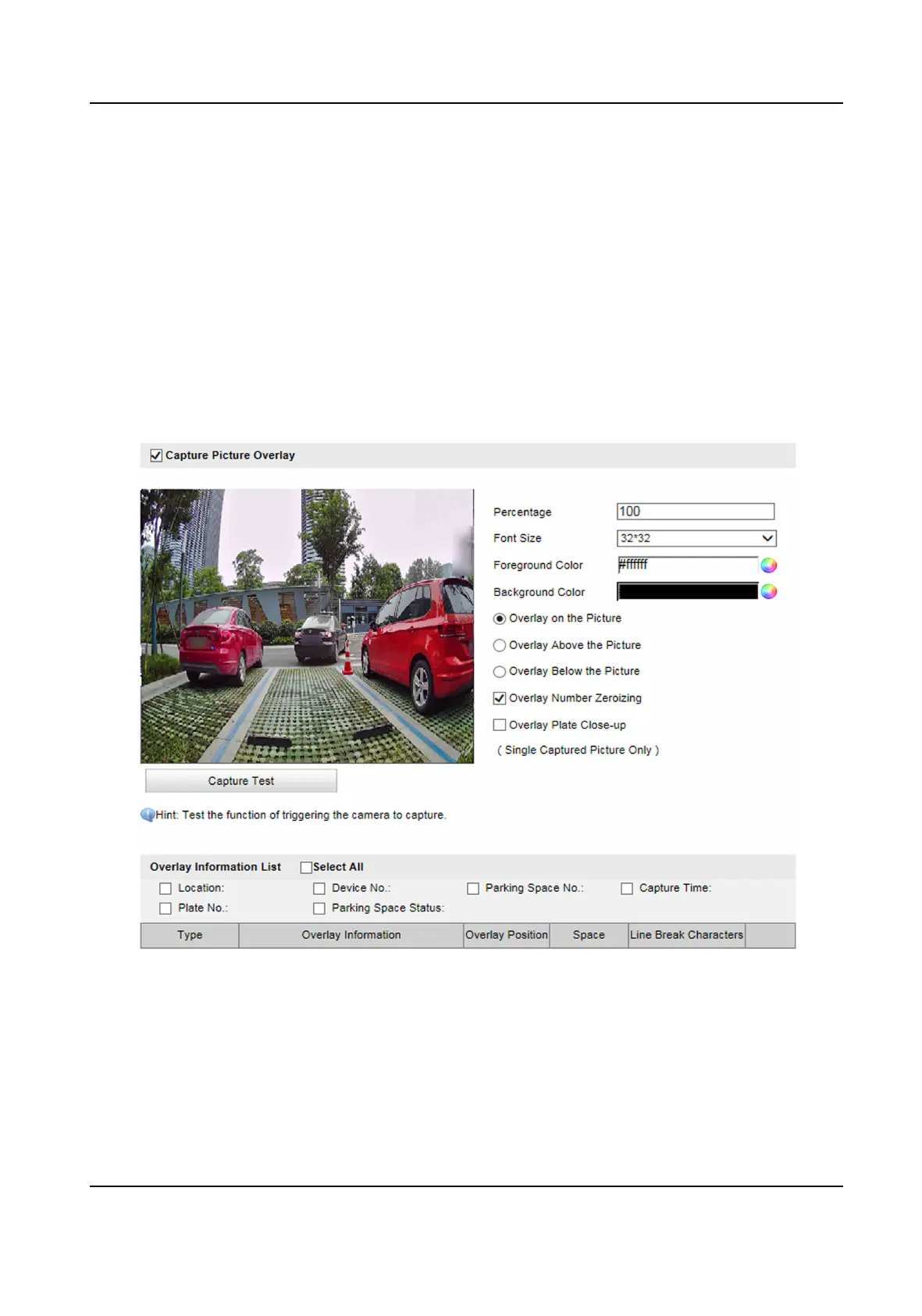
Check Capture Picture Overlay.
Figure 3-6 Set Capture Overlay
3.
Set the font size, color, overlay posion, etc.
Percentage
It is the percentage that the overlaid
informaon occupies on the picture.
Overlay Number Zeroizing
Smart On-Street ANPR Camera User Manual
10















 To Next Page