When the overlaid number digits are smaller than the xed digits, 0 will be overlaid before
the overlaid number. E.g., the xed digits for lane No. is 2. If the lane No. is 1, 01 will be
overlaid on the picture.
Overlay Plate Close-up
Check it, and a license plate close-up picture will be overlaid on the upper le corner of the
captured picture.
4.
Select the overlay
informaon from the list.
Note
The overlay informaon may vary with dierent models. The actual device prevails.
5.
Set the overlay informaon.
Type You can edit the type.
Overlay Informaon For some informaon types, you can edit the detailed informaon.
Overlay Posion Check it, and the current informaon will be displayed from a new line.
Space Edit the number of space between the current informaon and the
next one from 0 to 255. 0 means there is no space.
Line Break
Characters
Edit the number of characters from 0 to 100 between the current
informaon line and the previous informaon line. 0 means no line
break.
/ Adjust the display sequence of the overlay informaon.
6.
Click Save.
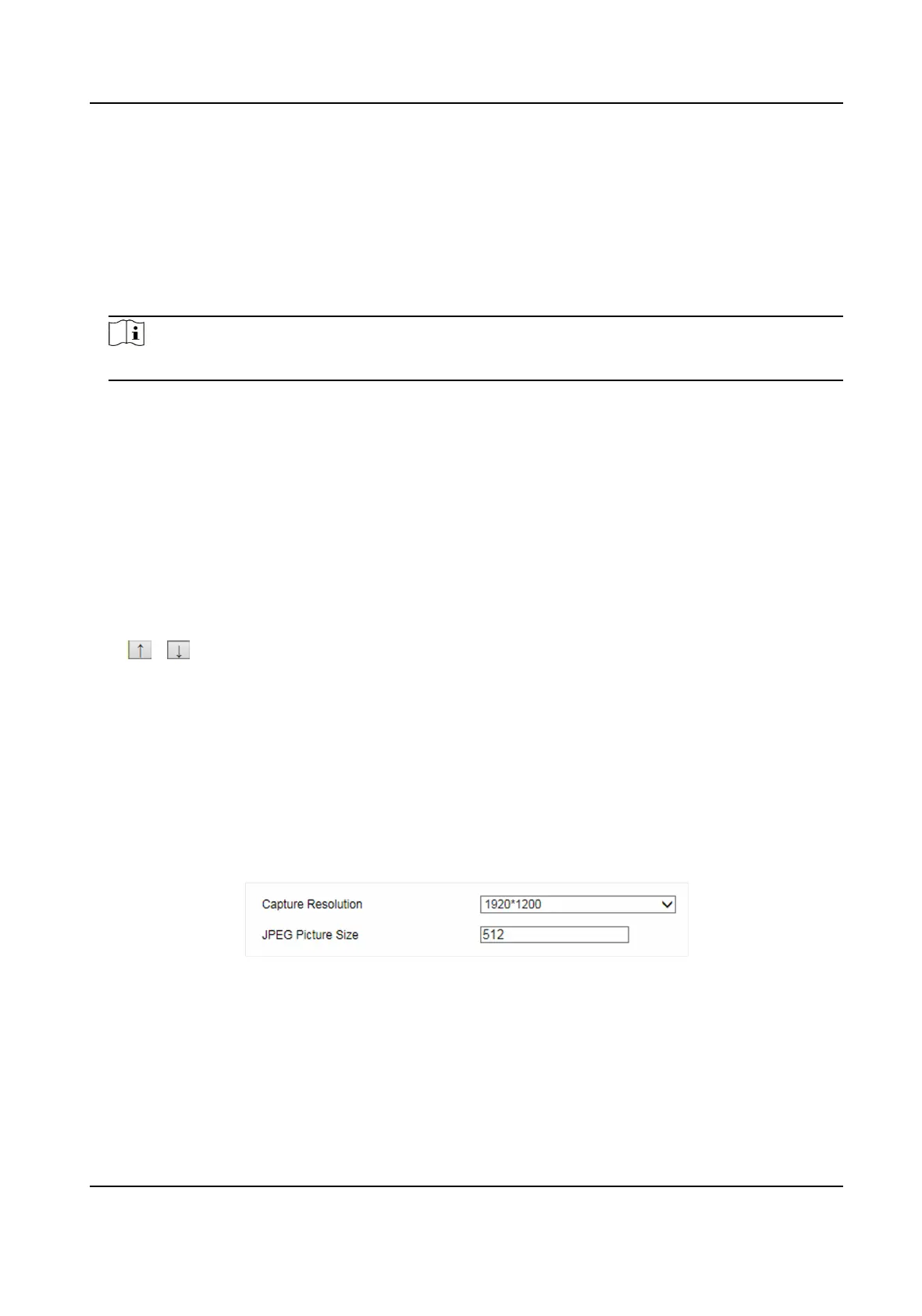
3.4.4 Set Image Encoding Parameters
If the captured pictures are not clear, set the resoluon of the captured pictures and the picture
size.
Steps
1.
Go to
Conguraon → Device Conguraon → Encoding and Storage → Image Encoding .
Figure 3-7 Set Image Encoding Parameters
2.
Select Capture Resoluon.
3.
Enter JPEG Picture Size.
4.
Click Save.
Smart On-Street ANPR Camera User Manual
11















 To Next Page