Select the parking mode according to the actual scene.
One word parallel
Parallel parking.
Perpendicular to the middle line
Backing into a parking space or pulling in head.
LED Energy Saving Mode
It is used to control the supplement light. If you enable the mode, only when the vehicle is
being parked into or driven out of the parking space, will the supplement light be enabled.
4.
Click Save.
3.2 Set Parking Space Indicator
Set the parking space indicator to indicate dierent colors for dierent parking status.
Before You Start
Set the
detecon lanes of the parking space.
Steps
1.
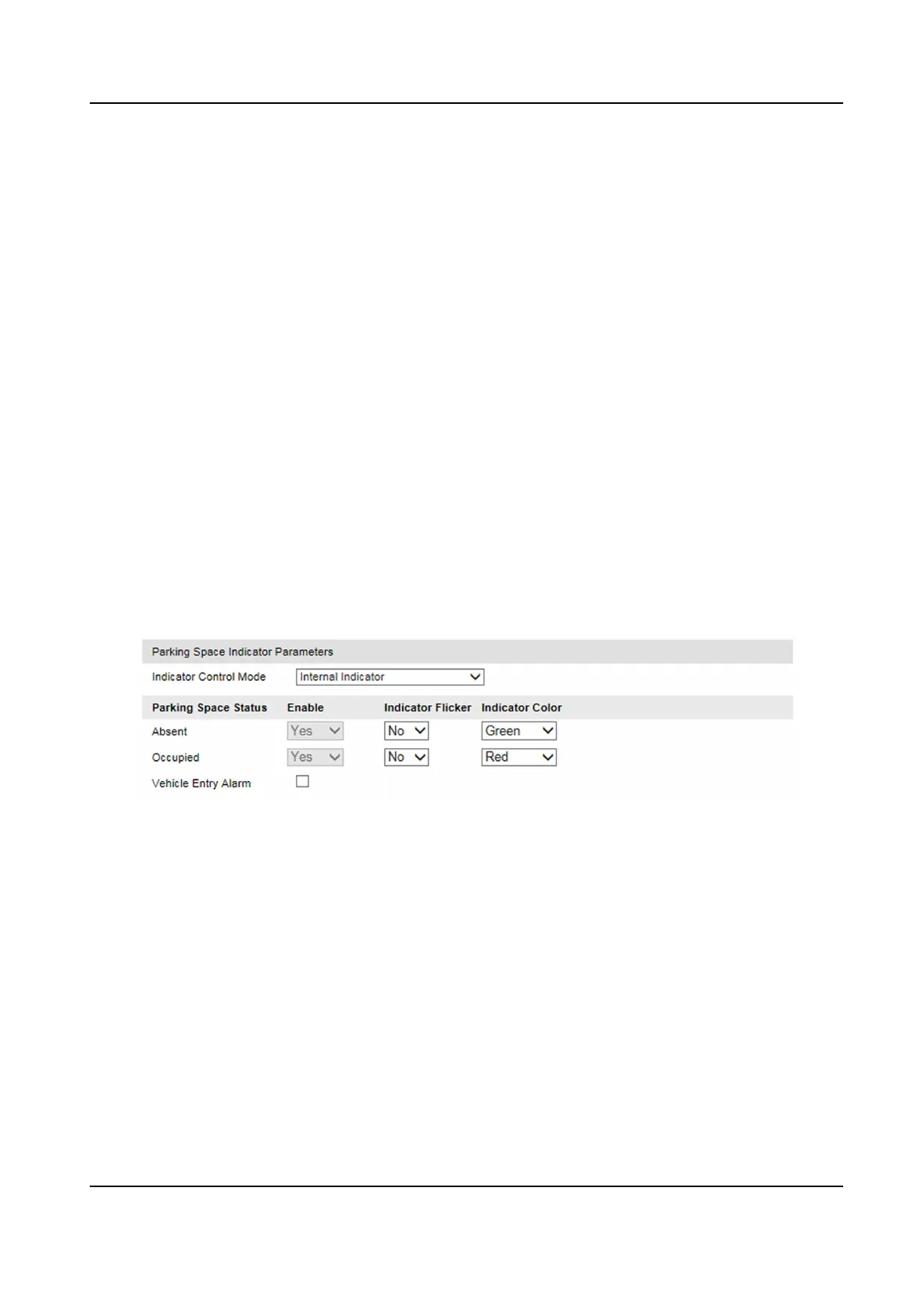
Go to Conguraon → Device Conguraon → Parking Space Indicator → Parking Space
Indicator .
Figure 3-2 Set Parking Space Indicator
2.
Select Indicator Control Mode.
3.
Set Indicator Flicker and Indicator Color for dierent parking space status.
4.
Oponal: Check Vehicle Entry Alarm.
The indicator will icker the set color for the occupied parking status when the vehicle is
entering into the parking space.
5.
Click Save.
3.3 Set Allowlist and Blocklist
You can set the parking lock linked allowlist and blocklist to control the parking.
Smart On-Street ANPR Camera User Manual
6















 To Next Page