7.3 Set DDNS
You can use the Dynamic DNS (DDNS) for network access. The dynamic IP address of the device can
be mapped to a domain name resoluon server to realize the network access via domain name.
Before You Start
●
Register the domain name on the DDNS server.
●
Set the LAN IP address, subnet mask, gateway, and DNS server parameters. Refer to "Set IP
Address" for details.
●
Complete port mapping. The default port is 80, 8000, and 554.
Steps
1.
Go to
Conguraon → Device Conguraon → System Conguraon → DDNS .
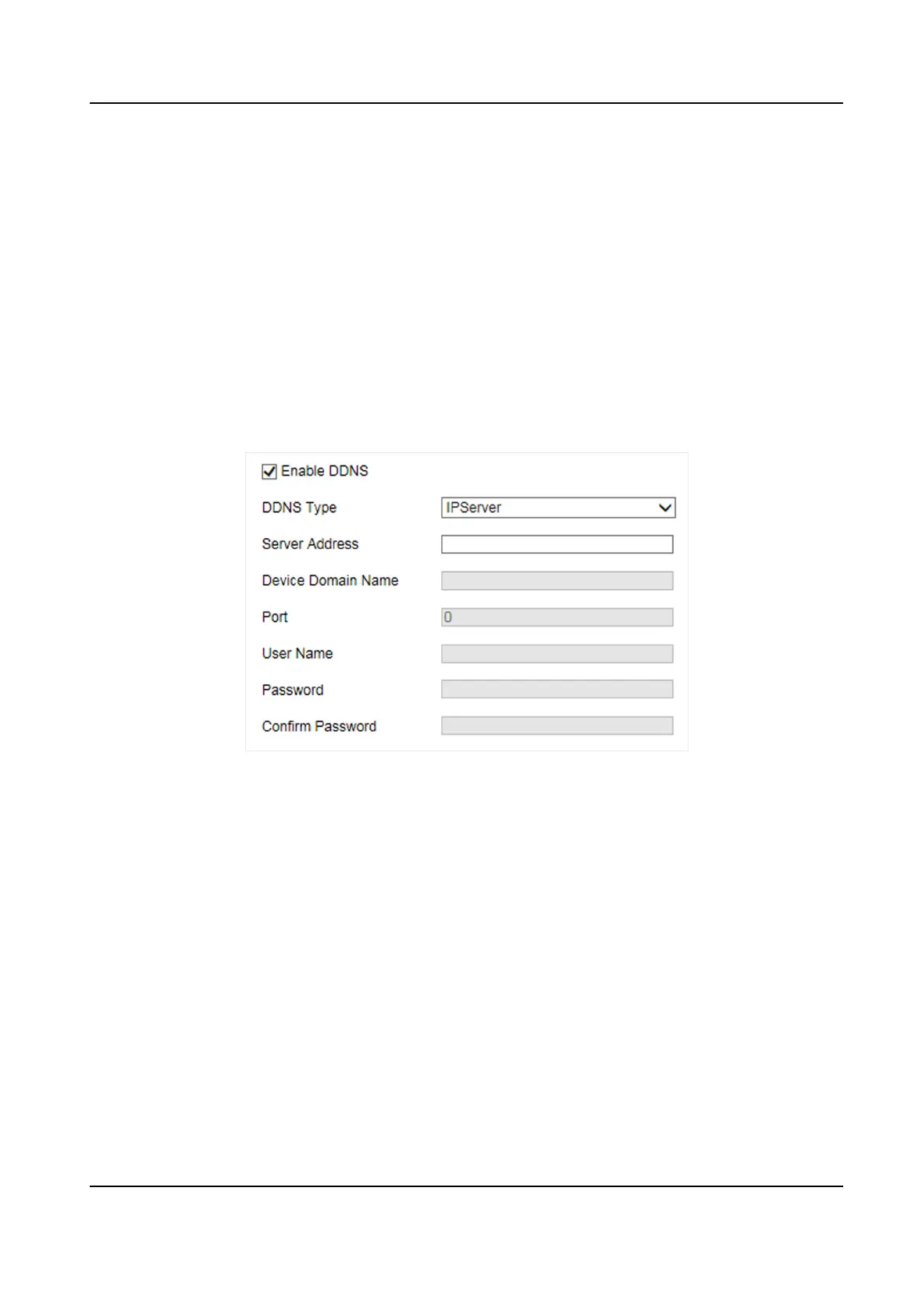
Figure 7-3 Set DDNS
2.
Check Enable DDNS.
3.
Enter the server address and other informaon.
4.
Click Save.
5.
Access the device.
By Browsers
Enter the domain name in the browser address bar to access the device.
By Client Soware Add domain name to the client soware. Refer to the client soware
manual for specic adding methods.
7.4 Set Port
The device port can be modied when the device cannot access the network due to port conicts.
Smart On-Street ANPR Camera User Manual
31















 To Next Page