4.
Oponal: Click Conguraon → Local Conguraon to view the saving path of record les.
4.1.6 Enable Digital Zoom
You can enable digital zoom to zoom in a certain part of the live view image.
Steps
1.
Click to start live view.
2.
Click to enable digital zoom.
3.
Place the cursor on the live view image
posion which needs to be zoomed in. Drag the mouse
rightwards and downwards to draw an area.
The area will be zoomed in.
4.
Click any
posion of the image to restore to normal image.
5.
Click to disable digital zoom.
4.2 Local
Conguraon
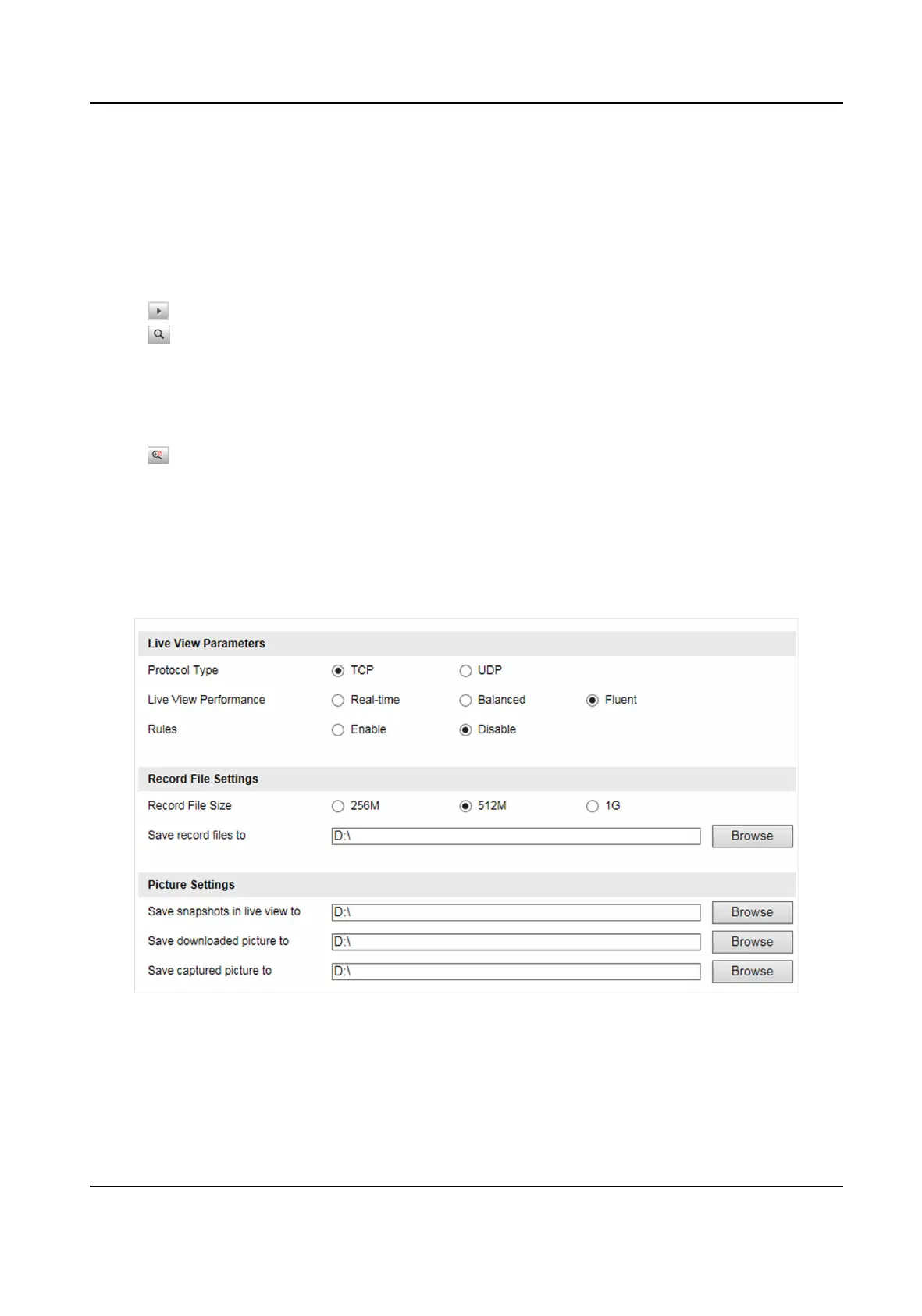
Go to Conguraon → Local Conguraon to set the live view parameters and change the saving
paths of videos, captured pictures, downloaded pictures, etc.
Figure 4-1 Local Conguraon
Protocol Type
Select the network transmission protocol according to the actual needs.
Smart On-Street ANPR Camera User Manual
15















 To Next Page