Before You Start
●
Connect the parking lock to the RS-485 interface of the device.
●
Install the storage media, and ensure the storage status is normal.
Steps
1.
Go to
Conguraon → Device Conguraon → Capture Parameters → Blocklist/Allowlist .
2.
Add a allowlist or blocklist.
1) Click Add.
2) Set License Plate Number and Card No., and select the list type.
3)
Oponal: If you want to control vehicles during xed me period, check Time Sengs, and
set the eecve start me and end me.
4) Click OK.
Note
Wait for 15 minutes to let the added allowlist or blocklist write into the storage. Do not reboot
the device during the process.
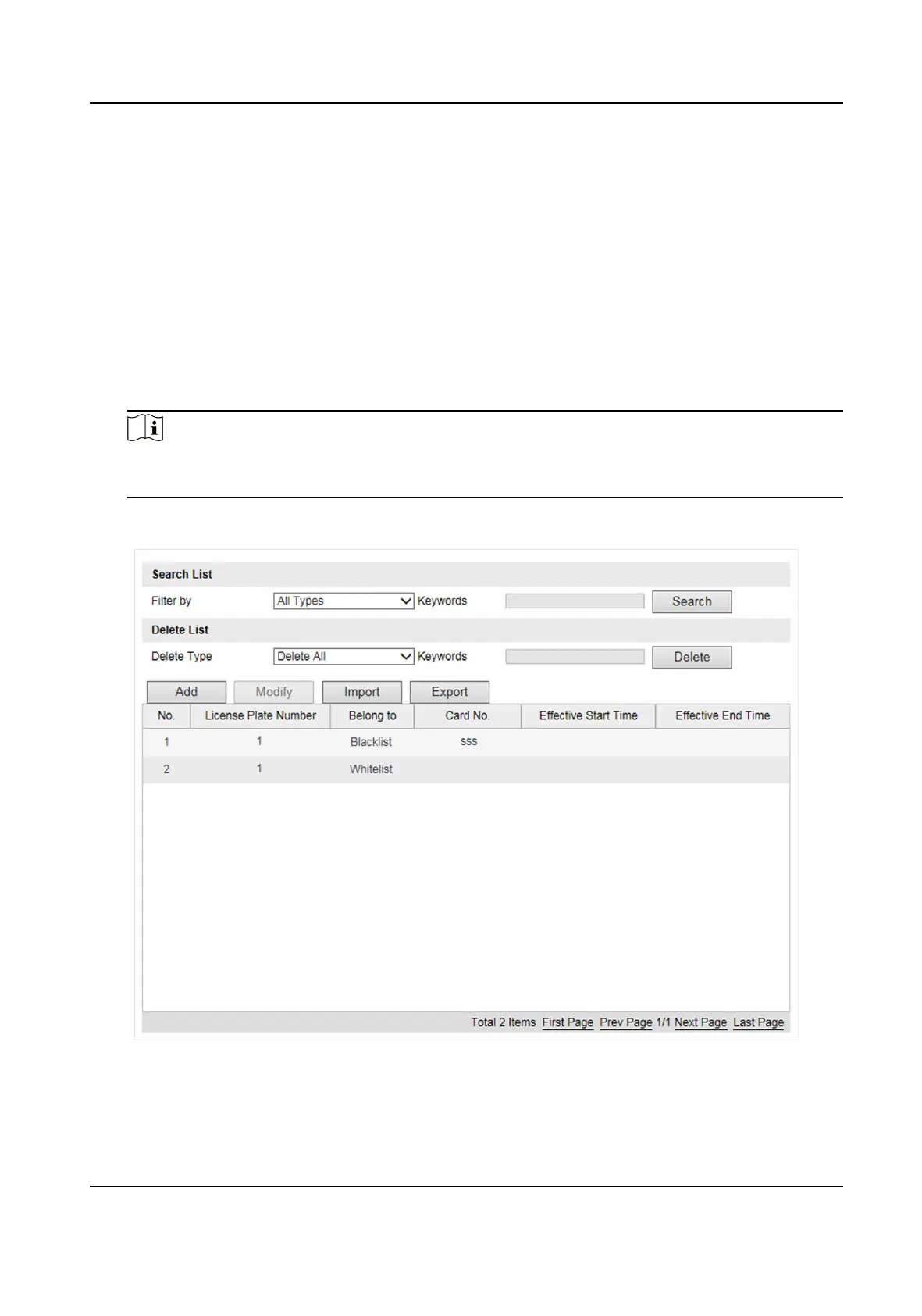
The informaon of the added vehicles in the allowlist or blocklist will be listed in the table.
Figure 3-3 Set Allowlist and Blocklist
3.
You can search, edit, delete, or import the allowlist or blocklist.
Smart On-Street ANPR Camera User Manual
7















 To Next Page