UM IPC-4300H 040320NA 20
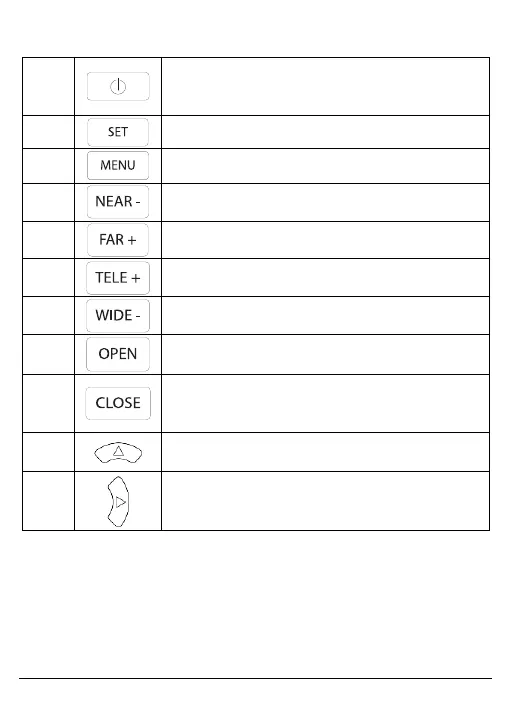
Table 1, IPC-4300H Tester Functions
Press for more than 2 seconds: turn the
device on or off; Short Press: turn the menu
Menu key: press to call the shortcut menu
Near focus: focus on nearby image
Far focus: focus on faraway image
TELE: zoom in on the image
WIDE: zoom out of the image
Open/Set: confirm parameter settings, open
or enlarge the aperture
Return/Close: return or cancel while setting
menu parameters, close or decrease
Upwards: set function or add parameter. Tilt
the PTZ upwards.
Rightwards: select the value of the
parameter that is to be changed. Add the
parameter value. Pan the PTZ to the right.



 To Next Page