EasyManua.ls Logo

Hill-Rom Isolette C2000 - Low Set Temperature Alarm Activated

Hill-Rom Isolette C2000
93 pages
Print Icon
To Next Page IconTo Next Page
To Previous Page IconTo Previous Page
Loading...
2.3
Low
Set
Temperature
Alarm
Activated
Chapter
2:
Troubleshooting
Procedures
2.3
Low
Set
Temperature
Alarm
Activated
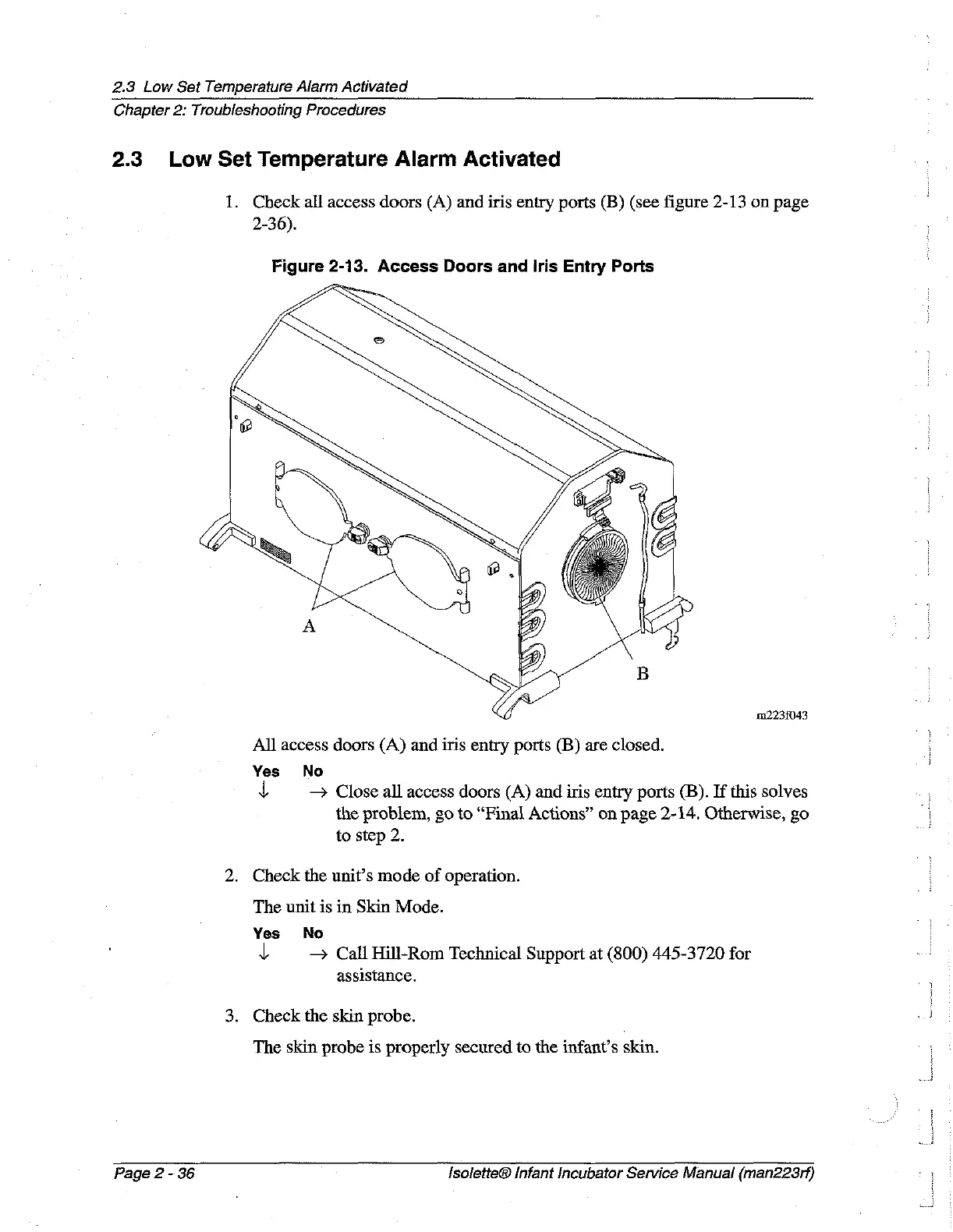
1.
Check
all
access
doors
(A)
and
iris
entry ports
(B)
(see
figure
2-13
on
page
2-36).
Figure
2-13.
Access
Doors
and
Iris
Entry
Ports
112238043
All
access
doors
(A)
and
iris
entry
ports
(B)
are
closed.
Yes
No
y
Close
all
access
doors
(A)
and
iris
entry ports
(B).
If
this
solves
the
problem,
go
to
“Final
Actions”
on
page
2-14.
Otherwise,
go
to
step
2.
2.
Check
the
unit’s
mode
of
operation.
The
unit
is
in
Skin
Mode.
Yes
No
y
Call
Hill-Rom
Technical
Support
at
(800)
445-3720
for
assistance.
3.
Check
the
skin
probe.
The
skin
probe
is
properly
secured
to
the
infant’s
skin.
Page
2
-
36
lsolette®
Infant
Incubator
Service
Manual
(man223rf)

Table of Contents

Related product manuals